-
If you check the display-relevant parts of your XF86Config-4 file (or post them here), you may find the spot where Knoppix is misunderstanding your monitor. Hard to guess without looking at the configuration.
Meanwhile, the quick-and-dirty way to get around the problem is to adjust screen resolution once you're in X. Do Ctrl-Alt-Plus Sign and/or Ctrl-Alt-Minus Sign (using the + and - on the keypad, not the ones to the left of Backspace) to scroll through the resolution options defined in XF86Config-4.
Unamiccia
Similar Threads
-
By Profik123 in forum Hardware & Booting
Replies: 1
Last Post: 03-31-2005, 05:13 PM
-
By gtg in forum General Support
Replies: 1
Last Post: 09-19-2004, 01:33 PM
-
By James in forum General Support
Replies: 16
Last Post: 12-14-2003, 07:28 AM
-
By Guitarist_7 in forum General Support
Replies: 1
Last Post: 10-31-2003, 02:46 PM
-
By Mindfield in forum General Support
Replies: 4
Last Post: 02-24-2003, 07:16 PM
 Posting Permissions
- You may not post new threads
- You may not post replies
- You may not post attachments
- You may not edit your posts
-
Forum Rules


Intel Core i7-3770K 3.5 GHz Processor
$39.00

Intel Core i7-9700 3.0 GHz Octo-Core (SRG13) Processor
$79.00
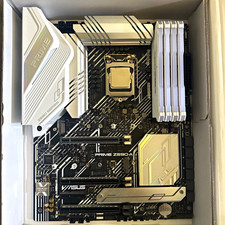
CPU-RAM-MOBO COMBO- 32gb DDR4 3600MHz, i5 CPU, Asus Prime Motherboard
$370.00

HP ProDesk 405 G8 Desktop AMD Ryzen 5 PRO 5650GE 16GB RAM 512GB SSD W11P
$319.99

Intel SRG17 Core i7-9700T Desktop Processor CPU
$74.99

Intel Core i7-9700 SRG13 3.0 GHz Desktop CPU
$80.00

Intel Core i5-14600KF Unlocked Desktop Processor
$259.99

Matched Pair _ Intel Xeon E5-2698 V4 2.2GHz 20-Core Processor CPU LGA2011 SR2JW
$94.99

PS5 Over Heating Problem Solver 1.5 Grams Liquid metal thermal paste CPU, GPU
$15.99

GAMING COMBO: ASUS Prime H470M-PLUS MOTHERBOARD + i5-10600KF CPU + 16GB DDR4
$229.95



 Reply With Quote