

Grub is powerful but particular. If you are new to Linux, it can be frustrating and intimidating.
For those wishing an easier method to dual boot any NT flavored version of Windoze, there is Bootpart. It is available from www.winimage.com.
It is very easy to use. You run it once to determine where the Linux code for your Knoppix installation resides (code 83) on your hard drive.
It will number all the partitions with codes that are on your system. When you find what number is beside the (code 83) partition that's what you use to enter in the bootpart command line. It could be a number as low a 1 or as high as 15.
Run bootpart one more time to:
1. extract the bootsector code from your Knoppix installation.
2. Auto*magically* place an entry into your boot.ini file.
You decide on what name you want this boot code to be. bootsect.lnx for example.
You also decide on how you want the entry to appear in boot.ini:
"Boot Knoppix"
So the command line would be
C:\Bootpart\ Bootpart 3 bootsect.lnx Boot Knoppix
(if we assume the number to enter is a 3.) Substitute the correct number for your system.
Run that command line and bootpart extracts the bootcode to bootsect.lnx and places the correct menu entry in boot.ini
Wasn't that EASY?
Note: This is the method that Corel Linux used to help it's customers dual boot Windoze products before it got bought out by Xandros.
(If you find you need to add cheat codes, you can add them later to the lilo.conf file after you have determined what they are by hand typing experimentation at the boot prompt when Knoppix starts.)
sakiZ
 Posting Permissions


16GB KIT (2x8GB) DDR3 Gamer Desktop RAM PC3 MIXED BRANDS VIPER VENGEANCE FURY
$10.00

Netac DDR4 32GB 16GB DDR4 3200MHz UDIMM C16 Desktop Internal Memory RAM Kit
$99.99

Major Brand 16GB (2x8GB) PC3-12800U DDR3-1600MHz DDR3-12800 DESKTOP RAM NON-ECC
$29.99

A-Tech 8GB DDR3 1600 PC3-12800 Laptop SODIMM 204-Pin Memory RAM PC3L DDR3L 1x 8G
$21.68

DDR4 Laptop RAM 4GB 8GB 16GB 32GB 2400 2666 3200 Samsung Hynix
$66.00
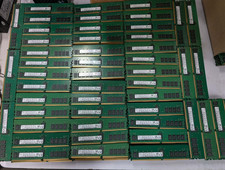
Lot 500 SK hynix 16GB 2Rx8 PC4-23400 DDR4-2933Y ECC Registered Server Memory RAM
$47988.00

RAMAXEL Lenovo 32GB LPDDR5X CAMM2 7500MHz Laptop RAM | UNTESTED
$445.00

Samsung 16GB LPCAMM2 PC5 7500 DDR5 LPDDR5X CAMM2 M561K1LC4DM0-CCTGM RAM Memory
$189.00

Dell 16GB PC4-21300 (DDR4-2666) Memory (SNPPWR5TC16G)
$89.99

Corsair Vengeance DDR3 8GB 16GB 32GB 1866MHz PC3-14900 Desktop RAM Memory DIMM
$43.00



 Reply With Quote