

 Reply With Quote
Try ' ldconfig ' 1st as root, then the game.
Originally Posted by scm86


Ok, i went and changed the games binaries so they installed to my hardrive, and installed tcl8.4 there too. when i go to start tuxracer from the dir that i unstalled it in, i get the following error:
i cant find any files that show where its lookin for it at, and ive made several copies of the libtcl8.4.so file in diferent dirs, and it still cant find it... HELP!Code:knoppix@ttyp0[bin]$ tuxracer tuxracer: error while loading shared libraries: libtcl8.4.so: cannot open shared object file: No such file or directory knoppix@ttyp0[bin]$
BTW im using knoppix 3.1 from the cd
Scott McNeely
Try ' ldconfig ' 1st as root, then the game.
tried it, no dice, what does that command do?
Scott McNeely
--It's supposed to update the shared libraries. But since you're not installed to HD, I'm stumped.
 Posting Permissions

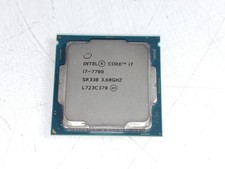
Intel Core i7-7700 3.6 GHz 8 GT/s LGA 1151 Desktop CPU Processor SR338
$39.99

Intel Core i7-9700 3.0 GHz Octo-Core (SRG13) Processor
$79.00
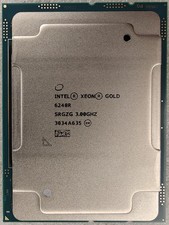
Intel Xeon Gold 6248R 3.0GHz 24-Core SRGZG 35.75MB LGA3647 Server CPU Processor
$225.00

Intel Core i7-9700 3.0 GHz 8 Core Processor
$85.00
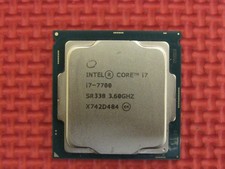
Intel SR338 Core i7-7700 3.60GHz 8M Socket 1151 Quad-Core CPU Processor LGA1151
$38.99

Intel 4th Gen Core i7-4790 SR1QF 3.60GHz (Turbo 4.00GHz) 8M 4-Core LGA-1150 CPU
$39.99

Intel i7-8700 Coffee Lake 3.2GHz 6-Core Max Turbo 4.6GHz Processor
$69.99

Intel Core i7-7700T 2.9GHz 8MB Socket LGA1151 Quad Core Processor SR339
$39.99

Corsair RM750e 750W Fully Modular 80 Plus Gold ATX 3.1 PSU Certified Refurbished
$44.99
INTEL XEON E3-1285 SR373 V6 4.10GHz 4-CORE 8 MB LGA 1151 CPU PROCESSOR
$89.00