

 Reply With Quote
That's what we call the "poor man's install"; start reading here:
http://www.knoppix.net/docs/index.php/HdBasedHowTo
Then come back if you have questions...


wouldn't be great to install Knoppix on HD in a compacted way, I have some old PCs working fine with the knoppix live-CD, but I can´t install in the 800 Mb HDs, so if somehow I could transfer the bootable CD image to HD I still would have 100 Mb to save my work
.
Thanks
That's what we call the "poor man's install"; start reading here:
http://www.knoppix.net/docs/index.php/HdBasedHowTo
Then come back if you have questions...
Later: realised you're probably not starting from Windoze, but I'll leave this here anyway.
I found a way to do this from http://www.knoppix.net/forum/viewtopic.php?t=4174#19460
First off, thanks to all involved, especially KK and garyng.
I'll just run through the steps I took again for the benefit of others. I've done nothing new here, but you never know it might help.
All under Windows2000 on Fat32 (NOT NTFS):
1. Unzipped w32grub.zip to c:\
2. Executed w32grub.exe
3. Added c:\boot\stage1="Grub" to c:\boot.ini per garyng's instructions.
4. Edited menu.lst thus:
(Note: most people should replace (hd0,2) with (hd0,0) - Windows resides on the third partition on my hard drive).
# Sample boot menu configuration file
# Boot automatically after a minute.
timeout 60
# By default, boot the second entry.
default 1
# Fallback to the first entry.
fallback 0
# Gets me back to windows
title Windows 2000
unhide (hd0,2)
rootnoverify (hd0,2)
chainloader +1
# For booting Knoppix
title Knoppix
root (hd0,2)
kernel (hd0,2)/boot/vmlinuz knoppix screen=1600x1200 home=/dev/hda7 wheelmouse lang=uk
initrd (hd0,2)/boot/miniroot.gz
With the Knoppix 27-06 cd in the cd drive (e:\):
5. Copied the 686 Mb knoppix file from e:\KNOPPIX to c:\KNOPPIX
6. Created a boot floppy by double clicking the mkfloppy.bat file in e:\KNOPPIX
7. Copied the contents of the boot floppy to c:\boot
8. Rebooted to be presented with a menu with items "Grub" and "Windows 2000".
9. Chose "Grub" to get a grub prompt.
10. Typed and entered "root (hd0,2)". (This step should be unnecessary for most people - Windows resides on the third partition on my hard drive).
11. Typed and entered "configfile /boot/grub/menu.lst"
12. A menu came up from which I selected Knoppix. It booted. Fast.
Again, thanks everyone.
If these instructions stand the test of time, perhaps they could be copied to HDBasedHowTo, so please say if they work or not.
just want to add :
you can tell w32grub where the menu.lst file is(it is default to (hd0,0)) then you don't need to do the GRUB command prompt stuff.
w32grub -h
would give you a brief help.
for your case :
w32grub -m (hd0,2)/boot/grub/menu.lst
Worked a treat!
This w32grub really could be GNU's Trojan horse.
That is the objective I believeOriginally Posted by cgoodier

Unfortunately, some users reported that it didn't work on their machine and I have no idea why(I am only the polisher of the stuff, and know little about GRUB internals). Luckily, because of its non-intrusive nature, no harm done.
When I try to use win32grub, the system stalls with GRUB Loading stage2... on the screen right after I select it. Anybody know what this means? ...Or where I could find out?
I did have this problem once, when trying to install to a hard disk that wasn't the first as far as my BIOS was concerned.
I fixed it by changing the order of the disks in the BIOS. Or maybe I removed one - I'm afraid I can't remember.
Don't know if this is related to your problem.
 Posting Permissions


Kingston 32GB 64GB 128GB 256GB USB 3.0 Flash Drive Thumb Memory Stick Pen lot
$285.90

Microsoft Office 2021 Pro Plus USB for 1PC Windows 10 & 11
$62.50
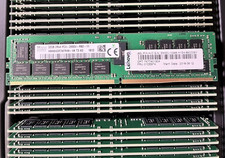
HYNIX HMA84GR7AFR4N-VK 32GB PC4-2666V 2RX4 RDIMM MEMORY HMA84GR7AFR4N-VK
$189.99

TF/SD Card Adapter Camera Reader Android Type-c For iPhone17 Pro Max Plusm lot
$573.98

USB 3.0 Flash Drive 32GB 64GB 128GB Memory Stick Thumb Stick Lot Pack
$826.09
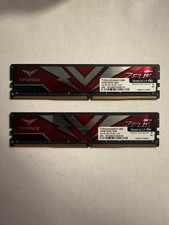
TEAMGROUP T-Force Zeus 64GB (2x32GB) DDR4 2666MHz PC4-21300 Desktop RAM Kit
$199.99
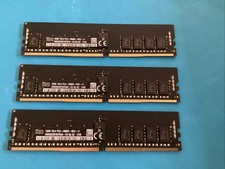
Lot of 3 SK HYNIX 16GB 1RX4 PC4-2666V-RC2-11 DDR4 Server MEMORY HMA82GR7AFR4N-VK
$180.00
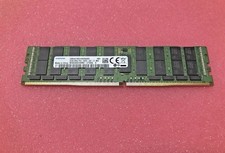
SAMSUNG M386A8K40BM2-CTD 64GB (1X64GB) 4DRX4 PC4-2666V DDR4 MEMORY
$270.00

Micron 32GB 1x32GB DDR5 5600 CL46 ECC Unbuffered SO-DIMM MTC20C2085S1TC56BD1
$399.00

Windows 11 Pro Install/Recovery/Repair USB Flash Drive
$35.00