-
newbie question about USB support
Hi
I'm very new to Linux. I've tried Knoppix 3.2 CD on my laptop and it worked very well. including recognition my memory stick USB card.
After that, I installed Knoppix into the HD and now for some reasons it does not seem to react to USB memory card insertion.
It worked with the CD, now it does not seem to work once it is installed.
Can somebody please help me how to sort this out?
Thank you
-
This is a common problem. When you install Knoppix to hard drive it becomes Debian. In other words you lose all that fancy auto detection stuff and have to do everything the Debian way(manually). The best thing to do is to start the Knoppix CD. Then mount the USB stick. While your at it mount all of your removable drives(cdrom, floppy...) and use other things like the printer and modem. Then install Knoppix to the hard drive. Now all of the auto detected Knoppix settings will be copyed to the hard drive.
Your other option is to become a Debian geek 
-
Senior Member
registered user
If you don't want to reinstall then just do this:
Boot the Knoppix cd- copy the file named /etc/fstab somewhere. Perhaps to your hdd install. Now boot your hdd install- compare the two files. Rename your original /etc/fstab to something like /etc/fstab.orig, then copy the file from the booted cd into place- see if that gets you fixed.
You might also try this:
sudo rebuildfstab -r
mkdesktophdicons
-
Senior Member
registered user
I think rickenbacherus is correct. You really don't need to do a reinstall for this. It is true that after your hard drive install knoppix-autoconfig is no longer run. Hotplug should still be working though and that is all you really need to have usb devices detected. Of course you may then need to do a little editing on /etc/fstab but with a little reading you should be able to manage this pretty well. Post back if you need more help.
-
Thanks
as I said I am a dummy on Linux.
I did the boot from the CD, and tried to have a look at the etc/fstab file. But there is nothing like this onto the CD and there appears to be no other mounted device visible on the PC. Maybe the RAMDisk created by KNOPPIX is not accessible?
Or maybe I have not enough skill to access it?
Anyway I tried "mkdesktophdicons" with the USB memory stick unplugged.
The result was to map the drives on the desktop. Before of this I have had to mount them through the KDE interface. Reasonable improvement.
Then I plugged the USB memory stick key on. Nothing happened.
I did then "sudo rebuildfstab -r". The Icon of the memory stick appeared, and it is now on the desktop.
But if I unplug the USB device, the icon remains on the desktop, as well as the icons of all of the files in the memory stick. Of course the files can no longer be accessed.
In the end it somewhat works but I wonder if there is any way to make it work better since it does not seem to be up to the concept of "hotplug".
Thanks
-
I did then "sudo rebuildfstab -r". The Icon of the memory stick appeared, and it is now on the desktop.
But if I unplug the USB device, the icon remains on the desktop, as well as the icons of all of the files in the memory stick. Of course the files can no longer be accessed.
In the end it somewhat works but I wonder if there is any way to make it work better since it does not seem to be up to the concept of "hotplug".
The one "gotch" about this is that when you want to remove the USB memory device, you need to close all the windows open to it and then Right-Click on the desktop Icon and select "unmount". This way, the data will be written to the device if you changed anything and you can then remove and insert another one and have the desktop folders update correctly.
Good going on trying the rebulidfstab command. I'll have to try that. Along with figuring out how the automount stuff is supposed to work. Knoppix does it right but the hd-install/Debian is lacking here.
cheers
-
if you use rebuildfstab for HD installs, you'll want to edit the script( /usr/sbin/rebuildfstab ) and remove the uid and gid sections since they default to uid=knoppix,gid=knoppix. Or you could just change them to YOUR uid and gid.
Similar Threads
-
By mute1 in forum General Support
Replies: 5
Last Post: 03-11-2005, 08:46 PM
-
By Fred666 in forum Hardware & Booting
Replies: 3
Last Post: 08-26-2004, 05:01 PM
-
By Fred666 in forum Hardware & Booting
Replies: 8
Last Post: 08-26-2004, 03:43 AM
-
By Drago in forum General Support
Replies: 2
Last Post: 10-21-2003, 10:10 PM
-
By linuxfool in forum General Support
Replies: 3
Last Post: 03-21-2003, 03:54 AM
 Posting Permissions
- You may not post new threads
- You may not post replies
- You may not post attachments
- You may not edit your posts
-
Forum Rules

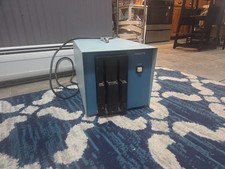
Vintage Industrial micro systems dual 8" Floppy disc drive for Altair system
$450.00

Cromemco PRI S-100 Printer Interface - Altair IMSAI
$45.00

S-100 backplane motherboard bare PCB 9 slot (for Altair/IMSAI)
$34.99
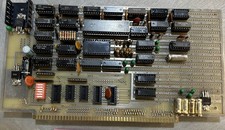
Altair Bread Board S-100
$79.99

2x Intel C8080A White Ceramic Gold 76' Vintage 8-Bit CPU Microprocessor Altair
$449.99

1976 Scelbi 6800 Software Cookbook Altair 680 SWTPC Assembly Language Motorola
$39.99
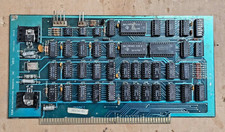
Solid State Music 1980 VB1C Video Interface Display Board S-100 altair Cromemco
$169.95

S-100 SD Systems Dynamic RAM Kit For Parts or Repair (Altair, IMSAI)
$49.95

CP/M 86 1.1R 8086 Highmonitor 8 Inch Floppy Diskette 80s IMSAI Altair
$40.00
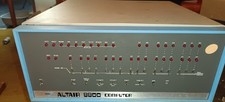
MITS Altair 8800 System Full Provenance and Documentation
$15000.00



 Reply With Quote