

 Reply With Quote
Hi Fendza,
Just go to "MENU" and:
1- Choose one the two proposed "Monior System".
2- Choose he tab "Process"
3- Find YOUR process and " KILL IT".
Good luck
knp


I have 8.2 and the magnifier just came on. I probably hit a wrong key. It won't go away. Is there a way to turn this off?
Thanks!
Hi Fendza,
Just go to "MENU" and:
1- Choose one the two proposed "Monior System".
2- Choose he tab "Process"
3- Find YOUR process and " KILL IT".
Good luck
knp
Open Compiz Settings Manager from Menu/Settings. Look for the Magnifier and open its settings by clicking on it. You will see the hotkey for start (and also for stop!): it is Super-M. So, you can kill Magnifier with this hotkey.
But if you untick the Magnifier, it will be disabled and never starts.
Otherwise, the Magnifier app is buggy: it starts unwanted triggered by other Compiz hotkeys.
At finishing moving a window starts magnifier; window decoration blinks
These are some of the reasons why I do not like Compiz.
Openbox-LXDE is wonderful, in my opinion it would be much more appropriate for Knoppix.
Last edited by szzsqing1; 02-10-2020 at 12:44 AM.
Sorry - I haven't been on for a while. Thanks so much. I have printed this. I think I hit a hot key accidentally!
 Posting Permissions


(New) AMD Ryzen 7 5700X 8 Core 16 Thread AM4 Unlocked 3.4 GHz CPU OEM Tray
$169.99

RYZEN 7 9800X3D 8-Core, 16-Thread Desktop Processor
$475.00
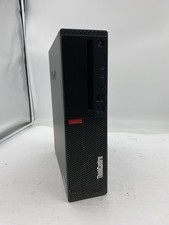
Lenovo ThinkCentre M920S Sff Intel Core i5 8600 8GB 256GB SSD Windows 11 Pro
$94.99

Apple MacBook Air 13.6” M2 8GB 256GB SSD 2022 MLY33LL/A 8‑Core CPU 8‑Core GPU
$529.95

Apple MacBook Air 13 2020 M1 8-Core CPU 8-Core GPU 16GB 1TB Space Gray - Good
$730.00

AMD Ryzen 7 9800X3D 8-Core AM5 CPU 4.7GHz 96MB L3 8MB L2 100MHz
$389.99
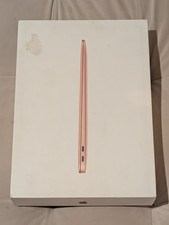
MacBook Air 13 2020 M1 8-Core CPU 7-Core GPU 8GB RAM 256GB Storage Gold
$399.00

Lenovo LOQ 15 15.6" FHD 144Hz 8-Core i5-12450HX 16GB 512GB SSD GeForce RTX 4050
$760.00

8-core 10-core GPU baseboard 8654 to PCIE 5.0x16 GPU expansion baseboard
$377.77

CHUWI 15.6'' Laptop Computer Intel Core 8GB RAM 512GB SSD WiFi Windows 11
$269.99