

 Reply With Quote
Hi Fendza,
Just go to "MENU" and:
1- Choose one the two proposed "Monior System".
2- Choose he tab "Process"
3- Find YOUR process and " KILL IT".
Good luck
knp


I have 8.2 and the magnifier just came on. I probably hit a wrong key. It won't go away. Is there a way to turn this off?
Thanks!
Hi Fendza,
Just go to "MENU" and:
1- Choose one the two proposed "Monior System".
2- Choose he tab "Process"
3- Find YOUR process and " KILL IT".
Good luck
knp
Open Compiz Settings Manager from Menu/Settings. Look for the Magnifier and open its settings by clicking on it. You will see the hotkey for start (and also for stop!): it is Super-M. So, you can kill Magnifier with this hotkey.
But if you untick the Magnifier, it will be disabled and never starts.
Otherwise, the Magnifier app is buggy: it starts unwanted triggered by other Compiz hotkeys.
At finishing moving a window starts magnifier; window decoration blinks
These are some of the reasons why I do not like Compiz.
Openbox-LXDE is wonderful, in my opinion it would be much more appropriate for Knoppix.
Last edited by szzsqing1; 02-10-2020 at 12:44 AM.
Sorry - I haven't been on for a while. Thanks so much. I have printed this. I think I hit a hot key accidentally!
 Posting Permissions


HP PROLIANT MICROSERVER GEN8 E3-1220LV2 @ 2.30GHz, 8GB RAM, NO HDD/OS
$164.97

Dual Xeon E5-2698 Server-Supermicro X10DRL-i - Noctua SilverStone RM41-506
$449.99

Super Micro 113M-3 Server Intel Xeon 5Tb HDD used great condition
$70.00

HPE ProLiant MicroServer Gen10 Plus Xeon E-2224 3.4GHz 16GB RAM 2TB HDD NO OS
$949.99

HPE ProLiant MicroServer Gen 10 - Opteron x3421 - 16GB DDR4 - 120GB SATA SSD
$350.00
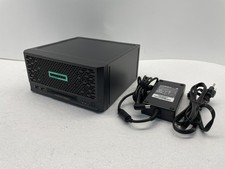
HPE ProLiant MicroServer Gen10 Plus V2 Server G6405 16GB No HDD P54644-001
$899.99

HP ProLiant MicroServer Gen8 Xeon E3-1265L v2 16GB ECC RAM 4-Bay NAS, NO Drives
$300.00

SuperMicro 4U CSE 847 36 Bay LFF Barebone 2x 1280W w/ 2x Bays 2.5 Rear w/Trays
$499.99

Supermicro 721-2 Mini Tower Black Computer Server NO Hdd
$375.00

BOXX B157552 SuperMicro X10DRT-L 2x Intel 2630V4 NO RAM & SSD Server
$160.99