-
What directory do I put my newly created kernel in so that it boots?
Summary:
I'm using live Knoppix release 7.7.1, kernel ver 4.7.9-64 on usb stick, with
persistence.
I'd like to change the kernel to a more recent version (see Full Details - 2. for
why).
I'd like to change the kernel version on this 7.7.1 Knoppix (as opposed to just
downloading the latest live knoppix) because I also want to LEARN how to do it.
I'm going to search the web for step by step instructions on how to change the
kernel, but could you answer me some Knoppix-specific questions please?
My Questions:
1. Am I right in thinking that at some point I will have created (or downloaded)
a new linux kernel that is just a single executable file? Does that file need to
be called linux64, and do I put it in the directory /boot/syslinux/, thus
replacing the linux64 file that's presently in there? I'm referring to
/boot/syslinux/ that's on partition 1 (labelled KNOPPIX) of the stick.
2. Do I need to specifically download a Knoppix kernel from yourselves, or can I
use any Debian kernel version?
3. Are there any other Knoppix-specific things that I need to do to install a
newer kernel?
Full Details:
1. My laptop is an Acer Aspire 5755G.
2. I want to change the kernel because I want to disable the laptop lid, and
all the many methods I've tried to disable it don't work (eg
HandleLidSwitch=ignore in /etc/systemd/logind.conf).
A website suggested that the problem may lie in the kernel.
3. The reason I want to disable the laptop lid is because when I close it whilst
an internet download is taking place (eg using youtube-dl), the download halts,
and I don't want it to. Other operations continue to work fine when the lid
is closed (eg play a song), and the OS is not going into suspend mode or
whatever.
4. THIS MIGHT BE VERY RELEVANT.
I thought it might be very relevant to describe how the usb stick boots, so that
you can identify exactly what setup I've got.
I created this live knoppix 7.7.1 (with persistence) on usb stick as follows. I
first of all put KNOPPIX_V7.7.1DVD-2016-10-22-EN.iso on a usb stick (without
persistence). I then booted from that stick. On the Desktop there is an icon
saying something like "Create Knoppix 7.7.1 with persistence on usb stick".
So I clicked the icon, and created a separate stick, with persistence. This is
the stick I want to change the kernel on.
When I power on with this persistence stick plugged in, the first screen I get
is mainly black and white, with a penguin in the top half. Below that is a
prompt that says "boot:". You can press F2 and F3 to see cheatcodes like
"knoppix acpi=off".
If you don't type anything at the "boot:" prompt, after about 10 seconds it
boots.
 Posting Permissions
- You may not post new threads
- You may not post replies
- You may not post attachments
- You may not edit your posts
-
Forum Rules


Dell Precision T5820 Workstation 3.70GHz W-2135 No RAM/ GPU/ HDD/ OS
$179.98

Dell Precision Tower 7810 Xeon E5-2630 v3 @ 2.40GHz , 32GB Ram, NO HDD, NO OS
$239.99

Dell EMC PowerEdge R440 Xeon silver 4215 2.5GHz 16 GB ram 2x 550W PSU No HDD
$275.00

Intel Xeon Phi 5110P 60-Core 1.053GHz Coprocessor
$50.00
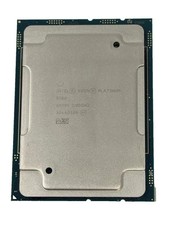
Intel Xeon Platinum 8268 2.9GHz 24-Core FCLGA3647 Processor | SRF95
$119.99

Intel Xeon E5-2699 V4 2.20GHz 55M 22-CORES LGA2011-3 Server Processor 145W SR2JS
$84.49

Dell Precision T7820 2x Xeon Silver 4114 2.20GHz 950W No RAM GPU HDD 4x SATA
$354.48

Lenovo ThinkStation P520c Intel Xeon W-2133 6-Core 3.60GHz -NO RAM/ HDD/ GPU/ OS
$127.54

Dell Precision T1700 Workstation Intel Xeon 16G Ram 256GG SSD Nvidia 600 Win 10
$109.99

HP Z440 Workstation TWR Xeon E5-1603 v3, 8GB RAM, NVS310, SB1570, NO SSD/OS #95
$89.99



 Reply With Quote