

When I invoke 'System Monitor' under the file systems tab it shows:
/dev/loop0 /KNOPPIX-DATA ext2 528.4 MB 125.8 MB 402.6 MB 76%
The used value of 402.6 MB (76%) has gradually gone up from minimal when Knoppix was first (Poor man) installed until now and I do not know why. I have not knowingly added anything apart from preferences I might make in various programs. My main usage is the Chrome browser. At the end of each session I clear browsing data and any downloads are moved to physical disk space and deleted from the downloads directory.
This figure is now too high and I want to reduce it by removing stuff that is not necessary. I thought I would use File manager for that so fired up PCManFM and looked at the /KNOPPIX-DATA directory and sub directories. There did not look much there at all. I looked at the properties of /KNOPPIX-DATA and the total size of files is 82.7 MB. I thought I would have a look inside the knoppix-data.img file by using another linux to extract the files from it. Again the files extracted came to a size of ~80+ MB.
So what is the other 319.9 MB used for and where is it so I can delete what is unnecessary!
 Posting Permissions


Samsung 860 EVO 2TB 2.5" SATA III 3D NAND SSD MZ-76E2T0 94-100% Health
$207.00
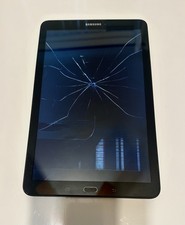
Samsung Galaxy 9.6'' Tablet - E SM-T560NU - Black - 16GB Gray | For Parts
$35.99
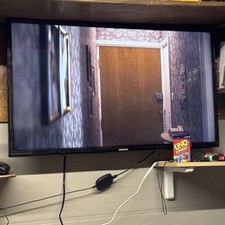
Samsung PM43H 43" Commercial Display READ
$300.00

Samsung Galaxy Tab Active 3/ 64 gig/WIFI
$85.00

RAM-HOL-SAM52CPU RAM USB-C Powered Dock Samsung Tab Active4 Pro & Tab Active Pro
$81.99

RAM-HOL-SAM60CPU RAM USB-C Powered Dock for Samsung Tab Active5 - 3 - 2
$81.99

RAM-GDS-SKIN-SAM54-NG-1 RAM Mounts IntelliSkin® Next Gen for Samsung Tab Active4
$93.99

Samsung SCXSTP000, SCX-STP000 (Swingline Staple Cartridge - 3 Refills)
$57.99

Samsung 2.5" 870 EVO SSD SATA III 250GB 500GB 1TB Internet Solid State Drive Lot
$90.00

Samsung 24" S3 Essential IPS 100Hz Monitor | Sealed | Fast shipping
$50.00


 Reply With Quote