-
Knoppix for newbies suggestions sought
Hi everybody,
Please take a look at http://www.knoppix.net/docs/index.php/KnoppixForNewbies . This is the first thing I have ever posed and all your comments/criticisms/suggestions would be most welcome. FYI - this is intended as something which would cover the *main* questions a total GNU/Linux newbie would have while looking at Knoppix for the very first time. Tha't also why I tried to keep the text as simple as I could (with a typical M$ user in mind).
I see Knoppix as an ideal GNU/Linux advocacy tool and this is why I tried to write a simple intro to this fantastic distro.
Cheers,
Andrei
-
Senior Member
registered user
You know, this is really embarrassing, but I can't even get into your newbie manual to look around.  There is no text, no instructions on how to get to text, clicking the title takes you to another page without text (something about backlinks - WTH???). There's a place to put your log-in and password, which I tried, but it didn't accept it. Then I saw where it said that you didn't need to enter a password, so I cleared it, and still couldn't get in.
I think it's great that you're writing a guide for newbies, but if we can't figure out how to open it and look inside, it's all the more humiliating!
-
Junior Member
registered user

Originally Posted by
j.drake
You know, this is really embarrassing, but I can't even get into your newbie manual to look around.
There is no text, no instructions on how to get to text, clicking the title takes you to another page without text (something about backlinks - WTH???). There's a place to put your log-in and password, which I tried, but it didn't accept it. Then I saw where it said that you didn't need to enter a password, so I cleared it, and still couldn't get in.
I think it's great that you're writing a guide for newbies, but if we can't figure out how to open it and look inside, it's all the more humiliating!
Do not despair!
It appears the problem is a dot '.' at the end of the url.
Try : http://www.knoppix.net/docs/index.php/KnoppixForNewbies
Have a look at : http://www.knoppix.net/forum/viewtopic.php?t=4682 as well
Regards,
Georges.
-
Senior Member
registered user
Great start, Andrei. You have a conversational writing style which is clear and unintimidating - precisely what is needed here.
I have only a couple of comments, and they go to picky issues. First, there are a couple of places where you use the words "loose" and "loosing", where I think you mean "lose" and "losing" (as in losing your data because your power cord was loose).
In another area, I think it's the second paragraph of the section where you talk about the virtues of Knoppix and why your sysadmin shouldn't object, you use "too" where you should use "to", and vice versa. You say, " your system administrator should not object to strenuously too you trying it out ", but it should read, "your system administrator should not object too strenuously to you trying it out."
Anyway, should be a simple fix with a search and replace. I hope you continue with subsequent chapters on other topice (e.g., the one I had the most trouble with as a newbie was setting up my printers).
-
Hi,
Thanks for the corrections (I am really louzy at spelling and proofreading)! Now about your suggestions for printers: do you really think that the KNOPPIX printers KDE wizard is a challenge for a newbie? I mean I will galdly walk a person through it step by step - but is this not rather self obvious?
Also - any other ideas for additions?
Thanks a lot!!
Andrei
-
Senior Member
registered user
It is obvious - my problem, though, was that it didn't work in the way I thought was obvious. I tried using the daemon through the configuration manager, with disastrous results, and wound up going off on some tangent with logging in as root, etc. When I got into it via the K menu, it worked beautifully.
OK, so much for installation and configuration. What about such terms as CUPS? What is it, do you need it? Does it need to be downloaded? Do I choose it over the other printing protocols? There are a number of other printing set up acronyms unique to Linux (or, at least not in Windows), that it's really confusing. What about drivers? What do you do if your driver isn't included in your distro? In the Windows world, we look to the CD that came with the printer. Guess what - it ain't there. Now what? So, Mr. Windows goes to the support page of the manufacturer, and reads some cr*p about how the manufacturer enthusiastically supports the open source movement, but there aren't any Linux drivers. So now, Mr. Windows does a Google search, and finds a number of things - and may even locate a file in a download section (which is probably designated as some super-experimental Beta version) named "*****.tar.gz". WTH is that?? How do I install that? Where do I install that?? Alternatively, Mr. Windows doesn't find a d*mn thing, and goes back to the forum, where some kind soul points to a website specializing in Linux printing, which informs him that there is no Linux driver for his printer, but that a few people reported limited success using a different driver for printing.
Anyway, that's how it worked for me. Here's a link to my thread with all the gory details. http://www.knoppix.net/forum/viewtopic.php?t=3632
-
Senior Member
registered user
Gee, j, this sounds all too familiar. Its like, daja vu all over again!
Anyway, I figured out that to setup printers off the CD, just use <K><KNOPPIX><CONFIGURE><CONFIGURE PRINTERS>. However, if you're using an hdinstall then use http://localhost:631 from Konqueror. Never had a problem since I figured out that minor distinction!
Regards,
-
Junior Member
registered user
Using KDE 3.1.1 on Linux 2.4.20-xfs
I just want to hook up my Canon printer. Apparently they're drivers are supposed to work fine according to the linuxprinting site.
I downloaded the drivers from the site with Mozilla 5.0. The wizard they have won't open. When I clicked on start it either evaporated or got stuck on the opening page.
Frustrated, I went back to my HP Deskjet printer which worked before and it didn't work. I even tried to add the HP as a new printer; no luck.
While I'm here.. I don't always want to depend on CUPS to print as I don't always want to be online. I'd like to just connect my printer to my computer and not send the request through CUPS. I'm a singlr user and don't plan on adding anymore printers. 
-
Senior Member
registered user
A tutorial for using http://localhost:631 would be nice. The Knoppix printer configuration is great when running off the CD, but as a debian hdinstall you have to use localhost. I've always had problems with this. In addition, how about discussing how to download and install your own CUPS drivers with apt-get?
TIA,
-
thanx
thankyou that was helpfull to get up and running..
still a bit confused about the reboot part im wondering what if i have a seriously big game or huge video files will they all be there when i come back ill get used to it.. 
Similar Threads
-
By olivers in forum Hdd Install / Debian / Apt
Replies: 2
Last Post: 10-24-2004, 10:07 PM
-
By Anna in forum The Lounge
Replies: 12
Last Post: 06-10-2004, 11:09 AM
-
By stokesg in forum General Support
Replies: 7
Last Post: 05-05-2004, 11:44 AM
-
By dr_azeem in forum The Lounge
Replies: 4
Last Post: 11-30-2003, 01:46 AM
-
By beforewisdom in forum Tips and Tricks
Replies: 0
Last Post: 09-15-2003, 06:41 PM
 Posting Permissions
- You may not post new threads
- You may not post replies
- You may not post attachments
- You may not edit your posts
-
Forum Rules


Genuine OEM Apple MagSafe 2 45W AC Adapter Charger for Macbook Air 2015 11" 13"
$14.24

Genuine Apple Power Adapter Extension Cable 6FT White OEM MacBook MK122LL/A
$10.99

OEM Apple Data Migration Toolkit for A1706 A1707 MacBook Pro PN 076-00236
$549.99

apple oem cube 5w charger
$6.99

OEM 45w T-Tip Power Adapter charger for Apple macbook air 2012-2017 A1436 A1466
$19.99
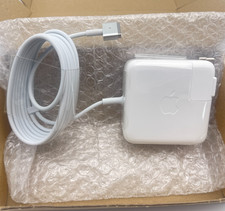
OEM 45W Charger For Apple MacBook Air 11-inch 13-inch Early 2012 2013 2014 2015
$26.98

OEM Apple 45W A1436 Power Charger AC Adapter for MacBook Air MagSafe 2
$12.99

Genuine Apple OEM A2164 30W USB-C AC Power Adapter with USB-C Cable, Very Good
$21.05
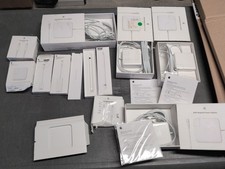
Lot Of Apple Cords And Accessories All OEM Genuine Apple Pencil, Magsafe Power
$109.99
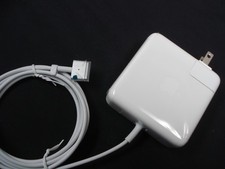
NEW Original OEM 60W Charger for 2012 2013 2014 2015 APPLE 13" MacBook Pro A1435
$25.95



 Reply With Quote