-
Enabling apache-SSL
What files need to be edited to enable apache to work in SSL mode (https), port 443?
thanks in advance,
Jim
-
Junior Member
registered user
hi,
the mod_ssl module is loaded in /etc/apache/httpd.conf so it should be enabled.
other modules, like PHP, server-info & server-status also work fine ...
only problem is that the httpd.conf is write-proteced (linked), so i copied it to alt.conf, edited that file and enabled the modules i wanted and used "apache -f /etc/apache/alt.conf"
i searched around a bit and found this :
http://ist.uwaterloo.ca/security/lib.../howto/ssleay/
it seems you need to install a certificate to enable SSL ??
Goner
-

Originally Posted by
Goner
hi,
the mod_ssl module is loaded in /etc/apache/httpd.conf so it should be enabled.
other modules, like PHP, server-info & server-status also work fine ...
only problem is that the httpd.conf is write-proteced (linked), so i copied it to alt.conf, edited that file and enabled the modules i wanted and used "apache -f /etc/apache/alt.conf"
i searched around a bit and found this :
http://ist.uwaterloo.ca/security/lib.../howto/ssleay/
it seems you need to install a certificate to enable SSL ??
Goner
I tried various other things, including creating a certificate, was not able to get it to work on port 443 using SSL yet.
Jim
-
Ok,
I got it working after this:
I used the (installed) libapache-mod-ssl package to create certificates.
Go to /usr/share/doc/libapache-mod-ssl/examples
Unzip gid-mkcert.sh.gz and run it.
Fill out all the fields, and a bunch of server.* and ca.* files will be created in the current directory.
(remember the pass phrases you use).
Copy the .key files (ca.key and server.key) to /etc/apache/ssl.key
Copy the .crt files (ca.crt and server.crt) to /etc/apache/ssl.crt
Copy the .crs files (ca.crs and server.crs) to /etc/apache/ssl.crs
Add the following to /etc/apache/httpd.conf:
Code:
Listen 80
Listen 443
And:
Code:
<VirtualHost _default_:443>
     DocumentRoot /var/www
     ServerName My.server.com
     ServerAdmin [email protected]
     ErrorLog /var/log/apache/ssl_error_log
     TransferLog /var/log/apache/ssl_access_log
     SSLEngine On
     SSLCertificateFile /etc/apache/conf/ssl.crt/server.crt
     SSLCertificateKeyFile /etc/apache/conf/ssl.key/server.key
    <Files ~ "\.(cgi|shtml|php)$">
      SSLOptions +StdEnvVars
    </Files>
    <Directory "/cgi-bin">
      SSLOptions +StdEnvVars
    </Directory>
    SetEnvIf User-Agent ".*MSIE.*" nokeepalive ssl-unclean-shutdown
    CustomLog /var/log/apache/ssl_request_log \
      "%t %h %{SSL_PROTOCOL}x %{SSL_CIPHER}x \"%r\" %b"
</VirtualHost>
Restart the httpd server:
Code:
/etc/init.d/apache restart
You will be asked for the RSA pass phrase.
Regards,
IKK
Similar Threads
-
By helios17 in forum General Support
Replies: 1
Last Post: 11-21-2004, 01:11 AM
-
By cul971 in forum General Support
Replies: 2
Last Post: 11-05-2003, 02:05 PM
-
By blackshadow in forum General Support
Replies: 1
Last Post: 06-10-2003, 04:11 PM
-
By dafne in forum Customising & Remastering
Replies: 1
Last Post: 05-23-2003, 12:05 PM
-
By Cyber in forum Customising & Remastering
Replies: 0
Last Post: 12-18-2002, 03:07 PM
 Posting Permissions
- You may not post new threads
- You may not post replies
- You may not post attachments
- You may not edit your posts
-
Forum Rules

Lot 4 Samsung 64gb PC4-25600 2Rx4 DDR4-3200AA ECC RDIMM Reg Server Memory RAM
$3199.00
Micron MTA36ASF2G72PZ-2G1B1 16GB DDR4 2RX4 PC4-2133P-RBB-11 Server Memory RAM
$70.00

SMART(Micron)SafeStor 32GB(1X32GB) 1RX4 NN4-3200AA(DDR4) HPE Server Memory
$159.98
16GB DDR3L 1600MHz RAM Upgrade Kit (2x8GB) Non-ECC Unbuffered 240-Pin UDIMM
$75.99
Lot 4x Intel Optane 512GB DCPMM NMA1XBD512GQS DDR4 2666 Persistent Memory 2TB
$1249.00
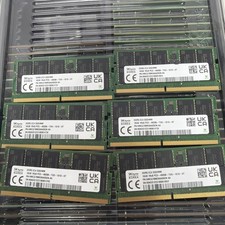
SK hynix (6x16GB) DDR5 4800 ECC EC4 SODIMM PC5-4800B 1Rx8 HMCG78MEBAA092N Tested
$1199.99

Kingston 32GB 64GB 128GB 256GB USB 3.0 Flash Drive Thumb Memory Stick Pen lot
$285.90

USB 3.0 Flash Drive 32GB 64GB 128GB Memory Stick Thumb Stick Lot Pack
$826.09
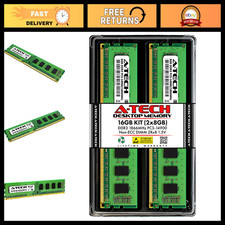
16GB DDR3 RAM Kit (2x8GB) 1866MHz PC3-14900 UDIMM Non-ECC 240-Pin Memory Upgrade
$121.99
RDIMM MICRON DDR5 SERVER MEMORY 1x16 Sticks 5600 RAM
$449.00



 Reply With Quote