

 Reply With Quote
--Try recompiling as ELF? (I know nothing about c++ but the kernels I build only support a.out as module, not compiled into kernel.)
Originally Posted by estranged


I really want to stop using suse and make knoppix my main distro but i really need to make this work in order to do it.
It has to do with c++ and executing source code.
I type ./a.out and the shell just sits there. It doesnt hang it just sits there looking pretty.
I run the program with the ddd option and executed it from ddd...execution window comes up and nothing shows up.
I used anjuta same thing. No compiler errors no warnings but it wont execute.
Checked the permisions (chnod755) of the file and its execute..tried with no execute from desperation,....same crap.
And yeah i got make.
As I said, during compile, NO ERRORS and NO WARNINGS. I demoted my self to a simple hello world program just to keep things simple.
Code:#include <iostream> using std::cout; using std::endl; using std::cin; int main () { int x; cin >>x; cout<< x<<endl; return 0; }
--Try recompiling as ELF? (I know nothing about c++ but the kernels I build only support a.out as module, not compiled into kernel.)
ELF?
I am kinda lost
--Not as lost as I am...
' man g++ '
' /ELF ' (search for ELF)
-melf
Generate an executable in the ELF format, rather than the default mmo format used by the mmix simulator.
--It's a compiler flag that you can pass on the cmd line. But looking back in the man page, it's prolly not applicable for this instance. (shrug) Sorry.
YAAAAAY..i fixed it.
It seems that when outputing gcc need the gnome-terminal and I didnt have it installed.
Now it works all nice and good.....one thing though i cant make the text show,,its there (i copied and pasted it to an editor) but even if i change the setting on the terminal the text is white
thanks though for answering my question i learned something new ELF :P
--that's very strange... You should be able to run the compiler AND the program from rxvt, xterm, or *text mode* for that matter without anything depending on gnome-terminal. But hey, as long as it works.
i know
I added alot of packages from apt-get.org.
Maybe something changed there...a path or something like that.
 Posting Permissions


Crucial MX500 1TB 2.5" SATA III Internal SSD CT1000MX500SSD1
$99.99

Samsung 2.5" 870 EVO SSD SATA III 250GB 500GB 1TB Internet Solid State Drive Lot
$90.00

Samsung 860 EVO 250GB SSD MZ-76E250 2.5" SATA III Solid State Drive -
$39.99

Samsung New SSD 970 EVO Plus 2TB 1TB 500GB 250GB NVMe M2 Internal Hard Drive Lot
$79.99

Netac 2TB 1TB 512GB 256GB Internal SSD 2.5inch SATAIII Solid State Drive lot
$549.00

Fanxiang 1/2/5/10Pcs 2.5'' SATA SSD Lot 1TB 2TB 4TB 512GB 256GB TLC Internal SSD
$129.99
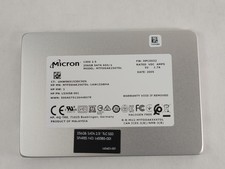
Micron 1300 MTFDDAK256TDL 256 GB SATA III 2.5 in Solid State Drive
$24.99

2 PACK 128 GB SSD M.2 2280 SATA Solid State Drive Major Brands, Samsung, LiteON
$28.00

SSD 2.5" SATA Hard Drive for Laptop Desktop Windows 10 pro 64 Pro Pre-installed
$42.00

Micron MTFDDAK256TBN 256 GB, Internal ,2.5" SSD
$23.00