

 Reply With Quote
Yes, go to the Control Center -> Pheripherals -> Mouse then Icons section select double click.Originally Posted by Dallas Eschenauer


I've been having a blast with Knoppix and I'm getting along with it real well. There is one thing I can't figure out and it's driving me nuts and I give up on tryng to find the answer in forums or on the Web. So forgive me if it's a simple solution and I can't see the forest for the trees.
How in the heck do I disable the "single click" behavior of the desktop and browser objects? After almost 15 years of double clicking in Amiga, Mac, Windows, Unix, etc. etc. etc. GUIs, I am just NOT going to ever cope with this default single click behavior in Knoppix. Five years from now I'll still be double clicking hda1 on the desktop. Sigh.
Pathetic, isn't it? Please help.
And... THANKS!!
Yes, go to the Control Center -> Pheripherals -> Mouse then Icons section select double click.
it's that easy indeed
 Posting Permissions


Lenovo ThinkPad T14 Gen 1 14" AMD Ryzen 5 16GB 256GB SSD
$219.99

Lenovo ThinkPad L15 Gen 3 15.6" 16GB, Thunder Black
$241.50

Lenovo ThinkPad L15 Gen 3 15.6" 16GB, Thunder Black
$241.50

Lenovo ThinkPad T14 G2 14-Inch AMD Ryzen R5 5650U 16GB, 512GB SSD Win 11 Pro
$398.99
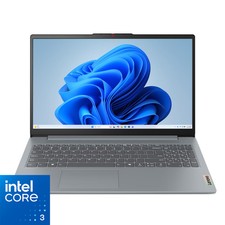
Lenovo - IdeaPad Slim 3i 15.6" Full HD Laptop - Intel Processor N355 2025- 8G...
$349.99
Lenovo ThinkPad T14 Gen 2 i5-1145G7 16GB 512GB SSD Touch Win 11 Pro Good
$261.99
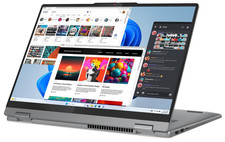
Lenovo IdeaPad 5 2-in-1 16" WUXGA Touch Ryzen 7 8845HS 16GB 512GB SSD FPReader
$571.00

Lenovo Legion 5 Gaming 15.1" WQXGA OLED 165Hz Core i9-14900HX 16GB 1TB RTX 5070
$1469.00
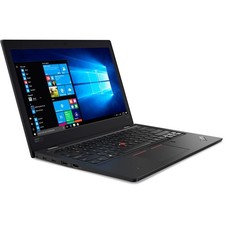
Lenovo ThinkPad L380 13.3” Touchscreen Laptop Core i3 16GB RAM 256GB SSD Win 11
$199.99

Lenovo ThinkPad T495 14” Laptop AMD Ryzen 5 PRO 16GB RAM 256GB SSD Windows 11
$229.99