

 Reply With Quote
Try /sbin/iptables -A INPUT -p tcp --dport 68 -j DROP a good tutorial and sample script are here and there are a couple of other firewalls available such as Guarddog and Bastille-Linux in Debian.Originally Posted by /Knoppix/Knewbie/


hi just got knoppix, and need a little help getting my firewall in to stealth mode on www.grc.com
{its fine at sygate sos}
but at gibson it shows port 68 is open and port 67 is closed and all the other ports are in stealth mode..
i installed firestarter which didn't seem to do much so i then used this line
/sbin/iptables -A INPUT -p tcp --syn -j DROP
which put all but two ports in to stealth mode
any advice on how to stealth these 2 ports ??
cheers
/Knoppix/Knewbie/
Try /sbin/iptables -A INPUT -p tcp --dport 68 -j DROP a good tutorial and sample script are here and there are a couple of other firewalls available such as Guarddog and Bastille-Linux in Debian.
--Also try ' nmap localhost ' and ' less /etc/services ' to see which programs run on those ports. You can also use ' lsof |grep 68 ' to list open files/ports.
--I'm concerned if you disable port 68 (bootpc) your DHCP server will stop working, but I don't know that much about DHCP or firewalling.
(COMPLETE IPTABLES NEWBIE QUESTION) - After skimming thru the iptables tutorial and understanding about 2% of it, what about limiting your DROP rule to interface ppp0?
i have tried going to the sites you reccommend but they seem not to be functioning/
o well cheers for the advice anyway
woody
Here is the Guarddog and Bastille-Linux web sites I just checked them and they both work from my machine another place you can try is Arno's Iptables which is what I use it's fairly easy to setup you only have to edit a couple of lines in the script(s) and change some permissions on the files and you are ready to use it.
Most firewalls that I have seen do that when you are setting up the rules you have your external (internet) connection which is what you would be dropping the incoming packets on you can still establish outgoing connections to get what you require from the external interface unless you go out of your way to block outgoing connections on the ports. If you have an internal interface that you are using NAT on to share the connection it is usually on a trusted internal interface so you can have access to your internal network. This is what I do with my firewall machine from the outside my computer does not exist on the internet if you scan it but on the internal side my firewall machine runs only SSH so I can get to it to check for upgrades to my Woody (actually Mini-Woody now known as Bonzai Linux) install on it and HTTP so I can serve myself some web pages that I have.
 Posting Permissions


Intel Xeon E5-2680 V2 2.8GHz 10-Core 25MB 8GT/s SR1A6 LGA2011 B Grade Server CPU
$7.95

Dell EMC PowerEdge R440 Xeon silver 4215 2.5GHz 16 GB ram 2x 550W PSU No HDD
$275.00

Dell PowerEdge FX2s + 8x FC430 Blades 16x E5-2630v4 160 Cores Rails No PSU/RAM
$699.00

Intel Xeon Phi 5110P 60-Core 1.053GHz Coprocessor
$50.00

Intel Xeon E5-2699 V4 2.20GHz 55M 22-CORES LGA2011-3 Server Processor 145W SR2JS
$84.49

HP Z840 44 Core Workstation 2x Xeon E5-2699 v4 - No RAM/ GPU/ HDD/ OS
$594.97

Lenovo ThinkStation P520c Intel Xeon W-2133 6-Core 3.60GHz -NO RAM/ HDD/ GPU/ OS
$127.54

Matched Pair _ Intel Xeon E5-2698 V4 2.2GHz 20-Core Processor CPU LGA2011 SR2JW
$94.99

NEW HP Z4 G4 Workstation Xeon W-2123 16GB ECC 256GB NVMe NVIDIA T400 750W Win11
$450.00
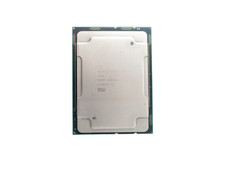
Intel Xeon Gold 5218 SRF8T 16-Core 2.30GHz FCLGA3647 22MB Cache CPU Processor
$24.99