

 Reply With Quote
Yes, go to the Control Center -> Pheripherals -> Mouse then Icons section select double click.Originally Posted by Dallas Eschenauer


I've been having a blast with Knoppix and I'm getting along with it real well. There is one thing I can't figure out and it's driving me nuts and I give up on tryng to find the answer in forums or on the Web. So forgive me if it's a simple solution and I can't see the forest for the trees.
How in the heck do I disable the "single click" behavior of the desktop and browser objects? After almost 15 years of double clicking in Amiga, Mac, Windows, Unix, etc. etc. etc. GUIs, I am just NOT going to ever cope with this default single click behavior in Knoppix. Five years from now I'll still be double clicking hda1 on the desktop. Sigh.
Pathetic, isn't it? Please help.
And... THANKS!!
Yes, go to the Control Center -> Pheripherals -> Mouse then Icons section select double click.
it's that easy indeed
 Posting Permissions


🔀 Juniper Networks EX2300-C-12P 12× Gigabit PoE+ • 2× 10G SFP+ Compact Switch ⚡
$149.00

Juniper EX2300 12-Port Gigabit PoE+ Managed Network Switch P/N: EX2300-C-12P
$149.99
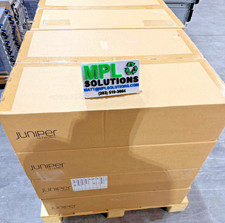
Juniper QFX5100-48T-AFI 48-port 1G/10G RJ-45 ports 6 QSFP ports BRAND NEW SEALED
$899.97

Juniper Networks EX2300-48P 48-Port Gigabit PoE Managed Ethernet Switch
$79.99

Juniper EX2300-C 12 Port Compact Gigabit Switch EX2300-C-12p
$99.99

Juniper SRX320 8-Port Security Services Gateway Appliance w/ AC Adapter
$59.99
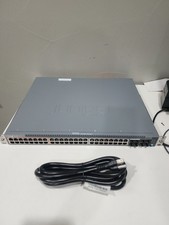
JUNIPER NETWORKS EX4100-48MP Multi-GIG Ethernet Network Switch
$899.99

New Sealed Juniper EX4100-F-12P 12x 1GbE PoE 2x 10GbE uplinks 1 Year Warranty
$895.00

Juniper Networks AP33 Wireless Access Point Bluetooth WiFi 6 Cloud Managed NIB
$54.99
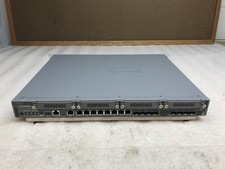
Juniper Networks SRX340 16x1GbE Ports Service Gateway Security Appliance W/ Ears
$79.99