

 Reply With Quote
Also, xmms will hang anyway.


I am using the latest version of Knoppix CD.
I boot from the CD with cheat code alsa. Info Center of KDE shows :-
Sound Driver:3.8.1a-980706 (ALSA v0.9.2 emulation code)
Kernel: Linux Knoppix 2.2.21-xfs #1 Fre Jul 25 00:06:47 CEST 2003 i686
Config options: 0
Installed drivers:
Type 10: ALSA emulation
Card config:
Intel 82801DB-ICH4 at 0xe0100c00, irq 9
Audio devices:
0: Intel 82801DB-ICH4 (DUPLEX)
Synth devices: NOT ENABLED IN CONFIG
Midi devices: NOT ENABLED IN CONFIG
Timers:
7: system timer
Mixers:
0: Analog Devices id 74
But I cannot hear the sound from my computer. So, I set the "Sound & Multimedia" in KDE Control Center. Sound system -> aRTs -> enabled "Start aRts soundserver on KDE starup". Then, Sound I/O -> selected "Advanced Linux Sound Architecture" at Sound I/O method. Enable full duplex operation. Set 48000 at sampling rate. When I save the setting, I get the following error message :
Error while initializing the sound driver:
device: default can't be opened for playback (Device or resource busy)
The sound server will continue, using the null output device.
How can I solve this problem? Thanks.
Also, xmms will hang anyway.
 Posting Permissions


LENOVO THINKPAD T14s GEN 2a Ryzen 7 PRO 5850U 1.9GHz 16GB 256GB TOUCH - NO OS
$299.95

Lenovo ThinkPad L14 Gen 3 Laptop 14” FHD Core i5 12th 16GB RAM 512GB SSD Win 11
$359.99

Lenovo Thinkpad E15 Gen 2 8GB RAM 256GB SSD Intel Core [email protected] Laptop
$220.36
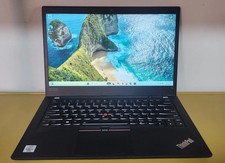
Lenovo ThinkPad T14 Gen 1 Core i5 1.70GHz, 16GB RAM , 256GB SSD
$259.99
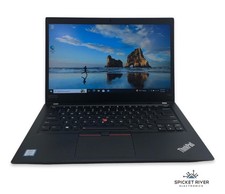
Lenovo ThinkPad T490 Quad Core i7-8565U 1.80GHz 256GB SSD 16GB RAM Win11Pro
$170.00

Lenovo - Idea Tab Plus - 12.1" 2.5K Tablet - 8GB RAM - 128GB UFS - Luna Grey
$209.99
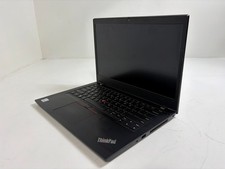
Lenovo ThinkPad L14 Gen 1 Core i5-10310U 1.7GHz 16GB 512GB 14" W11P Laptop
$197.10
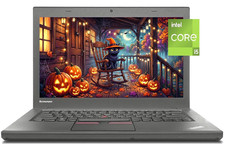
14" Lenovo T460 Laptop PC: Intel i5-6300U (16GB RAM - 256GB SSD) Windows 10
$129.69
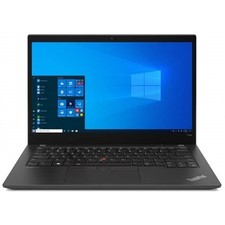
Lenovo ThinkPad T14s Gen 2 14" 32GB, Thunder Black
$318.83
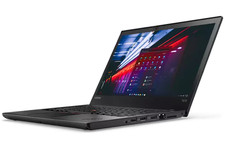
Grade A Lenovo Thinkpad T470 i5-6300U 2.4Ghz 8GB 256GB Win 11
$209.99