

 Reply With Quote
Also, xmms will hang anyway.


I am using the latest version of Knoppix CD.
I boot from the CD with cheat code alsa. Info Center of KDE shows :-
Sound Driver:3.8.1a-980706 (ALSA v0.9.2 emulation code)
Kernel: Linux Knoppix 2.2.21-xfs #1 Fre Jul 25 00:06:47 CEST 2003 i686
Config options: 0
Installed drivers:
Type 10: ALSA emulation
Card config:
Intel 82801DB-ICH4 at 0xe0100c00, irq 9
Audio devices:
0: Intel 82801DB-ICH4 (DUPLEX)
Synth devices: NOT ENABLED IN CONFIG
Midi devices: NOT ENABLED IN CONFIG
Timers:
7: system timer
Mixers:
0: Analog Devices id 74
But I cannot hear the sound from my computer. So, I set the "Sound & Multimedia" in KDE Control Center. Sound system -> aRTs -> enabled "Start aRts soundserver on KDE starup". Then, Sound I/O -> selected "Advanced Linux Sound Architecture" at Sound I/O method. Enable full duplex operation. Set 48000 at sampling rate. When I save the setting, I get the following error message :
Error while initializing the sound driver:
device: default can't be opened for playback (Device or resource busy)
The sound server will continue, using the null output device.
How can I solve this problem? Thanks.
Also, xmms will hang anyway.
 Posting Permissions


9300-8i LSI SAS3008 8-Port 12Gb PCIe IT mode ZFS FreeNAS unRAID 2*SFF-8643 US
$49.50
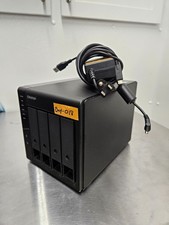
QNAP TR-004 4 Bay USB-C Hardware RAID Enclosure DAS 3.5 2.5 SATA Tested Working
$149.99

Broadcom 9600-24i Tri-Mode RAID Controller 4.0 NVMe SAS SATA NEW 05-50111-01003
$639.69

Vintage Promise EIDEMAX Enhanced IDE Disk Controller ISA Non-RAID Card Boxed
$34.99
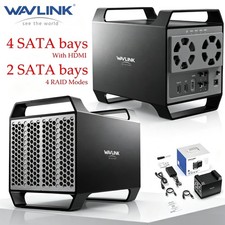
WAVLINK RAID 2 Bay Hard Drive Docking Station SATA 2.5''3.5'' SSD HDD USB C 4Bay
$68.39

Broadcom LSI 9305-16i 12Gbps SAS-3 PCIe x8 HBA 16-Ports Raid Controller
$64.99

2-Bay/4-Bay Hard Drive Enclosure for 3.5"/2.5'' SATA HDD/SSD 10Gbps USB-C 3.2
$75.99
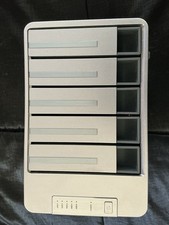
TerraMaster D5-300C 5-Bay USB-C Hard Drive Enclosure
$115.00
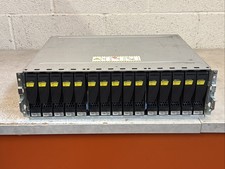
Dell EMC 15-Bay 3.5" SAS Disk Array Enclosure 12Gbps Dual LCC - 2x Power Supply
$249.00

Intel VROC Premium RAID Controller Card PCIe Add-On Module VROCPREMMOD
$265.00