

 Reply With Quote
Please post how you executed it. did you try 'sudo' or 'su' or as root? also you can use knoppix installer .


When i try to execute the knx-hdinstall program it gives me a Permission denied error.
No matter what i've tried.
Do you guys have any suggestions ?
[update] i also tried an earlier version of knoppix (3.1) and there i have the same problems, it must have something to do with the computer i'm using the knoppix cd worked fine on my previous system[/update]
Please post how you executed it. did you try 'sudo' or 'su' or as root? also you can use knoppix installer .
i executed it as the normal knoppix user,
the password for the root supposed to be "locked" ? so i cannot execute it as root
i will try the knoppixinstaller tommorow.. very sleepy now
Use 'sudo knx-hdinstall' or 'sudo knoppix installer'.No need of password.
--When doing System Maintenance, you must be root.
--Geez, the install script should have a check right at the beginning and abort with a helpful error msg if it's not being run as root.
Originally Posted by djoey
hello, i am also having some trouble running either install script. changed to root with sudo su. as root, typed sudo knx-hdinstall, and got to screen with cfdisk, but did not include a (C)reate partition option (as different documents I had seen suggested) then dialog screens asking about swap file appeared, but the script terminated after 'no swap partition could be found...'
with sudo knoppix-installer the screen mentioned "knx-templates-0.39.tgz' could not be found, and terminated the script.
any ideas on what (basic) thing I am missing (apart from the brain, bit, I mean :c)) the knoppix version i have is 2003-06-06... and everything otherwise seems fine ... some glitches as far as keyboard mapping still (see ' marks ' above) and this with the knoppix lang=us cheat at boot... sigh.
thanks very much for any help
dave
If there was no free space on the drive then you would have no option to create a partition. Is this the case on the drive you are trying to install on? If you do not have free space on the drive use QTParted ( sudo qtparted in a console window ) to resize a partition to free some up you will need enough space for 2 partitions one /swap minimum 128mb and one for / minimum 2.2gb.
You can get the template and installer here you will have to copy them both to the same directory in the ram drive say /ramdrive/home/knoppix andwith sudo knoppix-installer the screen mentioned "knx-templates-0.39.tgz' could not be found, and terminated the script.
dave
in a console window in the knoppix directory to make the script executable and run the script.Code:chmod 755 knoppix-installer sudo ./knoppix-installer
thanks for your reply.
> If there was no free space on the drive then you would have
> no option to create a partition. Is this the case on the drive
it's a 30GB(28 actual, give or take) with windows ME in the first 6.2GB. I've read that defragging the hard drive was the minimum amount of mucking about I needed to successfully install Knoppix off of the CD in a dual boot scenario. I also got the impression that QTParted/FIPS/Partition Magic would resize the C:\ but I remain unclear about exactly *when* I need to do the actual resizing: before, or *during* the knoppix-installer/knx- hdinstall script run?
> If you do not have free space on the drive
This is also confusing me. The drive presently has no more than 6.2 or so GB in use for WinME, and resizing the 28 or so GB down to, say, 7GB seems reasonable. If I use QTParted from within Knoppix' ramdisk, via the CD, and tell QTP to create a second 7GB partition for Knoppix, and then try running knoppix-installer...?
> use QTParted ( sudo qtparted in a console window )
Of course, I saw this advice in a second posting (rickenbachus'?) immediately *after* posting my question.
> to resize partition to free some up you will need enough space
> for 2 partitions one /swap minimum 128mb and one for /
> minimum 2.2gb.
so, 7GB is probably enough space? for the time being? :c)
You can get the template and installer [url=http://debian.tu-bs.with sudo knoppix-installer the screen mentioned "knx-templates-0.39.tgz' could not be found, and terminated the script.
thank you very much for the pointer. I'm hoping to have a chance to play around a bit with this stuff this coming Thursday.
The knoppix-installer will run qtparted during the install to enable you to resize the partitions on the drive the knx-hdinstall does not have this feature so you have to run the qtparted first then install. So you really should run qtparted to resize the partition on the drive first and create the required partitions then reboot because qtparted will most likely tell you to reboot if it can not re-read the partition table it just created which happens with some drives then when you install you can just skip the steps in the script where you would have to resize the drive and run cfdisk (to partition the drive requiring yet another reboot for the changes to take effect) and proceed with the install.
Bad choice of words I should have said enough unpartitioned space free on the HD to create the required partitions for knoppix sorry for the confusion. Yes just use QTParted to resize the partiton and then you would create new partitions in that free space for a /swap and / (root) partitions these would be seperate partitions within the space you freed up not one big partition for knoppix.> If you do not have free space on the drive
This is also confusing me. The drive presently has no more than 6.2 or so GB in use for WinME, and resizing the 28 or so GB down to, say, 7GB seems reasonable. If I use QTParted from within Knoppix' ramdisk, via the CD, and tell QTP to create a second 7GB partition for Knoppix, and then try running knoppix-installer...?
7gb is more than enough space for the install in fact if you use that much you should make another partition in the free space for a /home partition for a total of three new partitions /, /swap and /home in the newly freed up space.> to resize partition to free some up you will need enough space
> for 2 partitions one /swap minimum 128mb and one for /
> minimum 2.2gb.
so, 7GB is probably enough space? for the time being? :c)
You would now run qtparted resize the partition down ~7gb then in that free space create a /swap,/ and /home partitions. For the /swap partition make it at least 256mb and not more than 500mb if you have less than 256mb of RAM if more make it just 256mb. With the rest of the free space split it evenly between / and /home reboot for the changes to take effect then run the install script to install knoppix and of course re-boot again to start from the HD.
hi stephen,
just a note to thank you for your last reply. got caught up in scheduling demands at work, and won't have time to try out your recommendations for a week now. sheesh.
You would now run qtparted resize the partition down ~7gb then in that free space create a /swap,/ and /home partitions. For the /swap partition make it at least 256mb and not more than 500mb if you have less than 256mb of RAM if more make it just 256mb. With the rest of the free space split it evenly between / and /home reboot for the changes to take effect
so, if i've got this straight: as root, sudo qtparted to resize the 30Gb down to 1 - 7Gb primary partition for the windows ME os, and a second primary partition for the knoppix / (minimum 2.2gb), an extended partition with a 256 Mb (logical) swap partition, and a, say, 3.0 GB logical partition for /home. does that arrangement seem reasonable?
thanks again for your reply.
dave[/b]
 Posting Permissions


Netac DDR4 32GB 16GB DDR4 3200MHz UDIMM C16 Desktop Internal Memory RAM Kit
$99.99
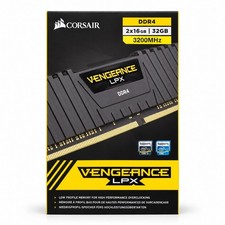
Corsair Vengeance LPX 32GB (2x16GB) DDR4 3200MHz CL16 CMK32GX4M2E3200C16
$169.99
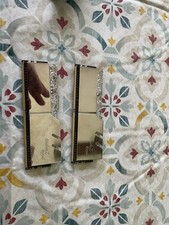
G.skill Trident Royal Ddr4 16gb 3000
$79.99

Major Brand 16GB (2x8GB) PC3-12800U DDR3-1600MHz DDR3-12800 DESKTOP RAM NON-ECC
$29.99

A-Tech 8GB DDR3 1600 PC3-12800 Laptop SODIMM 204-Pin Memory RAM PC3L DDR3L 1x 8G
$21.68

RAMAXEL Lenovo 32GB LPDDR5X CAMM2 7500MHz Laptop RAM | UNTESTED
$445.00
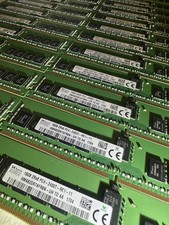
SK hynix 16GB 2Rx8 PC4-2400T-RE1-11 HMA82GR7AFR8N -UH TD AA
$2450.00

DDR4 Laptop RAM 4GB 8GB 16GB 32GB 2400 2666 3200 Samsung Hynix
$30.00
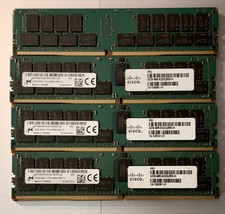
(LOT of 10) Samsung 32GB 2Rx4 PC4-2666V-RB2-12 DDR4 Cisco Server RAM Tested 100%
$1299.99

16GB ( 4X 4GB ) MEMORY DDR3 PC3-10600 1333MHz FOR DELL OPTIPLEX 790 780 990 980
$39.99