-
How to start the server
After the CD boots up, you cd into the quake directory. There is a readme in there for more info if you aren't familiar with all of the commands in the server.cfg file.
At boot time you should get assigned an IP address via DHCP. I don't have it display the IP on boot, I should probably do that in the future. You can use the command `ifconfig` to find out your IP address. On the client machine, just type in "connect <ip address>" into the console.
To start the server, cd to /quake (softlink to knoppix/quake/) and type "./startquake" for the quick method, or "cat startquake" to see what it is doing. You should give it the "+gamedir fortress" option to point it to the correct directory where all the maps and stuff are stored.
I tried to put enough info in the readme to answer most questions. I have been thinking about setting up a CD with other game servers, but I have to make sure not to run into any licensing issues. Also, I still play the original Quake Team Fortress, I don't even play Quake II, III, etc.
My DSL connection is getting switched over to my house, so that is why you can't connect to the webpage and get the ISO images right now. It should be active on Feb 3rd though.
Similar Threads
-
By listman in forum Customising & Remastering
Replies: 0
Last Post: 04-06-2004, 11:48 PM
-
By Lemming in forum General Support
Replies: 0
Last Post: 02-22-2004, 07:06 PM
-
By cgmckeever in forum Customising & Remastering
Replies: 0
Last Post: 12-03-2003, 06:46 AM
-
By Dave_Bechtel in forum General Support
Replies: 3
Last Post: 05-11-2003, 01:16 AM
-
By vasudevram in forum The Lounge
Replies: 1
Last Post: 04-17-2003, 11:29 PM
 Posting Permissions
- You may not post new threads
- You may not post replies
- You may not post attachments
- You may not edit your posts
-
Forum Rules

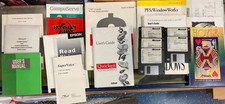
Vintage Computer Manuals and Disks - Windows 3.1, Epson, Quicken, and more
$101.99

🔥 RARE VINTAGE HP 2112A 21MX M-SERIES 16-BIT MINICOMPUTER HP
$299.99

🔥 RARE VINTAGE HP 2113A 21MX 1000 E-SERIES MINICOMPUTER CHASSIS BACKPLANE
$249.00

Lot of 2 Vintage Plextor PX-43CS SCSI CD-ROM Caddy Drives + 4 Caddies Used
$55.99

Original Vintage Old Style STANDARD Black CD Jewel Case (Heavy Duty) 90g Lot
$316.95
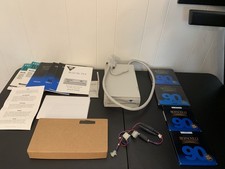
Vintage Iomega Bernoulli 90 PRO 90MB SCSI Removable Disk Drive + Extras
$124.99
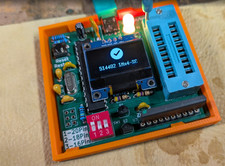
RAM-Tester for vintage RAM, 4816, 4164, 41256, 514402, and more - USA Seller
$35.00
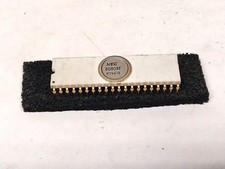
Nice White Ceramic NEC 8080A Microprocessor / Old Vintage Computer Gold IC Chip
$399.99

Vintage Jetway J-620BF Socket 370 Celeron AT Motherboard SiS 620 Brand New
$75.00

Vintage Hewlett Packard HP 13181-60074 Circuit Card Assembly / Interface Board.
$135.37



 Reply With Quote