-
Inexplicable emergence of boot error msg: but nothing else has changed!
Have been using 8.6.0 on a 32G FAT32 boot stick since forever.
Seamless. Perfect every time. No glitches.
The stick has one partition showing as /dev/sda1. (The host HD is /dev/nvme0n1..)
There is no additional partition /dev/sda[234].
Just lately red script caught my eye during the boot process.
The message vanishes so rapidly I had to video the boot process to catch it.
I get AS USUAL:
Knoppix 8.6 found at /dev/sda1
>>> Starting lin Live-Mode
>>> Please do not remove medium until shutdown!
But this is NEW:
Using /dev/sda3 (rw) [in yellow]
mount: mounting /dev/sda3 on /KNOPPIX-DATA failed: No such device
sb: Used: bad number
Overlay /KNOPPIX-DATA: partition s too small (<400M) [in shocking red]
Can anybody explain this? I repeat: there is no sda3 (or 2 ; or 4).
It looks as though mounting sda3 is part of some hardwired boot script fragment, but this has not occurred before.
Or confirm my only theory so far: the stick is on its way out and notwithstanding a clean report from all of
fdisk -l
dosfsck -r
chkdsk /f [in Windows]
it should be replaced.
But it would ne nice to KNOW, not merely GUESS.
Thank you!
-
Press Ctrl-Alt-F1 and you can see the boot messages (on tty1), no need to make video.  To return to X (tty6): Alt-F6.
If your stick has only 1 partition, then the PC should have the "sda3". Otherwise, when you run KNX from a stick, the stick part. will be sdb and the hosting PC part. sda (if the stick and PC has only one-one drive with one-one part.).
You can use various commands to get detailed information: lsblk, lsusb, blkid, parted -s /dev/sdX p (where X can be a, b, c...).
After that, study the /init script which purpose is:
# 1. Mounting CD, DVD, Flashdisk or network drive,
# 2. unifying read-only compressed file system and ramdisk or file overlay,
# 3. give control to the real sysv init, which then continues to work like
# we booted from a single disk partition.
 Posting Permissions
- You may not post new threads
- You may not post replies
- You may not post attachments
- You may not edit your posts
-
Forum Rules


IBM System X3850-X5 Server w/4x Intel Xeon E7-4870 CPU , 512 GB DDR3 RAM,NO HDD
$1299.99

IBM QRadar xx29 2x Xeon E5-2650v4 2x 900W PSU M5120 12x 3.5" Bay Server No RAM
$179.99

Unused IBM 09P0037 MAINBOARD For RS/6000 7044-170 P-Series
$375.00

IBM ADP Server Type 7870 AC1 NO HDD | 128GB RAM PC3L | 2 x Xeon E5620
$199.99

IBM Power 8 S822L Server 8247-22L POWER8 Enterprise 256GB RAM 2x 00KV626 CPU
$999.99

Compaq ProLiant 1500R 5/100 rack server, Series 3155, with IBM 2.1GB HD, VINTAGE
$295.00

IBM System x3550 M3 1U Server 2x Xeon E5645, 192GB RAM, 2x 300GB HDD (7944-AC1)
$150.00

1 X IBM 720 POWER SERVER WITH 32 GB RAM
$344.97

IBM System X3650 M3 Server Xeon E5620 2.4 GHz 16 GB Ram Raid M5015 No OS No HDD
$87.96
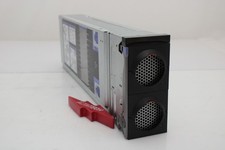
IBM 00FN709 X3850 X6 Compute Book 3837 Barebone
$114.99



 Reply With Quote