-
Overlay /KNOPPIX-DATA: partition is too small (<400M)
This message occurring during boot up of KNOPPIX-Live has no deleterious consequences but it is an annoyance.
It is probably an unintended hangover from the HD-installed version which allocates several partitions.
Either ignore it or include a (2nd and) 3rd (and 4th) partition in your boot device, even if it is a USB stick.
Use fdisk* to set /dev/{sda}1 as the KNOPPIX partition type c (being FAT32; or NTFS if you prefer - I've never tried this).
Set /dev/{sda}3 as type 83 (Linux) (at least 400M). Then format it as Reiserfs with mkreiserfs .
It's not obvious to me how (or even whether) the partition is used; but it is made available; and you will boot
without the annoying error message!
(*) Yes: you need to format your intended USB device - from a temporary KNOPPIX USB device is probably your most
convenient method ;o)
 Posting Permissions
- You may not post new threads
- You may not post replies
- You may not post attachments
- You may not edit your posts
-
Forum Rules


Gigabyte 4U AI Server 10x Nvidia GPU 2x Xeon Gold 6150 36 Core 2.7GHz DDR4 RAM
$1625.00

Dell EMC PowerEdge R440 Xeon silver 4215 2.5GHz 16 GB ram 2x 550W PSU No HDD
$275.00

867959-B21 HPE ProLiant DL360 G10 CTO Server W/ 2x 865414-B21 1x 840140-001
$245.00

Dell PowerEdge R240 Intel Xeon E-2224 3.50GHz 8GB DDR4 ECC NO HDD 250W
$285.97
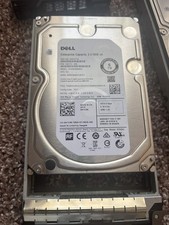
Dell 6TB 7.2K RPM SATA 6Gb/s 512e 3.5" Enterprise PowerEdge H
$75.00

Dell PowerEdge R730XD 28 Core Server 2X Xeon E5-2680 V4 H730 32GB RAM No HDD
$378.93

Dell PowerEdge C4130 1U AI GPU Server | 2x E5-2690 v3 | 64gb Ram | 2x 1600W
$524.99

Dell PowerEdge C4130 1U AI GPU Server | 2x E5-2680 v3 | 32gb Ram | 2x 1600W
$409.99

Dell PowerEdge FX2s + 8x FC430 Blades 16x E5-2630v4 160 Cores Rails No PSU/RAM
$699.00

Dell PowerEdge R530 2x E5-2630v4 H330 iDRAC8 Port Card Riser No PSU/RAM/HDD
$99.99



 Reply With Quote