-
Junior Member
registered user
activate items in fstab
Start a root console.
For each fat partition you will find a line like
Code:
# /dev/hda3 /mnt/hda3 vfat noauto,... 0 0
Remove the comment char # and replace noauto by auto.
After rebooting your partitions are mounted. You can find each partition as subdirectory of /mnt, e.g. /mnt/hda3 is the mountpoint for /dev/hda3.
If you want to have shortcuts on your desktop: right mouse click on your desktop, "New - Shortcut to HD" [strings could be other, I know the German version only)
I hope, this helps a little bit.
Hamatoma
Similar Threads
-
By fairchdr in forum MS Windows & New to Linux
Replies: 9
Last Post: 11-06-2004, 03:40 AM
-
By Jim in forum MS Windows & New to Linux
Replies: 3
Last Post: 10-20-2004, 07:49 PM
-
By milkjam in forum General Support
Replies: 4
Last Post: 07-26-2004, 05:00 AM
-
By green_man in forum Tips and Tricks
Replies: 4
Last Post: 02-23-2004, 01:21 AM
-
By HK in forum General Support
Replies: 4
Last Post: 11-14-2003, 05:34 PM
 Posting Permissions
- You may not post new threads
- You may not post replies
- You may not post attachments
- You may not edit your posts
-
Forum Rules


Crucial MX500 500GB 2.5" SATA III Internal SSD CT500MX500SSD1
$52.99

SSD 880EVO SATA III 2.5 4TB INTERNAL STATE DRIVE
$214.99

Samsung 860 EVO 250GB SSD MZ-76E250 2.5" SATA III Solid State Drive
$39.99
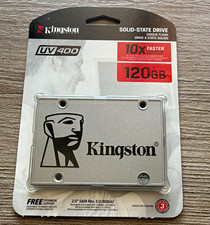
Kingston UV400 120GB 2.5" SATA III Internal SSD Silver 6Gb/s PC Compatible
$30.00

Netac 2TB 1TB 512GB 256GB Internal SSD 2.5inch SATAIII Solid State Drive lot
$549.00
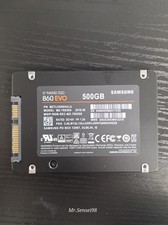
Samsung SSD, v-nand,860 EVO, 500gb, model MZ-76E500, SATA III, Health 90-98%
$50.00
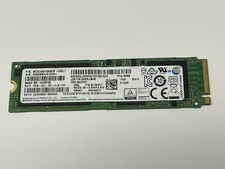
Samsung 512GB PCIe NVMe m.2 SSD Solid State Drive MZVLW512HMJP-000L7 MZ-VLB5120
$51.99

Samsung 256 GB Internal SATA SSD Fully Tested 50%-79% Health
$24.00

128TB External SSD Solid State Drive Hard Drive Disk PC Phones Mac Games Videos
$97.60

KingSpec SSD 2.5" SATA3 Internal Solid State Drive for PC,Laptop,Mac
$60.00



 Reply With Quote