-
Windows FAT and FAT 32 partitions
When starting Knoppix from the CD I can see all the HD partitions FAT and FAT 32 present on the system. Now I installed Knoppix as a second OS in its own Linux ext2 partition. The installation succeeded perfectly but I don't see any of the other windows partitions. What can I do to make them visible. I new with Linux.
-
Junior Member
registered user
activate items in fstab
Start a root console.
For each fat partition you will find a line like
Code:
# /dev/hda3 /mnt/hda3 vfat noauto,... 0 0
Remove the comment char # and replace noauto by auto.
After rebooting your partitions are mounted. You can find each partition as subdirectory of /mnt, e.g. /mnt/hda3 is the mountpoint for /dev/hda3.
If you want to have shortcuts on your desktop: right mouse click on your desktop, "New - Shortcut to HD" [strings could be other, I know the German version only)
I hope, this helps a little bit.
Hamatoma
-
FAT reply
Thank you very much for this reply. It realy helped me a lot. I can see all the partitions now and created shortcuts on my desktop. 
Can you also give me a clew on why my mousecursor is frozen (doesn't move anymore on the screen) mostly when I trie to logon as another user.
-
Junior Member
registered user
to few info
See in /etc/X11/XF86Config-4
Search for the Section "ServerLayout". There are items named "InputDevice". Show for one like
Code:
InputDevice "PS/2 Mouse" "CorePointer"
Memorize the name, e.g. "PS/2 Mouse".
Now look for the section "InputDevice" with an item "Identifier" like the memorized name. My example:
Code:
Section "InputDevice"
        Identifier  "PS/2 Mouse"
        Driver      "mouse"
        Option      "Protocol" "PS/2"
        Option      "Device" "/dev/psaux"
        Option      "Emulate3Buttons" "true"
        Option      "Emulate3Timeout" "70"
        Option      "SendCoreEvents"  "true"
EndSection
Check the entries, e.g. is your mouse a PS2-mouse...
If you don't know about this things, write a description of your mouse (company, connection type (serial - USB - PS/2 ...)) to this forum.
Good luck!
Hamatoma
Similar Threads
-
By fairchdr in forum MS Windows & New to Linux
Replies: 9
Last Post: 11-06-2004, 03:40 AM
-
By Jim in forum MS Windows & New to Linux
Replies: 3
Last Post: 10-20-2004, 07:49 PM
-
By milkjam in forum General Support
Replies: 4
Last Post: 07-26-2004, 05:00 AM
-
By green_man in forum Tips and Tricks
Replies: 4
Last Post: 02-23-2004, 01:21 AM
-
By HK in forum General Support
Replies: 4
Last Post: 11-14-2003, 05:34 PM
 Posting Permissions
- You may not post new threads
- You may not post replies
- You may not post attachments
- You may not edit your posts
-
Forum Rules


AMD Ryzen 5 5500 Processor ( read Description)
$59.00
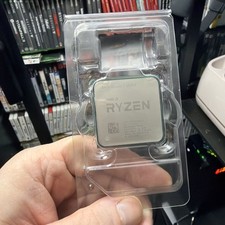
AMD Ryzen 7 5800X Desktop Processor (4.7GHz, 8 Cores, Socket AM4)
$150.00

Intel Core i7-4770 3.40GHz Quad Core SR149 LGA 1150 CPU Processor tested
$35.00

INTEL CORE I9-10940X X-SERIES PROCESSOR | 3.30GHZ | SRGSH
$179.99

Intel Core i7-3770K 3.5 GHz Processor
$39.00

Intel Core i7-9700 Octa-Core 3 GHz Desktop Processor LGA 1151
$79.99

Intel Core i5-12500T SRL5W 2GHz 18MB 6 Core Socket LGA1700 Desktop CPU Processor
$114.99

Intel i7-8700 Coffee Lake 3.2GHz 6-Core Max Turbo 4.6GHz Processor
$67.99

Intel Core i7-10700 8-Core 16-Thread 2.9GHz Desktop CPU LGA1200 SRH6Y Z490 Z590
$129.00

(LOT OF 20) Intel Core i5-8400 CPU 2.80GHz Desktop Processor (SR3QT)
$700.00



 Reply With Quote