

 Reply With Quote
The initrd file is needed if the file system is compiled as module. Did you try removing the initrd line from your menu.lst? My hd install has resier as part of the kernel so I do not need initrd.


Hello all,
I have installed GRUB for dual booting with XP en Knoppix.
Now I have filled in the parameters in "menu.Ist" for booting Knoppix, but I get an error when this bootloader searches for "initrd", "No such file or directory"
When I boot Knoppix from floppy, I see that there is no "initrd" in the \boot directory.
When I search for this file I see it somewhere else on the partition, but it's 0KB, so copy this file has no effect.
Does anyone know how to fix this problem?
menu.Ist
title Linux
root (HD0,7)
kernel /boot/vmlinuz
Initrd /boot/initrd
The initrd file is needed if the file system is compiled as module. Did you try removing the initrd line from your menu.lst? My hd install has resier as part of the kernel so I do not need initrd.
When I remove the initrd line from menu.Ist the system will boot from harddisk but I recieve the following error while booting.
FAT did not find valid FSINFO Signature
Found Signature 0x44dd3b95 Signature2 0x6c290da9 Sector 51933
Kernel Panic: VFS: Unable to mount ROOT FS on 03:06
Could you tell me what's wrong.
I am really a newbie on Linux, sorry!
Greetz,
Richard
I was assuming you know at least the basics of linux as you are already using grub. The default is almost always lilo.
1. Have you tried using lilo? This is configured at the end of the hd install.
2. What file system is your knoppix hd install? Is is ext2,ext3 or reiser?
When you install to a hd using the scripts, the initrd.gz is immediately created if it is needed. It is possible to create using 'mkinitrd' but I am not familiar with it.
What I can think of right now is a complete reinstall for you. Choose ext3 and also lilo for booting.
I thought if I use Lilo, it will be configured in the mbr of the harddisk.
So I let the knx-hdinstall script make a floppy to boot Linux, because I also wanted to boot into windows, because windows is my primairy workstation.
I use an ext2 partition for Linux.
I think I will reinstall Knoppix from CD, and read some manuals
Thx for support
When you use lilo to install the bootloader if you use the -b option you can tell it where to install too. So if you do not want it installed to the MBR then /sbin/lilo -b -v /dev/hd?? replace the ?? with the drive letter and partition number of the root partition for it to be installed to the root partition instead of the MBR. You would then have to use XP bootloader to point to the partition to get access to lilo to boot the system.Originally Posted by Rgosen
You can convert the ext2 file system to ext3 if you want with tune2fs you would boot from the CD and open a console window and sudo tune2fs -j /dev/hd?? you would replace the ?? with the drive letter and partition number to be converted and the journal will be created and it will now be ext3 you would then have to mount the partition with sudo mount /dev/hd?? /mnt/hd?? and edit the /etc/fstab ( sudo gvim /mnt/hd??/etc/fstab ) change the ext2 in the line for the partition to ext3 save the file and when you reboot the file system will be ext3. Replace the ?? with the proper values as above.
Thx for support!
I've just reinstalled knoppix on my machine with a ext3 linux partition.
With the boot floppy, which is made in the last part of the knx-hdinstall, I have boot up the system and saw that "initrd.gz" also was loaded from the boot disk.
This file was also in the /boot directory of the root partition.
So I reconfigured Grub again and now the system boots from the Harddisk instead of a boot disk.
NOw I will first read some documents before I post a question in the forum.
Greetz,
Richard
 Posting Permissions


Lenovo ThinkPad L15 Gen 3 15.6" 16GB, Thunder Black
$259.00

Windows 11 PRO Laptop Notebook PC Computer, 8GB Ram, Webcam, Wifi, and HDMI
$144.00
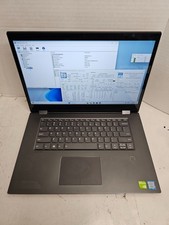
Lenovo Ideapad Flex 5-1570 81CA i7-8550U 16GB RAM 256GB SSD Win 11 #04
$120.00
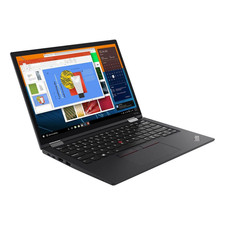
Lenovo ThinkPad X13 Gen 3 13.3” FHD Laptop Intel i5 16GB RAM 256GB SSD Win 11
$299.85
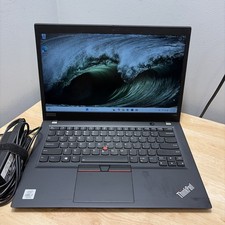
Lenovo ThinkPad T14S Gen 1 CORE i7-10610U 1.80GHZ 256GB 16GB WCam WiFi W11 Cord
$175.00
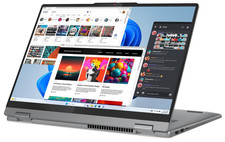
Lenovo IdeaPad 5 2-in-1 16" WUXGA Touch Ryzen 7 8845HS 16GB 512GB SSD FPReader
$571.00
Lenovo - Yoga 7i 2-in-1 - Copilot+ PC - 16" 2K Touchscreen Laptop - Intel Cor...
$699.99

LENOVO THINKPAD T14s GEN 2a Ryzen 7 PRO 5850U 1.9GHz 16GB 256GB WIN 11 - TOUCH
$299.95
Lenovo THINKPAD L15 GEN 4 15.6" 16GB, Thunder Black
$327.00
Lenovo ThinkPad laptop T490 14" i5 8365U 16GB NEW 256gb SSD WIN 11 pro CAM WIFI
$259.99