-
Junior Member
registered user
Deleting files to make room for new Knoppix ISO Image
Hi,
What I want to be able to do is to download the new Knoppix ISO image on my Linux box and burn it with K3b.
The trouble is, I'm about 20MB short on my hard drive.
I''ve already reduced my swap file to 128MB, and I don't want to go any smaller than that, even though it is rarely being used by the kernel.
What I'd like to do is delete OpenOffice from my current version of Knoppix since it runs slower than death on my computer anyway (I use K Office). This way I could open up a sizable chunk of room on my hard drive. Can someone help me?
On a related note, will Linux download managers resume downloads? Which download manager should I be using under Knoppix (Debian)?
Thank you in advance for your advice.
For the Penguin....By the Penguin.
-
Senior Member
registered user
Re: Deleting files to make room for new Knoppix ISO Image

Originally Posted by
Gnu Penguin
What I'd like to do is delete OpenOffice from my current version of Knoppix since it runs slower than death on my computer anyway (I use K Office). This way I could open up a sizable chunk of room on my hard drive. Can someone help me?
apt-get remove --purge openoffice-de-en
On a related note, will Linux download managers resume downloads? Which download manager should I be using under Knoppix (Debian)?
Thank you in advance for your advice.
For the Penguin....By the Penguin.
You can use Kget it supports pause and resuming of downloads and it intergrates with Konqueror and other browsers I think for downloads it works perfectly for me.
-
Junior Member
registered user
Actually, I had more room than I thought. (770 MB)
Though it's gonna be tight, I can hopefully download the new ISO without deleting anything. and burn it right from Knoppix.
Thanks for the info on Kget. Does this work with Mozilla, or just with Konquerer? Anyhoo, I'll give it a shot.
Thanks again.
-
Senior Member
registered user
--You should seriously consider buying a secondary HD (preferably larger than the one you have now.) At the very least you can use it for backups.
--Anyway, for a command-line utility that can resume downloads:
' wget -t0 -c URL '
Originally Posted by
Gnu Penguin
Actually, I had more room than I thought. (770 MB)
Though it's gonna be tight, I can hopefully download the new ISO without deleting anything. and burn it right from Knoppix.
Thanks for the info on Kget. Does this work with Mozilla, or just with Konquerer? Anyhoo, I'll give it a shot.
Thanks again.
Similar Threads
-
By Lucky Daniel in forum Hdd Install / Debian / Apt
Replies: 0
Last Post: 06-11-2005, 03:55 AM
-
By Tiepo in forum MS Windows & New to Linux
Replies: 6
Last Post: 03-29-2005, 06:23 AM
-
By frishert in forum General Support
Replies: 4
Last Post: 04-23-2003, 11:11 AM
-
By in forum General Support
Replies: 0
Last Post: 01-17-2003, 03:07 PM
-
By Dinant in forum General Support
Replies: 6
Last Post: 01-07-2003, 08:55 AM
 Posting Permissions
- You may not post new threads
- You may not post replies
- You may not post attachments
- You may not edit your posts
-
Forum Rules


Yealink T48S VoIP/SIP Phone, 2 x Gigabit Ports PoE 7" Color SIP-T48S | TESTED
$34.95

Grandstream VoIP Phone Adapter ATA 1-Line Black Ethernet (RJ-45) Micro USB
$27.07
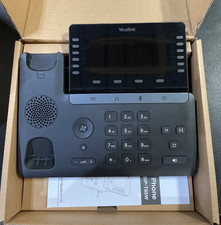
Yealink SIP Phone T85W
$153.99

Poly CCX 400 Desktop Business Media Phone VoIP 2200-49700-019
$49.99

Yealink SIP-T33G IP Phone 4-LineSpeakerphone VoIP Desk Phone Black w/ Power Sply
$25.00
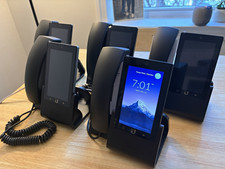
Ubiquiti UniFi Talk UVP-Touch VoIP IP Phone PoE Touchscreen Tested Reset
$64.99

Grandstream WP810 Portable Cordless Wi-Fi IP Phone
$49.28

Ooma Telo VoIP Free Internet Home Phone Service. Certified Refurbished.
$59.99

Yealink MP54 - VoIP Phone - Black Teams phone Android POE WIFI Bluetooth
$49.95
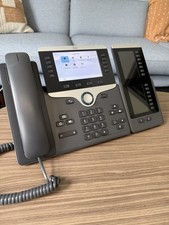
Cisco VoIP Phone CP-8851 with 8800 Key Expansion Modules
$69.00



 Reply With Quote