

 Reply With Quote
10 seconds is rather long, but at my compu its also some 3-4 secs. so I dont think its really strange...


Hi,
PROBLEM: when I switch to X from a console terminal (typically Alt+F7) the screen is freezing for about 10 seconds, rather too long.
CONFIG: laptop acer travelmate 800lci + USB wheel mouse, Knoppix 3.2 2003-09-05, original XFConfig-4
thanks
10 seconds is rather long, but at my compu its also some 3-4 secs. so I dont think its really strange...
I know I could just limit myself to using xterm and/or screen to avoid this delay, but I find it sometimes comfortable to work in a few console terminals, switching with Alt + arrow keys. But pressing those arrow keys too quickly (or without enough attention) may lead to X and then I'm stuck for another 10 seconds, not 3 or 7... 10 seconds.
Yet I find it strange and uncomfortable.
So anyone has an idea about the problem ?
Could it be some kind of hardware polling ?
well, I guess the resolution in X is different from the console-resolution, and your laptop might be slow switching resolutions...
Or X is just extremely slow, you might try some other distro's, check wether it is knoppix-only (and should be fixed).
1. How much RAM do you have
2. Do you have a swap partition or file enabled
3. Have you tried a lighter windowmanager like icewm to see if the problem remains?
Originally Posted by knu
16MB ram, noswap and enlightment3D... :)
No, it's not a "low on resources" problem.
I'm not used to framebuffer, I'll read a doc about it.
And another LiveCD distribution could be helpfull to make a quick test.
FYI, the travelmate comes with 512MB ram, I created a 800MB+ swap (on) and I even managed to kill the winmanager.
--Geez, you almost had me there!
--I have a Dell Latitude with P166MMX, 128Meg +168M swap and fb800x600, switching to "text" mode is pretty quick. Maybe it's the FB driver for your video card.
--Have you tried running ' nice top -d 10 ' to see if anything running in the BG is chewing up CPU?
--Note, if I boot w/o framebuffer on the P166 the text mode goes off the screen; but have you tried booting yours with SVGA and screen= cheatcodes to see if you can get around the framebugger? (I *live* in text mode so fb is the only reasonable way on that laptop unless I attach an external monitor, but perhaps your needs are different.)
 Posting Permissions

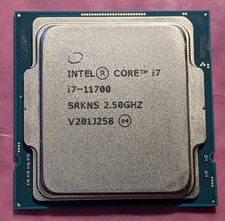
Intel Core i7-11700 SRKNS Desktop Processor 8 Cores up to 4.9 GHz LGA1200 Tested
$136.95
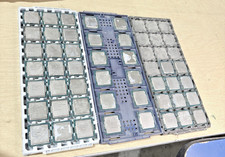
Lot of 44 Intel PROCESSORS i5 and i3 cpu mixed lot
$440.00

Corsair RM750e 750W Fully Modular 80 Plus Gold ATX 3.1 PSU Certified Refurbished
$52.99
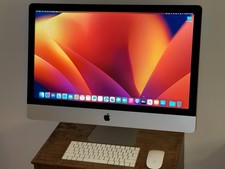
LOADED Apple iMac 27" Desktop • OS 2024 • 3 Year Warranty • Bundle Item
$798.00

Intel i7-8700 Coffee Lake 3.2GHz 6-Core Max Turbo 4.6GHz Processor
$69.99

Intel Core i7-7700T 2.9GHz 8MB Socket LGA1151 Quad Core Processor SR339
$39.99
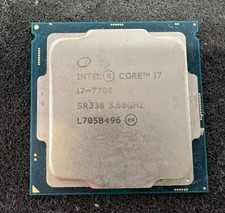
Intel 7th Gen Core i7-7700 3.6GHz 4 Core 8 Thread LGA1151 CPU SR338
$42.99
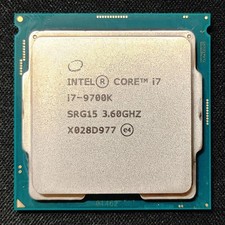
Intel Core i7-9700K Octa-Core 3.6 GHz Desktop CPU
$99.99

Intel 6th Gen Core i7-6700K 4.0GHz (Turbo 4.2GHz) 4-Core LGA1151 CPU SR2L0
$38.00
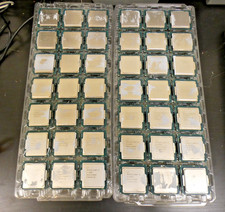
Intel Core i5-6500T SR2L8 2.50GHZ Quad Core CPU Processor LGA 1151 (Lot of 18)
$174.99

