

 Reply With Quote
Start by reading:
http://ftp.kernel.org/pub/linux/kern...loween-2.5.txt
and apt-get install mod-init-tools


Has anyone else tried this? I am still getting a blank screen after OK booting the kernel (using video=vga16ff). I have tried on 2 machines thus far. One has a Matrox Card and one has a Nvidia GForce 254.
--FishGuy
Start by reading:
http://ftp.kernel.org/pub/linux/kern...loween-2.5.txt
and apt-get install mod-init-tools
I'm way past that. 9-5-03 has the latest version of mod utils as well as all the other requirements for 2.6.0. I have tried all the other blank screen fixes including kernel recompile. I was just wondering if anyone else is running across problems.
--fish guy
--I just went from 260-test4 to -test5, albeit under Vmware. Have you tried ' vga=normal '?
--Also note that since I upgraded from 2.4.20-xfs (using the DVD beta 2 under vmware) I went thru the kernel config ENTRY BY ENTRY in make menuconfig just to make sure it was putting in the things I wanted, and leaving certain things out that didn't need to be there. Don't trust "make oldconfig" on a completely new kernel version.
--In your case, I would pay particular attention to the "Graphics Support" main-menu entry. If some things are compiled as modules, try compiling them hard-wired instead and see if it makes a diff.
Originally Posted by fish_guy
fish guy,
Did you make any progress on your 2.6 kernel install?
I am having the same problems that you saw.
--joubert
sure did. I compiled the ide and fat modules in. I suggest compiling a list of the hardware you use and compiling it in the kernel (not as modules). Plus you still need to use the vga=normal or vga=ask when booting.
--Fishguy
Thanks. After I posted, I figured out most of my problems. Got it working with initrd (need to not use cramfs, but use romfs), so did not have to compile in the fs modules. Also got some help on the vga=normal part from irc.
--joubert
 Posting Permissions


Lenovo - Yoga 7i 2-in-1 16" 2K Touchscreen Laptop - Intel Core Ultra 5 Proces...
$749.99
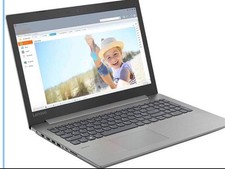
Lenovo IdeaPad 330-151GM 15.6 Laptop InTel N4100 4GB RAM 500GB HDD New
$259.00

Lenovo ThinkPad L15 Gen 3 15.6" 16GB, Thunder Black
$241.50

Lenovo ThinkPad T14 G2 14-Inch AMD Ryzen R5 5650U 16GB, 512GB SSD Win 11 Pro
$398.99

Lenovo ThinkPad T14 Gen 1 14" AMD Ryzen 5 16GB 256GB SSD
$219.99

Lenovo - IdeaPad Slim 3 15.6" Full HD Laptop - AMD Ryzen 5 40 2025 - 8GB Memo...
$379.99

Lenovo ThinkPad L15 Gen 3 15.6" 16GB, Thunder Black
$241.50
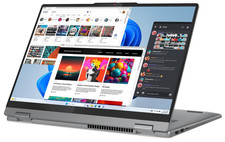
Lenovo IdeaPad 5 2-in-1 16" WUXGA Touch Ryzen 7 8845HS 16GB 512GB SSD FPReader
$571.00
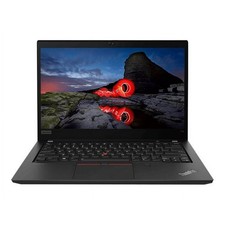
Lenovo ThinkPad T14 Gen 2 14" Touchscreen i7-1185G7 16GB RAM 512GB SSD Win 11
$284.99
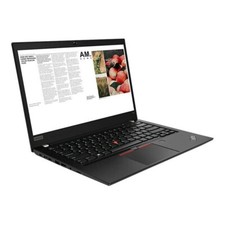
Lenovo ThinkPad laptop T490 14" i5 8365U 16GB NEW 256gb SSD WIN 11 pro CAM WIFI
$249.99