

 Reply With Quote
Try using the cheat code knoppix vga=normal noscsi xvrefresh=60 you may want to look at some other codes like screen & xmodule for your video card as well.


First of all, I am totally new to Linux. With that said. . .I downloaded the iso image of Knoppix and burned it to a CD.
My computer wouldn't boot it from the CD right so I created a boot disk.
This worked and Knoppix booted up ok except for one error message. Everytime I boot up it says:
You passed an undefined mode number
I press RETURN and it comes up with:
Video Adapter VESA VOA
Then it gives me 6 choices of different modes and I select 0, and it usually boots up right. Sometimes though it will come up:
Probing SCSI. . .aic7xxx.o
and freezes there.
Also I can't get my configuration to save. I went to K>Knoppix>Save Configuration and I saved it to the floppy drive. Then I rebooted and typed Knoppix floppyconf and it didn't work.
Any help would be great, Thanks
Try using the cheat code knoppix vga=normal noscsi xvrefresh=60 you may want to look at some other codes like screen & xmodule for your video card as well.
Ok I got it to boot without an error and I also got it to save my configuration on my boot floppy.
The only thing is that the config didnt save my resolution.
I went to the Control Center and went to the Display Settings. It doesn't have a name and model for my screen (I am using a Gateway laptop), so It has Monitor0 and I click on that and change the setting from 640x480 to 1024x768 and then save my config and next time I boot it is back on 640x480.
Thanks
Did you try screen=1024x678 as a cheat before you saved the configuration to the floppy? You may also want to try fb1024x768 as a cheat code to get the proper screen you want.
I tried both the screen= and fb and neither one of them would boot with 1024x768 resolution. Nothing will work right because I can't see the whole thing because it is bigger than the screen.
Does anybody know how to save your resolution settings?
 Posting Permissions


Yealink T48S VoIP/SIP Phone, 2 x Gigabit Ports PoE 7" Color SIP-T48S | TESTED
$34.95

Lot of 4 USED IPitomy IP620-B with IPX-32 DSS Expansion Module VoIP Phone POE
$225.00

SIM Bank 32 SIM Card Slots Ethernet SIM Server for GoIP
$400.00

Set of 5 USED IPitomy IP620-B HD VoIP 6-Line IP Phone Speakerphone Ethernet POE
$149.00

Yealink SIP-T33G IP Phone 4-LineSpeakerphone VoIP Desk Phone Black w/ Power Sply
$25.00
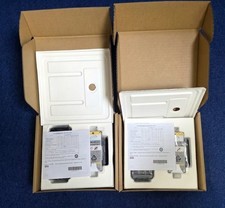
Cisco CP-8821-K9-BUN Unified Wireless IP Phone
$1200.00

Lot of 4 Cisco CP-8841-3PW-NA-K9 8841 MPP Multiplatform VoIP IP Phone NEW
$450.00

Grandstream HT701 1-Port FXS Analog Telephone Adapter ATA VoIP Gateway -Free S/H
$19.99

Grandstream VoIP Phone Adapter ATA 1-Line Black Ethernet (RJ-45) Micro USB
$27.07

Poly CCX 400 Desktop Business Media Phone VoIP 2200-49700-019
$49.99