

 Reply With Quote
Try either floppyconf or floppyconfig for the cheat code.Originally Posted by TomF


I added a Save Configuration button to the panel, clicked it to open the save configuration dialog, saved the configuration to floppy, shut down, booted knoppix myconfig=/mnt/auto/floppy. Knoppix booted without errors, but the change to the panel was gone. What might have happened?
Try either floppyconf or floppyconfig for the cheat code.
I tried scan, floppyconfig, and floppyconf. None worked. I think that the problem is the version of Knoppix that came with knoppix-std-0.1b. The boot message says Version 2.78.
Should I try downloading the latest version of Knoppix, or is there a way to get save configuration working on the version I have? I need the std tools.
 Posting Permissions


NETGEAR GS308EP Essential Series 8-Port Gigabit PoE+ Unmanaged Switch
$39.99

10-Port Gigabit PoE Network Switch with 8 PoE+ Ports with 2 Combo SFP Slots 125W
$39.99

NETGEAR 5-Port Gigabit Ethernet Unmanaged Switch (Gs305) - Desktop Quiet Fanless
$22.00

Extreme Networks 10GE X440-G2-24P-10GE4 16533 24Plus-Ports POE+ Switch UP
$127.00

TP-Link TL-SG105 5-Port Gigabit Ethernet Unmanaged Metal Desktop Network Switch
$19.99

TP-Link TL-SG2210P 10-Port Gigabit Smart Switch w/ 8-Port PoE+ NO AC SKU 25597
$36.98

TP-Link Omada SG3428 24-Port Gigabit L2+ Managed Switch 4x SFP w/ Ears
$104.99

TP-Link TL-SG105, 5 Port Gigabit Unmanaged Ethernet Switch, Network Hub, Ethern
$15.25

5Ports Gigabit Network Switch w/ 4 PoE+ Ports Total 52W each port 30W Plug&Play
$31.99
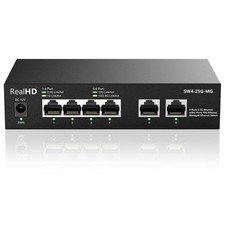
10Gb RJ45 Ethernet Network Switch Web Managed, 2 x 10Gb RJ45 Ports, 4 x 2.5Gb...
$113.99