

 Reply With Quote
What command are you using it should be something like sudo chroot /mnt/hda7 /sbin/lilo -v after having mounted the /dev/hda7 as /mnt/hda7.Originally Posted by Superstoned


hi! I just blew up my mbr, and I want to use knoppix to reinstall lilo. but I get loads of permission denied and unable to open-errors. I can mount /dev/hda7, (my reiserfs linux root partition) but cant change hda's mbr... help??? how can I clean the mbr, and install a new one, using knoppix?
btw: using lilo, it tells me: Fatal: unable to open /dev/hda: permission denied.
all disks are set writable...
please help!
What command are you using it should be something like sudo chroot /mnt/hda7 /sbin/lilo -v after having mounted the /dev/hda7 as /mnt/hda7.
I'll try your command... (but I worked from a root shell, so sudo shouldnt be needed?)
yep yep: (using your command, all disks writable and mounted)
Reading boot sector from /dev/hda
Fatal: open /dev/hda: Permission denied
btw tnx for the reply
liloconf gives almost the same error:
(...)
Checking your /etc/lilo.conf for incompatible options...
Install a boot block using your current LILO configuration? [Yes] y
(...)
Running lilo...
(...)
Reading boot sector from /dev/hda
Fatal: open /dev/hda: Permission denied
ERROR: correct /etc/lilo.conf manually and rerun /sbin/lilo
(i use the lilo.conf that still was on my hd, which should work!?!?)
I've just tried lilo -M /dev/hda /mnt/hda7/etc/lilo.conf
and this worked - at least, lilo told me: MBR updated. I hope this is enough... I'm goin' to reboot, hope it works. If not, I first get some sleep, work tomorow, and I'll be back next night...
tnx for reply's
sorry, just saw that.
The trick is that things are mounted with nodev as default ...
so you have to do as root:
mount /dev/hdaX /mnt/hdaX
chroot /mnt/hdaX
lilo
And it does work.
Did not only me cost me nerves to find this out.
cu
Fabian
tnx! pitty I just formatted the disk, and am reinstalling... btw the new knoppix-iso is still giving troubles, a friend of mine told me he had to convert the file to a .bin, then back to iso - before he was able to burn it. there IS something wrong with the iso...
hi superstoned
check this http://www.knoppix.net/forum/viewtop...?p=22656#22656
I hope they see there is something wrong.
or else we have a very strange problem which can fake md5
 Posting Permissions


Netac DDR4 32GB 16GB DDR4 3200MHz UDIMM C16 Desktop Internal Memory RAM Kit
$105.99
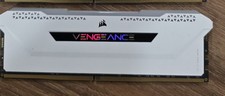
Corsair Vengeance RGB Pro SL DDR4 16GB 3200MHz 288-Pin DIMM
$80.00
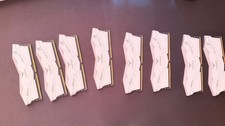
TEAMGROUP T-Force Delta RGB DDR5 Ram 16GB sticks 6000MHz-White
$220.00

Corsair CMK32GX4M2B3000C15 Vengeance LPX DDR4 3000mhz Memory Kit - 32GB (2x16GB)
$164.95
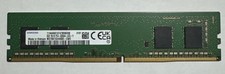
Samsung 8GB DDR4 3200MHz PC4-25600 Desktop RAM UDIMM M378A1G44AB0-CWE
$39.99

Apple Mac Mini M1 A2348 16GB RAM 256GB Storage Desktop Computer
$340.00

RAMAXEL Lenovo 32GB LPDDR5X CAMM2 7500MHz Laptop RAM | UNTESTED
$445.00

Corsair Vengeance DDR3 8GB 16GB 32GB 1866MHz PC3-14900 Desktop RAM Memory DIMM
$85.00
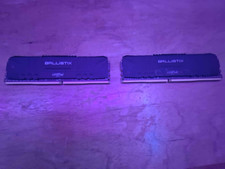
Crucial Ballistix 2 x 8gb (16gb total) DDR4 3200MHZ
$75.99
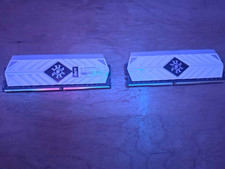
XPG Spectrix D41 2 x 8gb (16gb total) DDR4 3200MHZ
$125.99
