-
Booting Knoppix
Hi, Im just trying out Knoppix and I've got it burned onto a CD and it boots up but then when I start it up and the Knoppix screen comes up It asks for some thing and I hit enter and it loads everything then it goes into another loading screen with partianing etc then when its done with that a little blue box comes up and says "Check your PCs settings" Or some thing like that. Any help would be great.
Thanks 
-
Senior Member
registered user
What happens if you don't enter anything? Knoppix should pop right up in default configuration. There's a point in boot-up where it hesitates and offers you the opportunity to enter some flags (also called "cheat codes") for booting in some specialized fashion. Not knowing specifically what it said or what you entered, I suspect that you inadvertently requested some specialized function that your computer, as presently configured, doesn't support.
Just pop the CD in and toggle the power, and stick your hands in your pockets for 2-3 minutes, and see what happens.
JD
-
I didnt put anything in it, I just hit enter when that came up then it did some other cfg screen then came up with that config pc some thing or other, Ill try it again now.
-
Ok, I tried to boot it again and It came up with the
boot:
Then when I hit enter it starts to load,
When it gets after that screen the linux penguin comes up in the top left and it says "Error only one processor" After a few seconds it starts loading up when its done with that it goes up to "Please Check PC Display settings" Once again. Seems like my tower shuts off at that point but its actualy on. 
-
Senior Member
registered user
But what happens if you don't hit [Enter]? It should hesitate for a moment, then continue loading with the default configuration. IIRC, it pauses and instructs you at the bottom of the screen to hit [Enter] or one to the [Fn] keys if you want to change the configuration or how it boots. But, if you don't want to change that (and it sounds as if you don't), then don't hit any key at all.
-
Senior Member
registered user
When you get to the boot prompt type this:
knoppix nosmp
What kind of video card do you have?
-
My video card is a prosavage ddr KM266 came stock with my computer, havnt gotten a chance to change it.
-
Senior Member
registered user
I have had considerable luck with savage cards. Perhaps not the best but they tend to work OK w/ Linux. Try booting like this:
knoppix nosmp xmodule=savage
-
Ok so when the "boot" line comes up, I type "nosmp xmodule=savage"?
-
Senior Member
registered user
Similar Threads
-
By Generix in forum General Support
Replies: 2
Last Post: 06-10-2004, 04:51 PM
-
By twotees in forum General Support
Replies: 8
Last Post: 06-02-2004, 05:49 PM
-
By MavetLaAravim in forum General Support
Replies: 3
Last Post: 03-04-2004, 04:58 AM
-
By Guitarist_7 in forum General Support
Replies: 1
Last Post: 10-31-2003, 02:46 PM
-
By KnoppixSecurity in forum General Support
Replies: 3
Last Post: 08-29-2003, 01:46 AM
 Posting Permissions
- You may not post new threads
- You may not post replies
- You may not post attachments
- You may not edit your posts
-
Forum Rules


Netac DDR4 32GB 16GB DDR4 3200MHz UDIMM C16 Desktop Internal Memory RAM Kit
$99.99
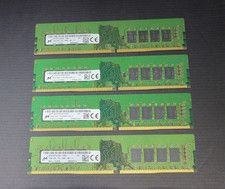
64GB (4x16GB) Micron PC4-2666V MTA16ATF2G64AZ 16GB UDIMM DDR4 Desktop Memory
$239.99

Major Brand 16GB (2x8GB) PC3-12800U DDR3-1600MHz DDR3-12800 DESKTOP RAM NON-ECC
$29.99

A-Tech 8GB DDR3 1600 PC3-12800 Laptop SODIMM 204-Pin Memory RAM PC3L DDR3L 1x 8G
$21.68
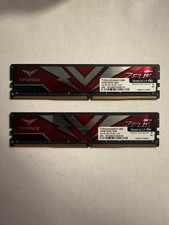
TEAMGROUP T-Force Zeus 64GB (2x32GB) DDR4 2666MHz PC4-21300 Desktop RAM Kit
$199.99
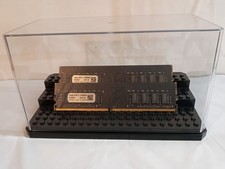
32GB KIT (2x16GB) DDR4 2666MHz PC4-21300 - 288 pin DESKTOP Non ECC - Black/Gold
$121.00
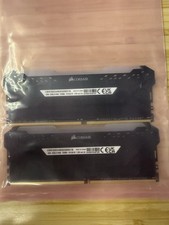
Corsair Vengeance RGB Pro 32GB (2x16GB) DDR4 3200 DIMM CMW32GX4M2E3200C16 #CD2
$160.00
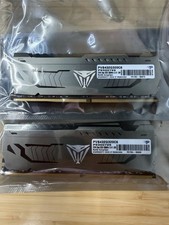
Patriot Viper Steel 64GB 2x32GB DDR4 3200 PVS464G320C6
$449.00

RAMAXEL Lenovo 32GB LPDDR5X CAMM2 7500MHz Laptop RAM | UNTESTED
$445.00
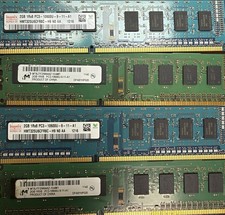
Used Computer RAM - This Is For Multiple Sticks Of RAM
$120.00



 Reply With Quote