-
Loading configuration files from the floppy
I'm having trouble loading my configuration from a floppy. When I type "knoppix myconfig=scan" and "knoppix myconfig=/mnt/auto/floppy" and "knoppix myconfig=/mnt/floppy", none of them work.
it says something about "/mnt/ is a directory". after this error message, when i let it proceed without loading my configuration, it then mounts the floppy. I thought this was a little backward...
later, when in KDE, i can access the floppy just fine.
anyone know what my problem is?
-
Senior Member
registered user
Greetings mechanical_messiah
There are quite a few differnt ways to use
KNOPPIX. If you want to configure form
the floppy disk, then it may be best to boot
from that floppy disk.
Are you booting from the floppy?
The CD has an image of a boot floppy.
Use that image make the boot floppy.
It is in the CD folder /KNOPPIX and is
called sometning like boot.img
On the floppy you can edit the file called
syslinux.cfg and add the "cheat" codes
to the second long line.
The space on the floppy is limited but
you can add a file to made by
K --> KNOPPIX --> Configure
--> Save KNOPPIX configuration
Make it on different floppy and
then copying it to you boot floppy.
Best Wishes
paradocs
-
Senior Member
registered user
Re: Loading configuration files from the floppy

Originally Posted by
mechanical_messiah
I'm having trouble loading my configuration from a floppy. When I type "knoppix myconfig=scan" and "knoppix myconfig=/mnt/auto/floppy" and "knoppix myconfig=/mnt/floppy", none of them work.
it says something about "/mnt/ is a directory". after this error message, when i let it proceed without loading my configuration, it then mounts the floppy. I thought this was a little backward...
later, when in KDE, i can access the floppy just fine.
anyone know what my problem is?
Yes, you don't use "knoppix floppyconf" 
Yes, thats all. Floppyconf was there before the whole Save config on hda was even invented  .
.
cu
Fabian
Similar Threads
-
By yangwawa in forum Ideas
Replies: 9
Last Post: 11-27-2004, 01:49 AM
-
By Serenity in forum General Support
Replies: 3
Last Post: 04-06-2004, 08:29 PM
-
By SkyHawk in forum Hdd Install / Debian / Apt
Replies: 7
Last Post: 02-14-2004, 04:40 AM
-
By cowmamba in forum General Support
Replies: 5
Last Post: 02-13-2004, 10:37 PM
-
Replies: 5
Last Post: 05-19-2003, 08:33 AM
 Posting Permissions
- You may not post new threads
- You may not post replies
- You may not post attachments
- You may not edit your posts
-
Forum Rules


Dell ST6000NM0034 1HT27Z-150 NWCCG 6TB SAS 3.5 7.2K ENTERPRISE SERVER DRIVE
$68.99

Western Digital HUS726T4TAL5204 4TB 7.2K SAS 12Gb/s 3.5" 512e HDD NetApp X375A
$64.00

Toshiba 1TB 2.5" SATA HDD MQ01ABD100V 5400RPM 9.5mm Laptop Internal Hard Drive
$53.99

HDD 3.5" SATA Hard Drive with Windows 10/Win 11 64x Installed Legacy
$35.00

HGST HUA723030ALA640 3TB SATA 7200 RPM 3.5 in Enterprise HDD | 0F14044 (100%)
$45.00

HGST HUS724040ALA640 4TB 7200 RPM SATA 3.5" Internal Desktop Drive 100% Health
$78.00

Seagate ST6000NM0115 6TB 256MB 7200RPM 3.5" SATA 6.0Gb/s Enterprise Hard Drive
$159.99
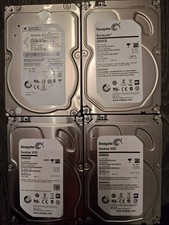
Seagate Desktop HDD 3TB SATA III 3.5" Hard Drives
$35.00

Seagate ST8000NM0075 Enterprise Capacity 3.5 HDD 8TB SAS Hard Drive 8TB EXOS
$184.99
Seagate ST2000NM0055 2TB 7200RPM SATA 6Gb/s 3.5" HDD | Enterprise |
$69.00



 Reply With Quote