-
Senior Member
registered user

Originally Posted by
adamm
One cannot write freely to a NTFS partition, but can use NTFS as a storage media. The trick is, create a large file(either dd on FAT and transfer it to NTFS while running window or may be download cygwin and run its win32 based dd) then loop mount this file. Writing to NTFS is not safe if it touches the directory structure etc but is usable(I believe there is one linux distribution does it) if one just 'modify' an existing file without changing its length, which is what the loop mount is about.
-
Member
registered user

Hi all, once again. My Knoppix idea in combination with a settings floppy has defeated the centurion guard. I do all of my work using ftp in Kate and retain my settings.
I am having a few problems though. While I've had no trouble booting Knoppix on any of the computers on campus, only a few of them actually accept my settings floppy.
I boot knoppix like this:
boot: knoppix floppyconf
The computers where I work in the lab accept the settings floppy (yay!) but none of the others on campus, not even my computer at home accept the settings floppy. It says it's looking for Knoppix settings on /mnt/floppy and it sits there like that for a good 5 to 10 minutes then eventually gives up. This whole time the floppy drive activity light is on. These symptoms are common across many different computers with many different specs. EXCEPT the ones I use at work.
And I have another small problem. The monitor geometry of the computer I have at work is a bit off. It's a 17" LCD running 1024x768. In WinXP it's fine but in Knoppix it's shifted to the right. There's a one inch black gap on the left, the entire display is shifted right; not centered.
I'd appreciate any advice in correcting these two problems!
-
Senior Member
registered user
Not any help on the floppy issue since I don't use Knoppix that way but AFA the screen size goes...often times you can manually adjust the screen size with the monitor controls so that it looks good in Linux. Then of course boot back to win to check there as well. You may find that win still looks OK. gluck.
-
I'll bet the floppy issue is a hardware problem -- the heads on the various floppy drives you're using are aligned differently. I've had better luck using a usb memory stick (currently a Lexar JumpDrive).
-
Member
registered user
often times you can manually adjust the screen size with the monitor controls
Unless I'm missing something here, LCD screens don't have geometry controls 
I'll bet the floppy issue is a hardware problem -- the heads on the various floppy drives you're using are aligned differently. I've had better luck using a usb memory stick (currently a Lexar JumpDrive).
I've considered using a pen drive, but I doubt the problem with the floppies is hardware based. I've tried the floppy on over a dozen computers and it ONLY works on the hardware models that are identical to my work computer. Also, keep in mind that on the machines were Knoppix won't load the floppy, it can read it and the files on it fine after it boots.
-
Member
registered user
My apologies. The LCD screens do have geometry controls. That fixed the screen problem. But I still haven't solved the problem of why my settings floppy only seems to work on platforms identical to my work computer.
Similar Threads
-
By upazupa in forum General Support
Replies: 2
Last Post: 04-07-2005, 08:11 AM
-
By honigbaer in forum Hdd Install / Debian / Apt
Replies: 0
Last Post: 01-22-2005, 06:48 PM
-
By amit1 in forum General Support
Replies: 1
Last Post: 02-03-2004, 09:36 PM
-
By Max in forum Hdd Install / Debian / Apt
Replies: 2
Last Post: 11-15-2003, 06:13 PM
-
By Bluethunder in forum General Support
Replies: 10
Last Post: 02-18-2003, 08:18 PM
 Posting Permissions
- You may not post new threads
- You may not post replies
- You may not post attachments
- You may not edit your posts
-
Forum Rules


INTEL XEON E5-2680V4 SR2N7 2.40GHZ CPU
$11.00

Dell Precision Tower 7810 Xeon E5-2630 v3 @ 2.40GHz , 32GB Ram, NO HDD, NO OS
$239.99

Dell Precision T7820 2x Xeon Silver 4114 2.20GHz 950W No RAM GPU HDD 4x SATA
$350.48

Dell Precision T5820 950W Workstation 4.00GHz W-2125 No RAM/ GPU/ HDD/ OS
$144.98

Dell Precision T5820 Workstation 3.70GHz W-2135 No RAM/ GPU/ HDD/ OS
$179.98

Intel Xeon E5-2699 V4 2.20GHz 55M 22-CORES LGA2011-3 Server Processor 145W SR2JS
$84.49

DELL Precision 5820 Workstation Xeon W-2123 3.6ghz/NO RAM/NO SSD/P400 Vid
$139.99
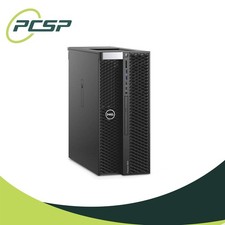
Dell Precision T5820 Workstation 3.70GHz W-2135 32GB No GPU/ HDD/ OS DISCOUNTED
$363.94

Dell PowerEdge FX2s + 8x FC430 Blades 16x E5-2630v4 160 Cores Rails No PSU/RAM
$699.00

Dell EMC PowerEdge R440 Xeon silver 4215 2.5GHz 16 GB ram 2x 550W PSU No HDD
$275.00



 Reply With Quote