

 Reply With Quote
Make the changes and use the save-config option to save the setting to floppy then use the 'knoppix floppyconfig' command at start-up.


i'm a newbie but I would like to change a few very minor changes. Like the default icon & wallpaper set and theme also a new splash screen. This is all I would like to do. How would I start by making these changes so when I burn a new copy everything I want well already be the way I want it to be. and take out some of the packages I don't want?? once again can a newbie do this???
Make the changes and use the save-config option to save the setting to floppy then use the 'knoppix floppyconfig' command at start-up.
If you want to remove packages, you going to have to re-master the CD, which is actually a fairly simple procedure:
http://www.knoppix.net/docs/index.ph...masteringHowto
If you need any help, feel free to post here!
 Posting Permissions


🔀 Juniper Networks EX2300-C-12P 12× Gigabit PoE+ • 2× 10G SFP+ Compact Switch ⚡
$119.00

Juniper EX2300 12-Port Gigabit PoE+ Managed Network Switch P/N: EX2300-C-12P
$149.99

Juniper Networks EX2300-48P 48-Port Gigabit PoE Managed Ethernet Switch
$79.99
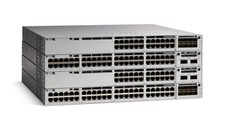
Juniper EX Series EX2300-C-12P - switch - 12 ports - managed
$304.00

Juniper SRX320 8-Port Security Services Gateway Appliance w/ AC Adapter
$59.99

Juniper EX2300-C-12P POE+ Switch 12 x 1GbE & 2 SFP+ 10G uplinks
$149.99

Juniper EX2300-C 12 Port Compact Gigabit Switch EX2300-C-12p
$99.99
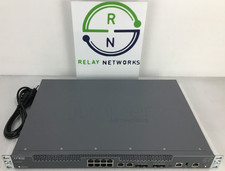
Juniper NFX250-S2 Network Services Platform
$199.89

Juniper Networks EX3400-24T 24-Port Ethernet Switch w/Power Cord
$174.99
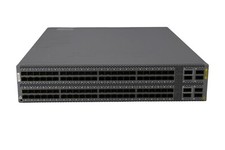
Juniper QFX5100-96S-AFI FP+/SFP PORTS 8QSFP+ PORTS REDUNDANT FANS 2x PS
$249.95