

 Reply With Quote
Make the changes and use the save-config option to save the setting to floppy then use the 'knoppix floppyconfig' command at start-up.


i'm a newbie but I would like to change a few very minor changes. Like the default icon & wallpaper set and theme also a new splash screen. This is all I would like to do. How would I start by making these changes so when I burn a new copy everything I want well already be the way I want it to be. and take out some of the packages I don't want?? once again can a newbie do this???
Make the changes and use the save-config option to save the setting to floppy then use the 'knoppix floppyconfig' command at start-up.
If you want to remove packages, you going to have to re-master the CD, which is actually a fairly simple procedure:
http://www.knoppix.net/docs/index.ph...masteringHowto
If you need any help, feel free to post here!
 Posting Permissions


Mini Computer Vacuum USB Keyboard Cleaner PC Laptop Brush Dust Cleaning Kit NEW
$13.89
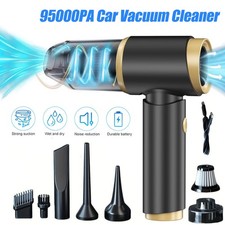
95000PA Wireless Car Vacuum Cleaner Air Blower Wireless Handheld Rechargeable US
$21.98

LEVOIT Cordless Vacuum Cleaner, Stick Vac with Tangle-Resistant Design, Up to...
$167.63
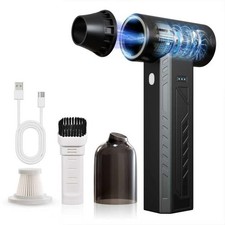
High-Power Cordless Air Duster 480,000 RPM - Rechargeable, Adjustable Speed, Tur
$127.99

Compressed Air Duster Rechargeable Computer Vacuum Cleaner for PC Keyboard Toys
$16.99

2-in-1 Compressed Air Duster & Vacuum, Brushless Motor, 320000RPM
$37.99
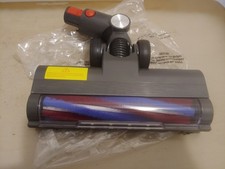
Powerffy Cordless Vacuum Cleaner N10 400W/30Kpa Power Nozzle Head Assembly.
$39.99

US Mini Computer Vacuum USB Keyboard Cleaner PC Laptop Brush Dust Cleaning Kits
$13.89
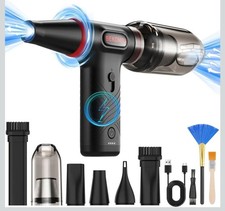
Compressed Air Duster 1 Button Adjustment 12000 RPM Air Blower Car Home Keyboard
$38.99

V3 Robot Vacuum and Mop Combo,Self-Charging,5000pa Strong Suction,WiFi/Alexa NIB
$82.00