

 Reply With Quote
Try mount /dev/sda1 /mnt/usbfloppy -t msdos to mount the first partition on the the device sda you are trying to mount the device itself with the your command not the partition contained on it.Originally Posted by swingarm


I have already searched this forum and Google for answers but can't find any that will fix my problem, all that's listed below is with the USB Floppy Drive plugged in.
'lspci -v' Output:
'cat /proc/scsi/scsi' Output:Code:00:00.0 Host bridge: Intel Corp.: Unknown device 3580 (rev 01) Subsystem: Toshiba America Info Systems: Unknown device ff00 Flags: bus master, fast devsel, latency 0 Memory at <unassigned> (32-bit, prefetchable) Capabilities: [40] #09 [6105] 00:00.1 System peripheral: Intel Corp.: Unknown device 3584 (rev 01) Subsystem: Toshiba America Info Systems: Unknown device ff00 Flags: bus master, fast devsel, latency 0 00:00.3 System peripheral: Intel Corp.: Unknown device 3585 (rev 01) Subsystem: Toshiba America Info Systems: Unknown device ff00 Flags: bus master, fast devsel, latency 0 00:02.0 VGA compatible controller: Intel Corp.: Unknown device 3582 (rev 01) (prog-if 00 [VGA]) Subsystem: Toshiba America Info Systems: Unknown device ff00 Flags: bus master, fast devsel, latency 0, IRQ 11 Memory at e8000000 (32-bit, prefetchable) [size=128M] Memory at e0000000 (32-bit, non-prefetchable) [size=512K] I/O ports at 1800 [size=8] Capabilities: [d0] Power Management version 1 00:02.1 Display controller: Intel Corp.: Unknown device 3582 (rev 01) Subsystem: Toshiba America Info Systems: Unknown device ff00 Flags: fast devsel Memory at f0000000 (32-bit, prefetchable) [size=128M] Memory at e0080000 (32-bit, non-prefetchable) [size=512K] Capabilities: [d0] Power Management version 1 00:1d.0 USB Controller: Intel Corp. 82801DB USB (Hub #1) (rev 03) (prog-if 00 [UHCI]) Subsystem: Toshiba America Info Systems: Unknown device ff00 Flags: bus master, medium devsel, latency 0, IRQ 11 I/O ports at 1820 [size=32] 00:1d.1 USB Controller: Intel Corp. 82801DB USB (Hub #2) (rev 03) (prog-if 00 [UHCI]) Subsystem: Toshiba America Info Systems: Unknown device ff00 Flags: bus master, medium devsel, latency 0, IRQ 10 I/O ports at 1840 [size=32] 00:1d.2 USB Controller: Intel Corp. 82801DB USB (Hub #3) (rev 03) (prog-if 00 [UHCI]) Subsystem: Toshiba America Info Systems: Unknown device ff00 Flags: bus master, medium devsel, latency 0, IRQ 11 I/O ports at 1860 [size=32] 00:1d.7 USB Controller: Intel Corp. 82801DB USB EHCI Controller (rev 03) (prog-if 20 [EHCI]) Subsystem: Toshiba America Info Systems: Unknown device ff00 Flags: bus master, medium devsel, latency 0, IRQ 10 Memory at e0100000 (32-bit, non-prefetchable) [size=1K] Capabilities: [50] Power Management version 2 Capabilities: [58] #0a [2080] 00:1e.0 PCI bridge: Intel Corp. 82801BAM/CAM PCI Bridge (rev 83) (prog-if 00 [Normal decode]) Flags: bus master, fast devsel, latency 0 Bus: primary=00, secondary=02, subordinate=02, sec-latency=64 I/O behind bridge: 00003000-00003fff Memory behind bridge: e0200000-e02fffff 00:1f.0 ISA bridge: Intel Corp.: Unknown device 24cc (rev 03) Flags: bus master, medium devsel, latency 0 00:1f.1 IDE interface: Intel Corp.: Unknown device 24ca (rev 03) (prog-if 8a [Master SecP PriP]) Subsystem: Toshiba America Info Systems: Unknown device ff00 Flags: bus master, medium devsel, latency 0, IRQ 11 I/O ports at <unassigned> I/O ports at <unassigned> I/O ports at <unassigned> I/O ports at <unassigned> I/O ports at 1810 [size=16] Memory at 10000000 (32-bit, non-prefetchable) [size=1K] 00:1f.3 SMBus: Intel Corp. 82801DB SMBus (rev 03) Subsystem: Toshiba America Info Systems: Unknown device ff00 Flags: medium devsel, IRQ 10 I/O ports at 1500 [size=32] 00:1f.5 Multimedia audio controller: Intel Corp. 82801DB AC'97 Audio (rev 03) Subsystem: Toshiba America Info Systems: Unknown device ff00 Flags: bus master, medium devsel, latency 0, IRQ 10 I/O ports at 1c00 [size=256] I/O ports at 18c0 [size=64] Memory at e0100c00 (32-bit, non-prefetchable) [size=512] Memory at e0100800 (32-bit, non-prefetchable) [size=256] Capabilities: [50] Power Management version 2 00:1f.6 Modem: Intel Corp. 82801DB AC'97 Modem (rev 03) (prog-if 00 [Generic]) Subsystem: Toshiba America Info Systems: Unknown device 0001 Flags: medium devsel, IRQ 10 I/O ports at 2400 [size=256] I/O ports at 2000 [size=128] Capabilities: [50] Power Management version 2 02:01.0 Ethernet controller: Realtek Semiconductor Co., Ltd. RTL-8139/8139C/8139C+ (rev 10) Subsystem: Toshiba America Info Systems: Unknown device ff00 Flags: bus master, medium devsel, latency 64, IRQ 10 I/O ports at 3000 [size=256] Memory at e0200000 (32-bit, non-prefetchable) [size=256] Capabilities: [50] Power Management version 2 02:04.0 CardBus bridge: O2 Micro, Inc. OZ6933 Cardbus Controller (rev 01) Subsystem: Toshiba America Info Systems: Unknown device ff00 Flags: bus master, stepping, slow devsel, latency 168, IRQ 11 Memory at 10001000 (32-bit, non-prefetchable) [size=4K] Bus: primary=02, secondary=03, subordinate=06, sec-latency=176 Memory window 0: 10400000-107ff000 (prefetchable) Memory window 1: 10800000-10bff000 I/O window 0: 00004000-000040ff I/O window 1: 00004400-000044ff 16-bit legacy interface ports at 0001 02:04.1 CardBus bridge: O2 Micro, Inc. OZ6933 Cardbus Controller (rev 01) Subsystem: Toshiba America Info Systems: Unknown device ff00 Flags: bus master, stepping, slow devsel, latency 168, IRQ 10 Memory at 10002000 (32-bit, non-prefetchable) [size=4K] Bus: primary=02, secondary=07, subordinate=0a, sec-latency=176 Memory window 0: 10c00000-10fff000 (prefetchable) Memory window 1: 11000000-113ff000 I/O window 0: 00004800-000048ff I/O window 1: 00004c00-00004cff 16-bit legacy interface ports at 0001
'cat /proc/bus/usb/devices' Output:Code:Attached devices: Host: scsi0 Channel: 00 Id: 00 Lun: 00 Vendor: TOSHIBA Model: DVD-ROM SD-R2412 Rev: 1015 Type: CD-ROM ANSI SCSI revision: 02 Host: scsi2 Channel: 00 Id: 00 Lun: 00 Vendor: MITSUMI Model: USB FDD Rev: 1039 Type: Direct-Access ANSI SCSI revision: 02
What though would work was this:Code:T: Bus=03 Lev=00 Prnt=00 Port=00 Cnt=00 Dev#= 1 Spd=12 MxCh= 2 B: Alloc= 0/900 us ( 0%), #Int= 0, #Iso= 0 D: Ver= 1.00 Cls=09(hub ) Sub=00 Prot=00 MxPS= 8 #Cfgs= 1 P: Vendor=0000 ProdID=0000 Rev= 0.00 S: Product=USB UHCI Root Hub S: SerialNumber=1860 C:* #Ifs= 1 Cfg#= 1 Atr=40 MxPwr= 0mA I: If#= 0 Alt= 0 #EPs= 1 Cls=09(hub ) Sub=00 Prot=00 Driver=hub E: Ad=81(I) Atr=03(Int.) MxPS= 8 Ivl=255ms T: Bus=02 Lev=00 Prnt=00 Port=00 Cnt=00 Dev#= 1 Spd=12 MxCh= 2 B: Alloc= 0/900 us ( 0%), #Int= 0, #Iso= 0 D: Ver= 1.00 Cls=09(hub ) Sub=00 Prot=00 MxPS= 8 #Cfgs= 1 P: Vendor=0000 ProdID=0000 Rev= 0.00 S: Product=USB UHCI Root Hub S: SerialNumber=1840 C:* #Ifs= 1 Cfg#= 1 Atr=40 MxPwr= 0mA I: If#= 0 Alt= 0 #EPs= 1 Cls=09(hub ) Sub=00 Prot=00 Driver=hub E: Ad=81(I) Atr=03(Int.) MxPS= 8 Ivl=255ms T: Bus=01 Lev=00 Prnt=00 Port=00 Cnt=00 Dev#= 1 Spd=12 MxCh= 2 B: Alloc= 0/900 us ( 0%), #Int= 0, #Iso= 0 D: Ver= 1.00 Cls=09(hub ) Sub=00 Prot=00 MxPS= 8 #Cfgs= 1 P: Vendor=0000 ProdID=0000 Rev= 0.00 S: Product=USB UHCI Root Hub S: SerialNumber=1820 C:* #Ifs= 1 Cfg#= 1 Atr=40 MxPwr= 0mA I: If#= 0 Alt= 0 #EPs= 1 Cls=09(hub ) Sub=00 Prot=00 Driver=hub E: Ad=81(I) Atr=03(Int.) MxPS= 8 Ivl=255ms
1. Change the floppy entry in fstab to mount to /mnt/usbfloppy
2. Mkdir /mnt/usbfloppy
3. Then I did 'mount /dev/sda /mnt/usbfloppy -t msdos' but get this error
I also tried it with the '-t vfat' switch but it gave me the same error.Code:mount: wrong fs type, bad option, bad superblock on /dev/sda, or too many mounted file systems
Try mount /dev/sda1 /mnt/usbfloppy -t msdos to mount the first partition on the the device sda you are trying to mount the device itself with the your command not the partition contained on it.
Here's what I got when I ran that:
Code:root@ttyp0[usb-storage-0]# mount /dev/sda1 /mnt/usbfloppy -t msdos mount: /dev/sda1 is not a valid block device
What I have listed below is in case anybody else gets stuck with this because I noticed on my search of this forum, another forum(Gentoo), and Google I was hard pressed to find any solutions similar to what I found.
Well I noticed when I boot up Knoppix with the USB Floppy plugged in and do the following:
It mounts!!! I'm happy, sort of. I then reboot without the drive plugged in and I'm back to my block device errors. On reboot I notice that there is this 'hotplug' that loads up so I wonder if I can manually restart it. After Knoppix is booted up again I check the /etc/init.d directory and sure enough, there's hotplug. I plug the drive in and do a:Code:mkdir /mnt/usb mount /dev/sda /mnt/usb
Sure enough, it works!!! Now I'm truthfully happy.Code:/etc/init.d/hotplug restart mkdir /mnt/usb mount /dev/sda /mnt/usb
 Posting Permissions


Fujinet 1.7.1 Atari 400 800 800XL 130XE 65XE XEGS Assembled, Tested, Working
$99.99

Atari 400 / 800 Computer Memory Module 16K RAM PCB CX853 - Works Perfectly
$18.95

Atari 400 Home Computer System includes Power Cord G2U
$159.99
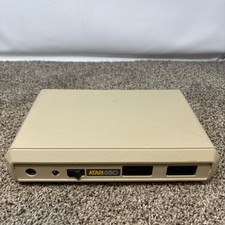
Atari 850 Interface Module For ATARI 400/800 Computer Vintage Tested
$50.00

Atari 1200 XL home computer with original owners guide and power supply power on
$255.00
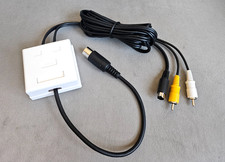
Atari 800 130XE 65XE Color S-Video, Composite Video & Audio Cable Tested
$29.78
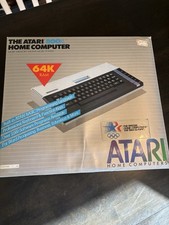
Atari 800XL Home Computer 64K RAM in Original Box 1984 Olympic Edition Untested
$149.99
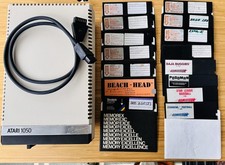
Vintage Atari 1050 Disk Drive w/ SIO Cable & 32 Games/Programs - UNTESTED
$67.76

GreaseWeazle v4 board USB floppy drive adapter Retro All Formats
$35.00

DEFECTIVE Atari 810 Vintage Computer Disk Drive powers on Unit Only Boo G3D
$49.29