-
How to get D-Link 650 (or other Prism2 cards) working
I just spent the past two hours figuring out this exact problem, hopefully my experience can help others. First of all, Knoppix detects all hardware with no problem (Sony Vaio laptop with Realtek 8139 ethernet controller and D-Link 650 WiFi card) and installs the right drivers for them. If you look in the wlan configuration file under /etc/pcmaia/wlan-ng.opts, you will see that it's looking for an access point with the SSID of "linux-wlan"
<quote>
#=======INFRASTRUCTURE STATION START===================
# SSID is all we have for now
AuthType="opensystem" # opensystem | sharedkey (requires WEP)
# Use DesiredSSID="" to associate with any AP in range
DesiredSSID="linux-wlan"
</quote>
Well, obviously the SSID of my access point (D-Link 713P) is not "linux-wan", so I went in there and change it to "linux-wlan", reboot the router, and restart Knoppix, voila! wireless network up and running.
I think the preferable solution is to have Knoppix look for the SSID of "default" which is the default value for D-Link 713P access point, not sure if this is the case for other access points. That way, no change is required at all. But I'm still extremely impressed with the way Knoppix works, keep up the fine work.
-
Hum not a quite good idea...
changing the ssid on the router to fit the one with knoppix is not a secure way for wlan...
I've just spent hours (like you) to figure how I can configure SSID in Knoppix for my dwl-650 and found the good options for wlanctl-ng, but I have no idea what to do next (what need to be relaunch, etc)
Maybe I will look for the disk with configuration options, but i'm not sure it will help.
If you know how to configure SSID in knoppix, I will be happy if you can share...
-
Problems Also
Yes, I am having the same problem as you, moreover the 713p firmware is horrible, and sometimes when I change settings on the router port forwarding mysteriously stops working, and sometimes it takes weeks before something will cause it to kick back in, so I am really not wanting to change that name 
I'v also got the 650 as well. I tried using wlconfig, but got some permission denied errors. Anyone else had better luck?
-
I'm not sure what the default SSID should be in Knoppx, I know if they use "any" then many more wireless cards would work out-of-the-box, but to answer your question about setting the SSID manually, you can try ejecting your card and re-inserting it after you've made the change to wlan-ng.opts, hopefully the PCMCIA hotplug manager will reload the driver for it, now using the correct settings.
-
rcaskey, regarding your permission problems, you have to run wlconfig as root, get a root shell from Knoppix first.
-
Success
OK guys I'm writing right now from my Dell inspiron 8000 with Dlink Wireless DWL 650, knoppix launched and connected to the network 
The method :
1- cp /KNOPPIX/etc/pcmcia/wlan-ng.opts /ramdisk
2- rm /etc/pcmcia/wlan-ng.opts
3- ln -s /ramdisk/wlan-ng.opts /etc/pcmcia/wlan-ng.opts
4- edit /ramdisk/wlan-ng.opts
To set up SSID : Modify DesiredSSID or SSID value
Modify what you need here.
Remove wireless pcmcia card, replug it.
If you have DHCP it works directly.
Question for KNOPPIX developpers : why not putting the whole /KNOPPIX/etc in ramdisk ? so you can edit it at your need (it's only 14Mo).
My 2 cents
Sioban
PS: There's maybe another method, this one works.
-
Re: Success

Originally Posted by
Sioban
OK guys I'm writing right now from my Dell inspiron 8000 with Dlink Wireless DWL 650, knoppix launched and connected to the network
The method :
1- cp /KNOPPIX/etc/pcmcia/wlan-ng.opts /ramdisk
2- rm /etc/pcmcia/wlan-ng.opts
3- ln -s /ramdisk/wlan-ng.opts /etc/pcmcia/wlan-ng.opts
4- edit /ramdisk/wlan-ng.opts
To set up SSID : Modify DesiredSSID or SSID value
Modify what you need here.
Remove wireless pcmcia card, replug it.
If you have DHCP it works directly.
Question for KNOPPIX developpers : why not putting the whole /KNOPPIX/etc in ramdisk ? so you can edit it at your need (it's only 14Mo).
My 2 cents
Sioban
PS: There's maybe another method, this one works.
works this to with an usb device?
Similar Threads
-
By Jansi in forum Networking
Replies: 1
Last Post: 11-20-2004, 12:41 AM
-
By phoenix07 in forum Networking
Replies: 3
Last Post: 04-09-2004, 10:48 AM
-
By ShavedHawk in forum Hardware & Booting
Replies: 5
Last Post: 10-01-2003, 04:13 AM
-
By opel70 in forum Hardware & Booting
Replies: 12
Last Post: 06-29-2003, 05:13 AM
-
By applecran in forum Hardware & Booting
Replies: 0
Last Post: 04-09-2003, 06:02 PM
 Posting Permissions
- You may not post new threads
- You may not post replies
- You may not post attachments
- You may not edit your posts
-
Forum Rules


Kingston 32GB 64GB 128GB 256GB USB 3.0 Flash Drive Thumb Memory Stick Pen lot
$285.90

24x Micron MT40A512M16LY-062E IT:E 8Gb DDR4-3200 96-FBGA Memory IC
$349.99

Dell 16GB PC4-21300 (DDR4-2666) Memory (SNPPWR5TC16G)
$89.99
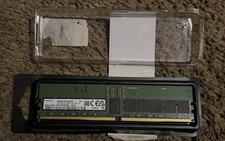
M321R4GA0BB0-CQK Samsung 32GB PC5-38400 DDR5-4800MHz Registered ECC CL40 RDIMM
$550.00

USB 3.0 Flash Drive 32GB 64GB 128GB Memory Stick Thumb Stick Lot Pack
$826.09

Transcend 96GB (6x16GB) 2Rx8 PC4-2666V DDR4 ECC UDIMM Server RAM TS2GLH72V6B
$299.00

Samsung 32GB DDR4-2666V-2Rx4-RB2-12 RAM M393A4K40CB2-CTD6Q
$169.00

USB 3.0 Micro SD SDHC TF Card Reader Memory Adapter for PC Laptop Camera lot
$3.75

24x Micron MT40A512M16LY-062E IT:E 8Gb DDR4-3200 96-FBGA Memory IC
$349.99

TF/SD Card Adapter Camera Reader Android Type-c For iPhone17 Pro Max Plusm lot
$573.98



 Reply With Quote