


 Reply With Quote
GRATS.
lim t->infty size of C:\ -> 0
Base rule of power users.
Thanx for interest.


After playing with Knoppix from the CD, then loading it off the hard drive, I decided to try installing it on a (small 5 GB) partition. That went very smoothly. More toys to play with.
I already have a Red Hat partition, so, slowly but surely, Windows is losing hard disk space to Linux!
Not that I'm complaining.
GRATS.
lim t->infty size of C:\ -> 0
Base rule of power users.
Thanx for interest.
I have sort of in the same situation,
if i increase the size of the linux partition using partition magic.. will that screw lilo over?
how do i do it safely?
thanks
Hmm.
Way is quite complicated, but...
a:
You can change partitions, and if lilo will make sth wrong, boot machine with knoppix or other rescue, chroot to disk /, and reissue lilo
b:
You can make grub bootfloppy, and use it to start linux. Grub is for some reasons better than lilo, because it has no hardcoded files. It has a parser during boot and should not fail when changing partitions (as far as letters remain the same)
c:
If you have eg. everything on Linux on /, you can make another partition and mount if eg. to /home, or /usr or anywhere. It is sometimes good idea to split system into partitions, as for security reasons, backups and so.
d:
You can also change sizes of any partitions except one containing /boot whenever you want - lilo has nothing to them.
could you provide a detailed description of option a?
Here's my question: What are you guys/gals using to do backups?
In the past, I've had 2 disasters involving Linux boot loaders. Both were my fault (you've got to RTFM!), but they've left me leery of installing GRUB (even though I've got it working off a floppy). The main problem is that I've got approximately 80 GB in Windows and Linux partitions and don't really have a backup solution. (80 GB is a lot of CD-ROMs!)
So, in order to use Linux, I'm using LOADLIN, and in order to use LOADLIN, I'm still running Win98SE (where you can still boot to DOS), even though I'd like to upgrade to Win2K.
(In the newest O'Reilly Linux In A Nutshell, there are explicit instructions on setting up GRUB to dual-boot with Win2K. It involves making a copy of your Win2K boot sector...)
If I had a way to back up this entire mess, I'd feel much more comfortable messing around with GRUB.
I'm seriously thinking of getting one of those network storage boxes Fry's sells that you plug into your network, load up the software, and there they are ready to go.
 Posting Permissions


Lenovo ThinkPad L13 Yoga Touch Laptop 13.3” Core i5 8GB RAM 256GB SSD Win 11 Pro
$239.99

Lenovo ThinkPad L15 Gen 3 15.6" 16GB, Thunder Black
$241.50

Lenovo ThinkPad E14 Gen 2 Laptop 14” HD Ryzen 5 16GB RAM 512GB SSD Win 11 Pro
$334.99

Lenovo ThinkPad E14 Gen 3 Laptop 14” FHD AMD Ryzen 5 16GB RAM 512GB SSD Win 11
$374.99

Lenovo Legion 5 Gaming 15.1" WQXGA OLED 165Hz Core i9-14900HX 16GB 1TB RTX 5070
$1469.00

Lenovo ThinkPad T14 Gen 1 14" AMD Ryzen 5 16GB 256GB SSD
$219.99
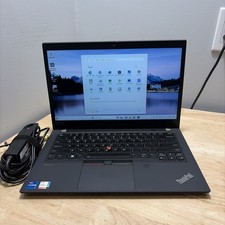
LENOVO THINKPAD T14 GEN 2i CORE I7-11165G7 2.8GHZ 16GB 256 SSD WCAM WI1 CORD
$245.00

Lenovo - IdeaPad Slim 3i 15.3" 2K Touchscreen Laptop - Intel Core 7 350 2026 ...
$679.99
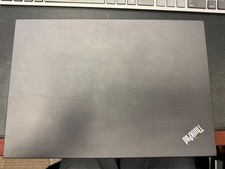
Lenovo ThinkPad T14 Gen 2 Ryzen 7 PRO 5850U 32GB 512GB SSD Touch Win 11 Pro
$500.00

Lenovo ThinkPad T14s Laptop 14” Laptop Core i5 8GB RAM 256GB SSD Windows 11 Pro
$249.99