-
Senior Member
registered user
Post install problems w/HD permissions & desktop icons
Pardon me if this has been answered in another thread - I just couldn't find it.
I have two "vfat" partitions, hda1 and hdb1, that I'd like to be able to access under my normal user account (I created one). (Knoppix is installed on hda2.)
By default, Knoppix set them up this way in /etc/fstab (I changed "noauto" to "auto"):
/dev/hda1 /mnt/hda1 auto,users,exec,umask=000,uid=knoppix,gid=knoppix 0 0
(Same for hdb1.)
However, for the "ext2" partition on hdb2 (it's a Red Hat partition), fstab reads:
/dev/hdb2 /mnt/hdb2 ext2 auto,user,exec 0 0
So I thought I'd just change the lines for hda1 and hdb1 to match the line for hdb2, but when I did, the partitions were mounted, I just couldn't access them as a normal user ("permission denied"), only as root. So I changed them back to the Knoppix default, and they are now accessible.
So why is hdb2 accessible using that line in fstab, but hda1 and hdb1 require "umask", "uid", and "gid"? What do they mean? I tried chmod on /mnt/hdxx and /dev/hdxx, but it didn't work. Is there a difference between "user" and "users"?
Also, every time I start KDE, my desktop icons' positions haven't been saved and I have to arrange them. Again. Any help with that?
Thank you for any assistance.
-
Senior Member
registered user
Did you run (as root)
mount -a
after saving the new /etc/fstab?
For a really detailed explanation of all the possible settings, take a peek at
man mount
&
man fstab
The desktop things can (probably) be retained if, when logging out, you make sure the "save settings" (or something similar) checkbox is ticked.
-
access rights
You have to mount the fat32 hds with the user=knoppix ... options, since fat32 does not support access rights. If you mount it this way linux assigns the values from fstab (owner, group etc. ) to each file on the partition. If you don´t provide these options linux assumes that root is the owner ... of all files.
the redhat partition is ext2 and thus supports access rights. That´s why you don´t have to provide further options in the fstab.
So everything is fine and totally normal.
-
Senior Member
registered user
Ah, OK. Curiously, Red Hat does not require the same sort of permission-setting in fstab in order for the FAT32 partitions to be accessible to the normal user; however, only root can write to the disk (and it complains about permissions even then, when moving files to it).
(Re "mount -a" - yes, I know about that one. After editing fstab, you can issue the "mount -a" command to (re-)mount all filesystems listed in fstab, thus immediately implementing your changes.
Re a tick box that allows you to save the positions of your desktop icons, if you know where it is, please let me know.)
-
if redhat really allows access to mounted fat32 partitions to all users by default, this is not a feature, but a bug in my opinion.
i don´t want my fat32 partitions to be readable for all users on my system.
-
Senior Member
registered user
It's been a while so I don't remember, but I highly doubt it's the default. I think you either have to tell the Red Hat installer you want them mounted, or add them manually to fstab as root.
-
Senior Member
registered user
Finally found the setting that makes my icons stay put. It's in the KDE Control Center's "KDE Components" --> "Session Manager" section, under "On Login". Click the "Restore manually saved session" radio button, and KDE will put a "Save Session" icon on your K menu. After rearranging your desktop to your liking, click the "Save Session" icon. Next time KDE starts up, everything should be as you left it (including running programs).
(This assumes you've done a hard disk install, of course.)
Similar Threads
-
By oldgeezer in forum General Support
Replies: 13
Last Post: 05-24-2004, 06:46 AM
-
By stupidflanders in forum Hdd Install / Debian / Apt
Replies: 6
Last Post: 09-04-2003, 10:05 AM
-
By Carlos_E_Morimoto in forum Hdd Install / Debian / Apt
Replies: 0
Last Post: 02-05-2003, 08:37 AM
-
By in forum Hdd Install / Debian / Apt
Replies: 5
Last Post: 01-23-2003, 06:21 PM
-
By skyconcert in forum General Support
Replies: 0
Last Post: 12-20-2002, 05:19 PM
 Posting Permissions
- You may not post new threads
- You may not post replies
- You may not post attachments
- You may not edit your posts
-
Forum Rules

Vintage Retro Beige Sleeper PC Case Desktop Computer Key With Turbo Button
$89.99
NEW* AMD Athlon 2.5GHz 4GB ATI X300 Win98 XP DOS Multiboot Retro PC w/ 50 Games
$349.00
NEW* AMD Athlon 2.5GHz 4GB ATI X1050 Win98 XP DOS Multiboot Retro PC w/ 50 Games
$389.00
Vintage Samsonite Exec Briefcase Classic 70's Style Combo Lock. OMEGA
$34.99
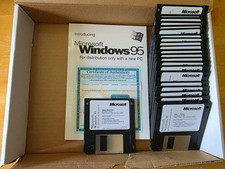
Microsoft Windows 95 OEM 3.5" Floppy Disk Set w/ COA Manual Vintage PC
$200.00
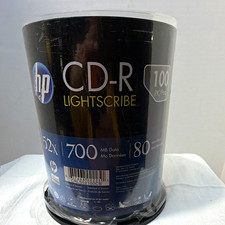
HP LightScribe CD-R 100 Pack Blank Discs 52X 700MB 80 Min Vintage Media Unused
$99.99
Lot of 6 Vintage IBM 2380/2381 Cartridges w/inker Black
$16.00
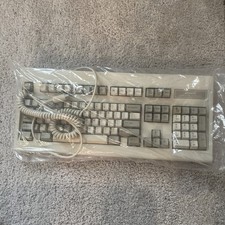
Vintage Tandy 1000 "Personal Computer"Keyboard
$75.00
Vintage Desktop No Brand-Pentium 4-512MB Ram 40GB HDD ATI R200 Fire GFx OS W98E
$139.99
WINDOWS Microsoft "Vintage Style" Computer Keyboard/ #5181
$27.97



 Reply With Quote