-
Senior Member
registered user
USB View
USB View
If you get an error opening USB View, insert the following code into /etc/fstab.
Code:
none /proc/bus/usb usbfs defaults 0 0
This will mount usbfs at each reboot.
You can then issue `cat /proc/bus/usb/devices` to extract
USB device information, and user mode drivers can use usbfs
to interact with USB devices.
Comment out ( proc /proc proc defaults 0 0 ) if in fstab. Also, on first reboot you will get errors - just reboot once more and everything will be fine.
Code:
Manual way to use USB View is:

mount -t usbfs none /proc/bus/usb

then as root run USB View.

-
Senior Member
registered user
Well - but this will not work with kernel 2.6 when build according to the suggestions, where you should use sysfs.
usb will then be shown in
/sys/bus/usb/
and
/proc/bus/usb/
stays empty all night long.
Similar Threads
-
By Sebulba in forum General Support
Replies: 1
Last Post: 10-14-2004, 07:02 AM
-
By reyn in forum General Support
Replies: 4
Last Post: 08-24-2004, 02:56 AM
-
By drews in forum General Support
Replies: 2
Last Post: 06-25-2004, 09:59 AM
-
By knoppixnewbie in forum General Support
Replies: 2
Last Post: 02-19-2004, 05:58 AM
-
By pelican in forum General Support
Replies: 2
Last Post: 02-05-2004, 05:27 PM
 Posting Permissions
- You may not post new threads
- You may not post replies
- You may not post attachments
- You may not edit your posts
-
Forum Rules


Samsung DVI to DVI Cable 6 ft Digital Video Interface Audio Video NEW
$30.89
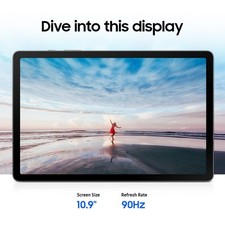
Samsung Galaxy Tab S10 Lite 10.9" 128GB Silver Wi-Fi SM-X400NZSAXAR
$206.00
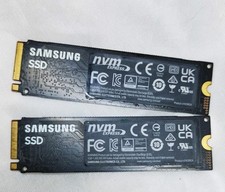
1 Samsung 980 500GB NVME M.2 2280 Internal SSD PCIe 3.0 Solid State Drive As-Is
$63.50

Samsung Galaxy View Tablet 18.4 SM-T670/677A Digitizer 100% Original Oem
$152.99

Kids Case for Samsung Galaxy Tab A9+/A9 plus 11 Inch 2023 Case, with Strap, Shoc
$27.99

Samsung SCXSTP000, SCX-STP000 (Swingline Staple Cartridge - 3 Refills)
$57.99

Samsung JC95-01514A Cover-Side Roller T2 Compatible
$39.00

Samsung JC93-01078A Transfer Roller T2
$89.00
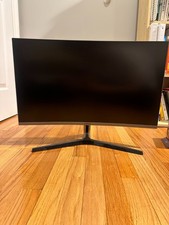
Samsung LC27JG56QQNXZA 27.0" 2560 x 1440 144 Hz Curved Monitor
$60.00

Samsung Galaxy Tab Active 3/ 64 gig/WIFI
$85.00



 Reply With Quote