

 Reply With Quote
Well - but this will not work with kernel 2.6 when build according to the suggestions, where you should use sysfs.
usb will then be shown in
/sys/bus/usb/
and
/proc/bus/usb/
stays empty all night long.


USB View
If you get an error opening USB View, insert the following code into /etc/fstab.
This will mount usbfs at each reboot.Code:none /proc/bus/usb usbfs defaults 0 0
You can then issue `cat /proc/bus/usb/devices` to extract
USB device information, and user mode drivers can use usbfs
to interact with USB devices.
Comment out ( proc /proc proc defaults 0 0 ) if in fstab. Also, on first reboot you will get errors - just reboot once more and everything will be fine.
Code:Manual way to use USB View is: mount -t usbfs none /proc/bus/usb then as root run USB View.
Well - but this will not work with kernel 2.6 when build according to the suggestions, where you should use sysfs.
usb will then be shown in
/sys/bus/usb/
and
/proc/bus/usb/
stays empty all night long.
 Posting Permissions

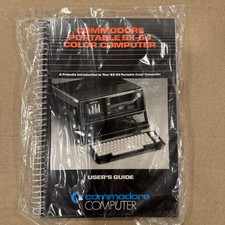
Commodore Portable SX-64 Color Computer User’s Guide Sealed/Taped in Plastic Bag
$199.99

TeensyROM+ TR+ v0.4 Cartridge for C64/128 - w/ Case & 32GB SD Preloaded
$89.50

Commodore VIC-20 Diagnostic Cartridge & Test Harness Set - USA seller
$39.99
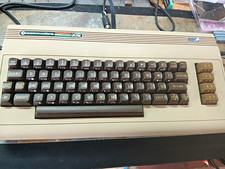
COMMODORE 250466 REPLICA BUILD | NTSC | VIC-II KAWARI | NEW CHIPS
$379.99

Commodore 64 Serial Cable 6PIN DIN 1541 1571 C64 128 C128 Disk Drive Printer USA
$10.49

Commodore 128 C128 Computer FOR PARTS / REPAIR Untested Missing Key No Cords
$149.99
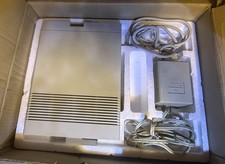
Vtg 128 / 64 Commodore 1541-II Computer Disk Drive in Box 5.25 Floppy (Working)
$89.99

Commodore 1541 Emulator PI1541 HAT with ROTARY, OLED screen, USA Seller
$29.99

Commodore 64 Dead Test & Diagnostic Cartridge & Test Harness Set - USA seller
$39.99
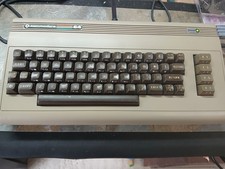
COMMODORE 250466 REPLICA BUILD | NTSC | VIC-II KAWARI | NEW CHIPS | #2
$379.99