-
Junior Member
registered user
Saving config to a floppy
I have searched the docs for this to no avail, probablly my fault. Anyway, how do I save my config to a floppy? I am new to knoppix. Thanks
-
This is from the Docs area:
"Save Configuration
Saving KNOPPIX Configuration
From Computer First Aid Using Knoppix by Cedric Shock and Susan Sullivan, used with permission.
Saving configuration requires a floppy disk or a non-NTFS formatted drive.
Click on the "K" in the lower left corner of the screen. This will bring up a menu like the Windows Start Menu. Enter the "KNOPPIX" submenu. Enter the "Configure" submenu. Select "Save KNOPPIX configuration".
This will bring up a little window asking what to save. Click "OK".
The next window will ask where to save the configuration. I suggest the floppy drive. Click "Ok".
To load the configuration the next time you run Knoppix, put the floppy disk in the drive once the "boot:" prompt appears. Instead of pressing enter, type "knoppix myconfig=scan" and press enter."
This worked fine for me, except for the last step of typing "knoppix myconfig=scan". Try typing "knoppix floppyconfig" at the boot prompt. Good luck.
-
I was having the same problem and I got it to work with the command: knoppix floppyconfig
However I couldn't get it to save my resolution settings. Can someone tell my how to get it to save my resolution settings. I am using a laptop and I noticed that it doesn't have a specific monitor only Monitor0. It does have 1024x768 as a resolution setting and when i change it and save my config, it keeps everything but the resolution settings. I also have tried knoppix screen=1024x768 but it doesnt work either.
Any ideas?
-
Click on the "K" in the lower left corner of the screen. This will bring up a menu like the Windows Start Menu. Enter the "KNOPPIX" submenu. Enter the "Configure" submenu. Select "Save KNOPPIX configuration".
This will bring up a little window asking what to save. Click "OK".
The next window will ask where to save the configuration. I suggest the floppy drive. Click "Ok".
And when I do this... nothing happens!! I can save files to floppy, read them, format etc... but when I want to save a configuration file just the way it's told Knoppix seems to go on strike. Absolutely NOTHING happens! What am I doing wrong???
Similar Threads
-
By Leslie Simon in forum The Lounge
Replies: 2
Last Post: 05-24-2004, 01:38 PM
-
By jmsuthar in forum General Support
Replies: 3
Last Post: 08-27-2003, 03:18 PM
-
By SerenityNet in forum General Support
Replies: 7
Last Post: 05-25-2003, 11:59 AM
-
By LordHarshmage in forum General Support
Replies: 1
Last Post: 05-01-2003, 08:49 AM
-
By boehmb in forum General Support
Replies: 25
Last Post: 03-31-2003, 06:33 PM
 Posting Permissions
- You may not post new threads
- You may not post replies
- You may not post attachments
- You may not edit your posts
-
Forum Rules


16GB KIT (2x8GB) DDR3 Gamer Desktop RAM PC3 MIXED BRANDS VIPER VENGEANCE FURY
$10.00

Netac DDR4 32GB 16GB DDR4 3200MHz UDIMM C16 Desktop Internal Memory RAM Kit
$99.99

Micron 16GB (2x8GB) 2Rx8 DDR3 1600MHz PC3-12800U Desktop RAM
$19.99

Samsung 32GB DDR4-2666V-2Rx4-RB2-12 RAM M393A4K40CB2-CTD6Q
$169.00

Crucial 32GB(4 x 8GB) CT8G4DFS824A.C8FDD1 DDR4-2400 UDIMM Desktop RAM - CR352A
$89.95
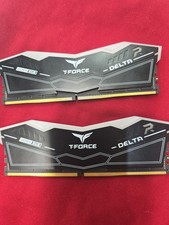
TeamGroup T-Force DELTA RGB 64GB 2x32GB DDR5 RAM 6000(2Rx8) CL38-38-38-78 1.35V
$600.00

RAMAXEL Lenovo 32GB LPDDR5X CAMM2 7500MHz Laptop RAM | UNTESTED
$445.00

DDR4 Laptop RAM 4GB 8GB 16GB 32GB 2400 2666 3200 Samsung Hynix
$66.00

Dell 16GB PC4-21300 (DDR4-2666) Memory (SNPPWR5TC16G)
$89.99

Samsung 32GB DDR4-2666 PC4-21300 288-Pin DIMM RAM M393A4K40CB1CRC0Q
$185.00



 Reply With Quote