-
I'm not using the live CD, knoppix is installed to my HD, so I'm confused why K Xconfig shows my res at 640x480. when I ran the live CD I had perfect resolution filling my screen, but since the HD install the resolution is reduced, I need to set it permanantly to 1024 x 786.
Similar Threads
-
By Islington in forum MS Windows & New to Linux
Replies: 5
Last Post: 06-23-2005, 01:48 PM
-
By IanHall in forum Hdd Install / Debian / Apt
Replies: 6
Last Post: 03-03-2005, 03:45 AM
-
By Matth in forum General Support
Replies: 9
Last Post: 12-12-2004, 08:33 PM
-
Replies: 4
Last Post: 05-12-2004, 01:38 AM
-
By sanjay in forum General Support
Replies: 7
Last Post: 08-22-2003, 06:44 PM
 Posting Permissions
- You may not post new threads
- You may not post replies
- You may not post attachments
- You may not edit your posts
-
Forum Rules

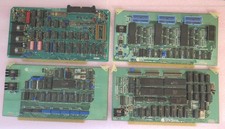
Vintage S-100 California Computer Systems cards Z80 cpu + ADS PromBlaster
$895.00

Lot of 2 Vintage Plextor PX-43CS SCSI CD-ROM Caddy Drives + 4 Caddies Used
$55.99

Vintage Computer - PC Innovation Intel 486DX2 - Dos Ver 6.2 Windows 3.1
$250.00

🔥 RARE VINTAGE HP 2113A 21MX 1000 E-SERIES MINICOMPUTER CHASSIS BACKPLANE
$249.00
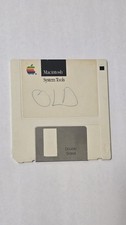
Vintage 1983-87 Macintosh System Tools 3.5 Floppy Disk Version 2.0.1 690-6023-B
$38.00
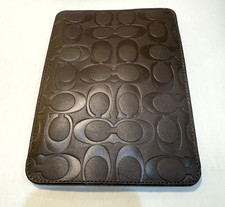
Vintage Coach Signature Embossed Leather Tobacco Tablet E-Reader Case 8”
$79.99
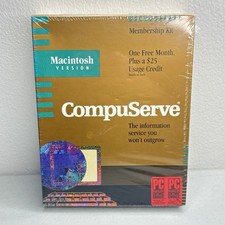
Vintage Macintosh Compuserve Version 1 Membership Kit PC Magazine Mac New Sealed
$999.99

Vintage Heritage Leather Laptop/Binder Bag W/ Calculator - All Original Mint Con
$32.00

🔥 RARE VINTAGE HP 2112A 21MX M-SERIES 16-BIT MINICOMPUTER HP
$299.99

Vintage Jetway J-620BF Socket 370 Celeron AT Motherboard SiS 620 Brand New
$75.00



 Reply With Quote