-
A "standard" download directory & executable s
Hi all -
I have a couple of ideas that may well be best put to the Linux Standard Base site, but I thouight I'd post them here anyway, (as Knoppix is _the_ most user-friendly distro, and I want Knoppix to get any new ideas first ... 
( I should mention that these ideas are more for others than myself - I'm not a total Linux newbie, but I believe I have a good feel for the kind of things that newbies find difficult / puzzling .... )
Idea 1 - A directory (let's call it /install or maybe dl_install , for download_install) that is *the* one *standard* place that you should download files to , and then run the install from. There seems to be no docs anywhere that specify *which directory* you should d/l to ..... you're just expected to somehow "know". ( Some _apps_ do specify the dir to d/l to, but there seems to be no general docs in this area ).
As an alternative to implementing a standard d/l directory, at least I'd suggest a brief entry in a FAQ, something like
( start of FAQ - replace "X" with an actual directory )
Q. I want to download some software. Which directory should I download it to?
A. You should always download to the "X" directory. Then, you should run the install from that directory as well. Most installs involve typing the following commands at the command prompt -
./configure
make
make install
( end of FAQ )
This may sound like a small, trivial thing, but implementing the dir (or the FAQ) would be **easy** to do, and would be a very nice little distinguishing feature to have. Ok - yes you can create the dir yourself, but it _still_ wouldn't be the "standard" place for the _distro_.
Yes, there are utils like apt-get , that do everything automatically. But - if you do need to do a manual install (for whatever reason), a standard "download_install directory could still be useful.
Idea 2 - A standard suffix for executable files ( I'd suggest "lexe", for linux exe). This would also surely be easy to implement. Yes, ok - there are the /bin and /sbin directories, but there is still no guarantee that all files there are executable. Wouldn't it be *great* (and useful) to be able to find ALL executable files on your system ( _whereever_ they are ) with a *simple* command like -
grep -l *.lexe
Again, this would be trivial to implement, and very useful to make things even more user-friendly. At the very least, you could be given the *option* (at install time) of giving all executable files the .lexe suffix.
Ah, well ... that'll do for now  . Comments welcome! ( Time to put on the ol' asbestos suit ..... )
-
An addition to my post ...
Arrrgh ... replying to my own post. Anyway -
I've just realised (as soon as I did my previous post ) that newbies would probably not know to use the grep command to find executable files. So, I'm suggesting a FAQ entry, like the following -
(NOTE - this FAQ is specifically aimed at finding *executable* files - not just any files. The FAQ assumes that there is a standard in place (either for Knoppix, or for all distros) that all executable files have the ".lexe" suffix )
( start of FAQ )
Q - I want to find all the executable files on my system ( or in directory "X" ). How do I do this?
A - There are several ways of doing this. They are as follows
Option 1 - In the directory that you want to search for executable files , type the following command at the shell prompt -
grep -l *.lexe
Option 2 - ( another option here )
Option 3 - ( another option here)
( end of FAQ )
Apologies for replying to my own post ....
-
Senior Member
registered user
The standard place for user installed application(not the debian way though) is /usr/local
try 'man find' for how to search for 'executables' in the system and giving 'extension'(that is a window/dos concept) to linux executables will break a lot of things. If you give the programs .lexe extension, you have to run it as 'myprogram.lexe', cumbersome.
-

Originally Posted by
garyng
The standard place for user installed application(not the debian way though) is /usr/local
try 'man find' for how to search for 'executables' in the system and giving 'extension'(that is a window/dos concept) to linux executables will break a lot of things. If you give the programs .lexe extension, you have to run it as 'myprogram.lexe', cumbersome.
Hi , Garyng - Thanks for your comments! I now have to agree with you (after
having just been for a run, and during it, concluding that my post was a "I should have engaged brain before putting mouse into gear" moment ) . Arrgh ... !
Similar Threads
-
By kirpi in forum General Support
Replies: 4
Last Post: 04-14-2004, 06:11 PM
-
By LinuxGeek in forum Hdd Install / Debian / Apt
Replies: 0
Last Post: 12-20-2003, 07:30 PM
-
By ollisoft in forum General Support
Replies: 3
Last Post: 12-18-2003, 03:44 AM
-
By oreo in forum General Support
Replies: 11
Last Post: 07-23-2003, 06:33 PM
-
By Juny in forum General Support
Replies: 4
Last Post: 03-14-2003, 09:02 AM
 Posting Permissions
- You may not post new threads
- You may not post replies
- You may not post attachments
- You may not edit your posts
-
Forum Rules


Crucial MX500 500GB 2.5" SATA III Internal SSD CT500MX500SSD1
$52.99

SSD 880EVO SATA III 2.5 4TB INTERNAL STATE DRIVE
$214.99

Samsung 860 EVO 250GB SSD MZ-76E250 2.5" SATA III Solid State Drive
$39.99
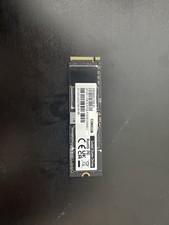
Gigabyte 1TB 2280 SSD Solid State Drive AG450E1024-Sl, 27107-1TB15-P70S
$99.99

Netac 2TB 1TB 512GB 256GB Internal SSD 2.5inch SATAIII Solid State Drive lot
$549.00

SAMSUNG SSD 512GB 500GB 480GB 256GB 250GB 240GB SSD 2.5 Solide State Drive 6Gbps
$37.99
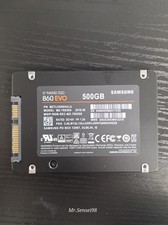
Samsung SSD, v-nand,860 EVO, 500gb, model MZ-76E500, SATA III, Health 90-98%
$50.00

Fanxiang 1/2/5/10Pcs 2.5'' SATA SSD Lot 1TB 2TB 4TB 512GB 256GB TLC Internal SSD
$129.99
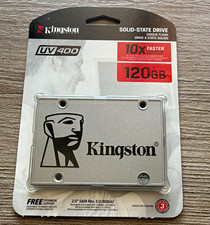
Kingston UV400 120GB 2.5" SATA III Internal SSD Silver 6Gb/s PC Compatible
$30.00

128TB External SSD Solid State Drive Hard Drive Disk PC Phones Mac Games Videos
$97.60



 Reply With Quote