
Results 1 to 6 of 6

Thread: Deafult root password

  1. #1
    voldsmann
    Guest

    Deafult root password

    Hi. I wonder whats the default root password on the CD is?

  2. #2
    Member registered user tuxtom's Avatar
    Join Date
    Nov 2002
    Location
    hamburg.de
    Posts
    32
    No root password.
    You become root either by opening a root console from menu or just issue a
    Code:
    $ sudo su
    from a console window.

    tom

  3. #3
    Junior Member
    Join Date
    Apr 2004
    Posts
    2
    It still keeps asking for that fucking root\s password even i open\acces roots console or write that sudo su in the console. I cant install anything if i dont know that password.

  4. #4
    Junior Member
    Join Date
    Mar 2004
    Posts
    8
    Quote Originally Posted by Wheez
    It still keeps asking for that fucking root\s password even i open\acces roots console or write that sudo su in the console. I cant install anything if i dont know that password.
    You have to create a password. After becoming root in Konsole, type:

    Code:
    passwd
    It'll then ask you for a new password, then ask you to repeat it. After that, root will have the password you assigned to it.

  5. #5
    Senior Member registered user
    Join Date
    Mar 2003
    Location
    Portland, OR USA
    Posts
    568
    It still keeps asking for that fucking root\s password even i open\acces roots console or write that sudo su in the console. I cant install anything if i dont know that password.
    All you have to do to "get root" is open up a console (e.g. by clicking on the KConsole icon in the Kicker bar at the bottom of your screen) and typing su. It doesn't ask for a password.

    If you need to set a root password, as the regular ("Knoppix") user, all you have to do is type sudo passwd in a console and it will ask you to supply one. (If you're already root, omit "sudo".) After that, you can supply your newly set root password to KDE when it asks.

    Note that even after setting the root password, you can still "get root" by typing su in a console. It still won't ask for a password. (Wonder if that behavior continues even after installing Knoppix to hard disk.)

  6. #6
    Junior Member registered user
    Join Date
    Mar 2004
    Location
    PEI, Canada
    Posts
    12
    Quote Originally Posted by eco2geek
    It still keeps asking for that fucking root\s password even i open\acces roots console or write that sudo su in the console. I cant install anything if i dont know that password.
    All you have to do to "get root" is open up a console (e.g. by clicking on the KConsole icon in the Kicker bar at the bottom of your screen) and typing su. It doesn't ask for a password.

    If you need to set a root password, as the regular ("Knoppix") user, all you have to do is type sudo passwd in a console and it will ask you to supply one. (If you're already root, omit "sudo".) After that, you can supply your newly set root password to KDE when it asks.

    Note that even after setting the root password, you can still "get root" by typing su in a console. It still won't ask for a password. (Wonder if that behavior continues even after installing Knoppix to hard disk.)
    No, it doesn't continue when installed.

Similar Threads

  1. root password
    By jester600 in forum General Support
    Replies: 1
    Last Post: 09-28-2004, 12:17 PM
  2. root password
    By kornface13 in forum General Support
    Replies: 4
    Last Post: 04-30-2004, 02:14 PM
  3. root password
    By reubensant in forum General Support
    Replies: 2
    Last Post: 08-10-2003, 01:36 PM
  4. Root password
    By DavidTempler in forum General Support
    Replies: 5
    Last Post: 05-08-2003, 08:14 PM
  5. Root Password
    By VBgod in forum General Support
    Replies: 3
    Last Post: 03-13-2003, 10:09 PM

Posting Permissions

  • You may not post new threads
  • You may not post replies
  • You may not post attachments
  • You may not edit your posts
  •  


Seagate ST6000NM0115 6TB 256MB 7200RPM 3.5

Seagate ST6000NM0115 6TB 256MB 7200RPM 3.5" SATA 6.0Gb/s Enterprise Hard Drive

$159.99



Seagate 14TB Exos X14 7200RPM SATA 6Gb/s 256MB 3.5

Seagate 14TB Exos X14 7200RPM SATA 6Gb/s 256MB 3.5" Enterprise HDD ST14000NM0408

$354.99



New Western Digital WD40EFPX 68C6CN0 4TB 3.5

New Western Digital WD40EFPX 68C6CN0 4TB 3.5" SATA III Internal NAS Red Plus HDD

$137.59



HUS726060ALA640 HGST Ultrastar  6TB SATA 6Gbps 7.2K 3.5

HUS726060ALA640 HGST Ultrastar 6TB SATA 6Gbps 7.2K 3.5" Hard Drive OF21860

$129.99
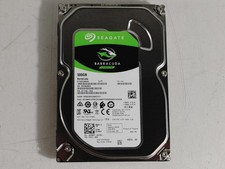


Seagate ST500DM009 BarraCuda 500 GB 3.5

Seagate ST500DM009 BarraCuda 500 GB 3.5" SATA III Desktop Hard Drive

$14.99
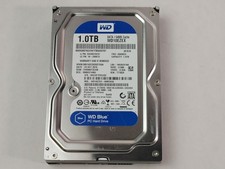


Western Digital WD Blue WD10EZEX 1 TB 3.5

Western Digital WD Blue WD10EZEX 1 TB 3.5" SATA III Desktop Hard Drive

$23.99



HGST HUS724040ALA640 4TB 7200 RPM SATA 3.5

HGST HUS724040ALA640 4TB 7200 RPM SATA 3.5" Internal Desktop Drive 100% Health

$78.00



Hitachi  / HGST Travelstar HTS541010B7E610 1TB 2.5

Hitachi / HGST Travelstar HTS541010B7E610 1TB 2.5" SATA III HDD

$29.99
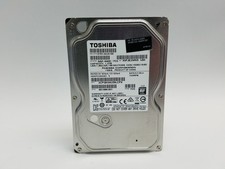


Toshiba DT01ACA100 1 TB 3.5

Toshiba DT01ACA100 1 TB 3.5" SATA III 3.5 in Desktop Hard Drive

$24.99



HDD 3.5

HDD 3.5" SATA Hard Drive with Windows 10/Win 11 64x Installed Legacy

$35.00
