-
How to fix "Module Setting/Peripherals/kxconfig.desktop
.... does not specify a library.
Point is I am not able to access nor to change any graphics setting (resolution, monitor type etc.). How can I fix this?
I have tried by opening a new root console and then "kcontrol" to access this sepcific menu. It has not worked at all.
This submenu is X.out! .... no access.
thank you for any help
-
Senior Member
registered user
I'm not sure I really understand your problem -- you could be a bit more explicit.
But:
I am not able to access nor to change any graphics setting (resolution, monitor type etc.).
The usual ways to do this are either to edit XF86Config-4 by hand or run
xf86cfg
as root.
-
Senior Member
registered user
If it's already working, it might be a good idea to make a backup copy of /etc/X11/XF86Config-4 before you play with xf86cfg, just in case you can't "startx" successfully the next time.
-
Your answers basically seem to be addressing my trouble. I will try it out. Should I still come up with problems I will come back ... for sure! 
Thank you for the moment!
-
Must come back sooner than expected. It does not work that way. After making some changes to my graphics card any attempt to save to the xf86cfg file fails even though I believe to have opened it as user "root".
When I open a new console, type "su" and then the root passwort the authentification fails obviously because of a wrong root password. But that is not right since it was the right root password I entered.
When I choose console for user "root" and then enter the root password this works but I am not able to save any change made in xf86cfg.
By the way, is not there a more comfortable way for setting the graphics card, monitor etc .... as I mentioned the KDE menu did not allow me to access this specific part of the menu (in spite of an icon a X appears before the menu description)
Any help is greatly appreciated.
Similar Threads
-
By chris-harry in forum General Support
Replies: 2
Last Post: 01-05-2005, 03:27 AM
-
By Aldago in forum General Support
Replies: 3
Last Post: 10-01-2004, 07:11 PM
-
By none1 in forum Hdd Install / Debian / Apt
Replies: 0
Last Post: 01-09-2004, 12:58 AM
-
By x in forum General Support
Replies: 4
Last Post: 04-10-2003, 03:20 AM
-
By garyng in forum General Support
Replies: 3
Last Post: 03-25-2003, 08:55 AM
 Posting Permissions
- You may not post new threads
- You may not post replies
- You may not post attachments
- You may not edit your posts
-
Forum Rules


16GB KIT (2x8GB) DDR3 Gamer Desktop RAM PC3 MIXED BRANDS VIPER VENGEANCE FURY
$10.00

Netac DDR4 32GB 16GB DDR4 3200MHz UDIMM C16 Desktop Internal Memory RAM Kit
$99.99

Major Brand 16GB (2x8GB) PC3-12800U DDR3-1600MHz DDR3-12800 DESKTOP RAM NON-ECC
$29.99
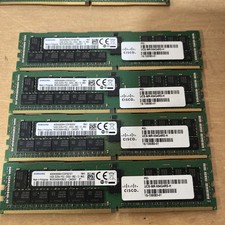
Samsung 64GB PC4-2666V-R 2S2Rx4 DDR4 ECC REG RDIMM - M393A8K40B22-CWD6Y
$270.00

A-Tech 8GB DDR3 1600 PC3-12800 Laptop SODIMM 204-Pin Memory RAM PC3L DDR3L 1x 8G
$21.68

DDR4 Laptop RAM 4GB 8GB 16GB 32GB 2400 2666 3200 Samsung Hynix
$66.00
Lot 500 SK hynix 16GB 2Rx8 PC4-23400 DDR4-2933Y ECC Registered Server Memory RAM
$47988.00

RAMAXEL Lenovo 32GB LPDDR5X CAMM2 7500MHz Laptop RAM | UNTESTED
$445.00

Corsair Vengeance DDR3 8GB 16GB 32GB 1866MHz PC3-14900 Desktop RAM Memory DIMM
$85.00
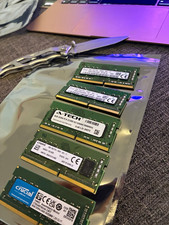
Lot of 5 - Mixed Brands 40GB (5x8GB) DDR4-2666 PC4-21300 SO-DIMM 260-Pin Non-ECC
$150.00



 Reply With Quote