

 Reply With Quote
You more than likely will have to compile the drivers and install them you should extract the .tar.gz. files to a temporary directory and read the instructions that will be in the documents included.Originally Posted by raul_veleiro


Hi,
I'm a new user of Linux (Knoppix)
I want use an USB-Bluetooth interface with a Nokia 6310i.
I have downloaded the files "gnome-bluetooth-0.4.1.tar.gz" and "libbtctl-0.3.tar.gz" but I don't know how to install the .tar.gz files.
Please, could somebody tell me how to do ?
Thanks !.
Raul.
You more than likely will have to compile the drivers and install them you should extract the .tar.gz. files to a temporary directory and read the instructions that will be in the documents included.
Hello again (Thanks Stephen),
Well, I have found some Bluetooth RPMs (look at http://bluez.sourceforge.net/). I think that is more easy work with "rpm" files than .tar.gz (may be). I used the "rpm" application to install the RPMs, but I got this error:
-----------
root@ttyp0[tmp]# rpm -ivh bluez-libs-2.3-1.i386.rpm
error: failed dependencies:
glibc >= 2.2.4 is needed by bluez-libs-2.3-1
/sbin/ldconfig is needed by bluez-libs-2.3-1
/sbin/ldconfig is needed by bluez-libs-2.3-1
ld-linux.so.2 is needed by bluez-libs-2.3-1
libc.so.6 is needed by bluez-libs-2.3-1
libc.so.6(GLIBC_2.0) is needed by bluez-libs-2.3-1
libc.so.6(GLIBC_2.1.3) is needed by bluez-libs-2.3-1
-----------
Also with the "Kpackage" application I can see this "dependencies".
What is the meaning of each line ?
bye...
Better try to re-compile the install yourself.
In the config files inside it you can point then to the needed libraries (or install them before) .
Installing with rpm suggest that you have write permissions ,but since you are working with a live cd,writing on it is not possible(yet).
So proceed as follows :
-install all needed libraries for this program (install them on you home drive)
-compile the source after adapting the library paths.Install it on you home drive.
This could seem hard the first time you've compiled a program. But it's the best way to install a program. You will have the best results with it (speed,stability,..) .Once you've done one ,you'll see it's not that hard.
This naturally implies you work with persistant home drive,since I rekken you don't wish to redo everytime the installation when you reboot
hope this'll help you on the way ,greetzzzzz
 Posting Permissions


INTEL XEON E5-2680V4 SR2N7 2.40GHZ CPU
$11.00

Dell EMC PowerEdge R440 Xeon silver 4215 2.5GHz 16 GB ram 2x 550W PSU No HDD
$275.00

Dell Precision Tower 7810 Xeon E5-2630 v3 @ 2.40GHz , 32GB Ram, NO HDD, NO OS
$239.99

Dell Precision T7820 2x Xeon Silver 4114 2.20GHz 950W No RAM GPU HDD 4x SATA
$350.48

Dell Precision T5820 Workstation 3.70GHz W-2135 No RAM/ GPU/ HDD/ OS
$179.98

Intel Xeon E5-2699 V4 2.20GHz 55M 22-CORES LGA2011-3 Server Processor 145W SR2JS
$84.49

Intel Xeon E5-2690 v4 SR2N2 14 Core 2.6GHz 35MB LGA2011-3 CPU *km
$15.99
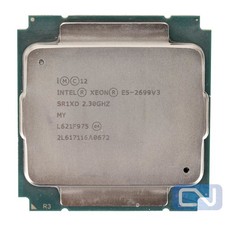
Intel Xeon E5-2699 v3 18 Core 2.3 GHz 45MB SR1XD LGA 2011-3 B Grade
$15.95

DELL Precision T3420 | Xeon 1240v6 | 525GB SSD |16GB RAM |Nvidia GPU |Win11
$149.00

Lenovo ThinkServer TS460 Part Number: 70TS-S01U00
$279.00