-
Boot disk problem
Hi, I have done the hd install. I installed to a second drive, hdb
The install went O.K. untill the making of the boot floppy, which
failed.
So I now do not have a way of booting to linux.
I tried to make a bootdisk using mkboot /boot/vmlimuz but this
failed with a message about lack of space.
Does anyone have any ideas please?
I still have the image on the first drive and can do a "poor mans
boot"
Thanks in advance, Jimmy.
-
Senior Member
registered user
Re: Boot disk problem
--Warning: Untested
0. Boot Knoppix CD
0a. Mount your root partition (assuming /dev/hdb1) ' mount /mnt/hdb1 '
1. Place blank floppy in drive
2. ' mkdosfs -c -v /dev/fd0 ' == Format floppy
3. ' syslinux /dev/fd0 ' == You may want to use the -s option, see ' man syslinux '
4. ' mkdir /mnt/floppy; mount /dev/fd0 /mnt/floppy '
5. ' cp /mnt/hdb1/boot/vmlinuz-2.4.22-xfs /mnt/floppy/vmlinuz ' == Copy kernel and rename to vmlinuz
6. ' cp /mnt/hdb1/boot/initrd.gz /mnt/floppy ' == Copy initrd
7. Copy the following to /mnt/floppy/syslinux.cfg:
Code:
default knoppix
prompt 1
timeout 50
label knoppix
  kernel vmlinuz
  append root=/dev/hdb1 ro vga=791 apm=power-off hda=scsi hdb=scsi hdc=scsi hdd=scsi hde=scsi hdf=scsi hdg=scsi hdh=scsi nomce initrd=initrd.gz
--Edit the "append" line to whatever cheatcodes you need to boot; it should be all one long line. You can also use vga=ext or vga=normal if you don't want framebuffer.
--When done, ' cd; umount /dev/fd0 ' and ' reboot '.

Originally Posted by
iconfly
Hi, I have done the hd install. I installed to a second drive, hdb
The install went O.K. untill the making of the boot floppy, which
failed.
So I now do not have a way of booting to linux.
I tried to make a bootdisk using mkboot /boot/vmlimuz but this
failed with a message about lack of space.
Does anyone have any ideas please?
I still have the image on the first drive and can do a "poor mans
boot"
Thanks in advance, Jimmy.
-
Thank you very much for the detailed insructions.
I will try this. In the meantime I have partitioned the first drive and done
an install to that. However I still have the installation on the second drive, and I want to use that one.
I have always made a floppy boot disk everytime I have done a linux install.
I do not know why it failed with the knoppix install but when it did I did not have the option to retry.
I also intend to get 3.3 and try the new install when I find out ore about it.
Thanks again, I have read the instructions and I think I can see
how it works. Jimmy.
Similar Threads
-
By Rad in forum General Support
Replies: 5
Last Post: 04-25-2004, 07:56 PM
-
By Eradicator in forum General Support
Replies: 2
Last Post: 04-21-2004, 05:29 PM
-
By bbouton in forum Hdd Install / Debian / Apt
Replies: 3
Last Post: 03-10-2004, 03:04 AM
-
By keava in forum General Support
Replies: 3
Last Post: 10-20-2003, 05:24 PM
-
By qa1433 in forum Hdd Install / Debian / Apt
Replies: 1
Last Post: 07-20-2003, 03:15 AM
 Posting Permissions
- You may not post new threads
- You may not post replies
- You may not post attachments
- You may not edit your posts
-
Forum Rules

Vintage Apple Keyboard (MO110)
$61.30

Vintage Apple iMac G4 15" Lamp 700MHz 512MB Mac OS X 10.4.6 W/ Pro Speakers
$300.00
Kineses PS/2 Keyboard to Macintosh Adapter Converter Vintage Interface Apple
$60.00

Apple Computer cards VTG 670-8020-B 607-0103-C 607-0291-C AST -Orange Micro ++
$169.00

Lot of 3 VIntage Apple Computer Rainbow Logo Sticker Decal Macintosh 1980s NOS
$7.00

Rare Vintage Macintosh Apple Wooden Disk Storage Box Dovetailed
$69.95
Apple IIc Vintage Computer System w/ Monitor, Printer, Disk Drive, Joystick
$350.00
Apple Vintage External CD-ROM Drive Unit
$52.78
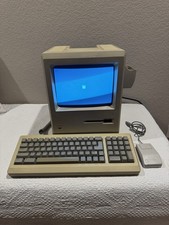
Apple Macintosh Plus 1Mb Vintage Desktop Computer w/ Keyboard & Mouse
$245.00

VINTAGE Apple Mac OS X Computer Monitor
$250.00



 Reply With Quote