

 Reply With Quote
knoppix lang=us screen=1280x1024 you just put spaces between the codes and you only need the one knoppix at the beginning.


I'm sorry to ask such a foolish question but I am rather new to linux as knoppix is the first distro I've felt confident enough to wet my feet with. My question is reguarding the use of more than one cheat code at the boot-up process. I had assumed to use more than one code one would have to seperate each command "cheat code" with a ";" semicolon . "Please correct me if this is wrong." However I must have made an error either in typing or in my assumptions, because I only seem to be able to initiate one code at a time "As far as I can tell." For example knoppix lang=us ; knoppix screen=1280x1024
Both codes work fine used seperately, my problem only occurs when i attempt to use more than one in conjunction with the others... Am i doing something wrong, or is there another issue I maybe over looking ?
Once again I apologise for my ignorance javascript:emoticon('')
Thanx in advance Praxzeus
knoppix lang=us screen=1280x1024 you just put spaces between the codes and you only need the one knoppix at the beginning.
Hello,
Apparently I need the cheat code "expert" to boot my computer. Yesterday I added a persistent directory to my HardDisk. This means that I need to use at least two cheat codes e.g. "expert" and "Knoppix home=scan". I assume that I should use the cheat code "expert" first and then the knoppix codes. Like this expert knoppix home=scan
Is this the right way of using mutiple cheat codes??????????
According to the cheat codes docs expert is a separate image by itself with the same options as using knoppix so you would use expert home=scanOriginally Posted by academic
Thankyou to everyone who replyed so quickly... In my case I realised the error I was making ...I had put the semi colon direcly after the other codes without proper spacing between each command. I just wanted to inform every one where my foly was incase someone had a similar issue. However i did not realise that I only needed "Knoppix" once at the begining, and i could leave out the colons with proper spacing between codes... "Thanx again for the heads up Stephen."
Once again thank you all for steering me in the right direction.
-PraxZeus
 Posting Permissions


Kingston 32GB 64GB 128GB 256GB USB 3.0 Flash Drive Thumb Memory Stick Pen lot
$285.90

Microsoft Office 2021 Pro Plus USB for 1PC Windows 10 & 11
$62.55
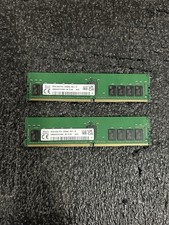
Set of 2 HMAA4GR7CJR8N-XN HYNIX 32GB (1X32GB) 2Rx8 PC4-3200AA MEMORY
$500.00

MICRON MTA36ASF4G72PZ-2G6D1 32GB PC4-21300R DDR4-2666V RDIMM 2RX4 MEMORY DIMM
$139.99
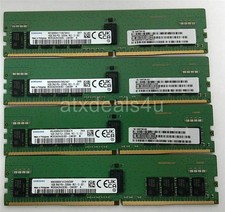
Samsung 64GB (16GBx4) 16GB 2Rx8 PC4-3200AA M393A2K43EM3-CWENY DDR4 Server Memory
$399.99

USB 3.0 Flash Drive 32GB 64GB 128GB Memory Stick Thumb Stick Lot Pack
$826.09

USB 3.0 Micro SD SDHC TF Card Reader Memory Adapter for PC Laptop Camera lot
$3.75
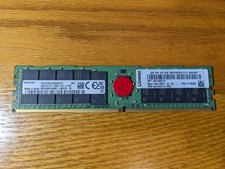
Samsung 64gb PC4-3200AA 2Rx4 DDR4 ECC LRDIMM Memory M393A8G40AB2-CWE - PARTS
$1450.00

TF/SD Card Adapter Camera Reader Android Type-c For iPhone17 Pro Max Plusm lot
$573.98

1/ 10/ 100pcs USB 2.0 2GB, 4GB ,8GB ,16GB ,32GB ,64GB 128GB USB Flash Drives Lot
$202.50