
OK, Even though i have to boot into failsave, it wont recognise my IBM Optical mouse. Any suggestions?!?


OK, Even though i have to boot into failsave, it wont recognise my IBM Optical mouse. Any suggestions?!?
Q: I use a Microsoft Wireless Intelli Mouse explorer (Optical, USB) and the mouspointer won't move.
A: Open a Root-Console (Control-Alt-F2) and enter the following:
modprobe -r usbmouse
modprobe hid
Pressing Control-Alt-F5 will bring you back to KDE.
REF: http://www.knoppix.net/docs/index.php/FaqHardware

ok- will i have to do that every time? can i save those settings to a floppy
HA! my usb keyboard doesn't even work
 Posting Permissions


Intel Core i7-3770K 3.5 GHz Processor
$39.00

Intel Core i7-9700 3.0 GHz Octo-Core (SRG13) Processor
$79.00
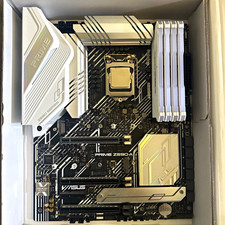
CPU-RAM-MOBO COMBO- 32gb DDR4 3600MHz, i5 CPU, Asus Prime Motherboard
$370.00

HP ProDesk 405 G8 Desktop AMD Ryzen 5 PRO 5650GE 16GB RAM 512GB SSD W11P
$319.99

Intel SRG17 Core i7-9700T Desktop Processor CPU
$74.99

Intel Core i7-9700 SRG13 3.0 GHz Desktop CPU
$80.00

Intel Core i5-14600KF Unlocked Desktop Processor
$259.99

Matched Pair _ Intel Xeon E5-2698 V4 2.2GHz 20-Core Processor CPU LGA2011 SR2JW
$94.99

PS5 Over Heating Problem Solver 1.5 Grams Liquid metal thermal paste CPU, GPU
$15.99

GAMING COMBO: ASUS Prime H470M-PLUS MOTHERBOARD + i5-10600KF CPU + 16GB DDR4
$229.95

 Reply With Quote